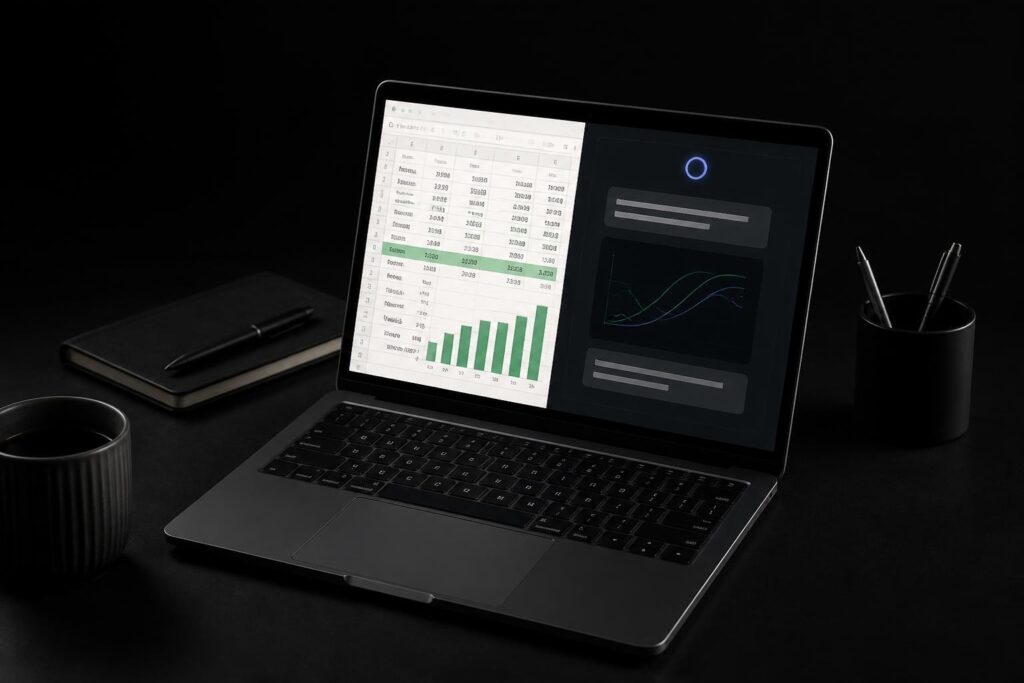
Excel has long been the backbone of business analytics, but even experienced users face challenges when dealing with complex datasets, intricate formulas, and time-consuming analysis tasks. The emergence of AI-powered tools has created new opportunities for spreadsheet users to work smarter and faster. Claude for excel data analysis represents a significant advancement in how professionals interact with their data, combining the familiar Excel environment with sophisticated artificial intelligence capabilities that can read, interpret, and enhance your spreadsheets in ways that traditional methods cannot match.
Understanding Claude's Integration with Excel
Artificial intelligence has transformed from a futuristic concept into a practical tool that enhances everyday workflows. When you combine Claude's natural language processing capabilities with Excel's data management power, you create a partnership that addresses many common spreadsheet challenges.
Anthropic’s Claude AI integration with Microsoft 365 enables users to leverage advanced language models directly within their spreadsheet environment. This integration allows Claude to understand the structure, relationships, and logic embedded in your workbooks without requiring manual explanation of every column and formula.
What Makes Claude Different for Spreadsheet Work
Traditional Excel tools rely on predefined functions and fixed automation rules. Claude for excel data analysis takes a fundamentally different approach by understanding context and intent.
Key capabilities that set Claude apart:
- Natural language queries that eliminate the need for complex formula syntax
- Contextual understanding of business logic embedded in spreadsheet structures
- Ability to identify patterns and anomalies across large datasets
- Dynamic problem-solving that adapts to unique spreadsheet configurations
- Transparent reasoning that explains recommendations and changes
The system reads your existing models, comprehends the relationships between different data elements, and provides insights based on this holistic understanding. According to research analyzing Claude conversations, data analysis tasks represent one of the most common professional applications of AI assistants.

Practical Applications for Data Analysis Tasks
The real value of claude for excel data analysis becomes apparent when you examine specific use cases that professionals encounter daily. These applications span from basic data cleanup to sophisticated financial modeling.
Debugging Complex Formulas and Models
Every Excel user has experienced the frustration of a formula that returns unexpected results or error messages. Claude can analyze your formulas, identify logical errors, and suggest corrections.
When you have nested IF statements combined with VLOOKUP functions and array formulas, troubleshooting becomes exponentially more difficult. Claude examines the entire formula structure, understands what you're trying to accomplish, and pinpoints exactly where the logic breaks down.
Common debugging scenarios Claude handles:
- Circular reference identification and resolution
- Array formula errors and dimension mismatches
- Reference errors from deleted rows or columns
- Logic flaws in conditional calculations
- Data type mismatches causing calculation errors
The official Claude documentation for Excel provides comprehensive examples of how the AI assistant approaches these debugging challenges with step-by-step explanations.
Data Cleaning and Standardization
Inconsistent data entry creates significant problems for analysis. Names appear in different formats, dates use varying conventions, and categorical data includes typos and variations.
| Challenge | Traditional Approach | Claude-Assisted Approach |
|---|---|---|
| Inconsistent date formats | Manual find/replace or complex TEXT formulas | Natural language request for standardization |
| Mixed case names | Nested PROPER, UPPER, LOWER functions | Context-aware formatting with business rules |
| Duplicate detection | Conditional formatting or manual review | Intelligent identification with similarity matching |
| Missing data patterns | Manual scanning or multiple IF statements | Pattern recognition and suggested fill strategies |
Claude for excel data analysis can identify these inconsistencies across thousands of rows and propose standardization strategies that maintain data integrity. This capability is particularly valuable when working with validation rules in Excel to ensure future data entry follows consistent standards.
Building and Modifying Financial Models
Financial professionals spend countless hours constructing budget models, forecasts, and scenario analyses. Claude accelerates this process by understanding financial concepts and spreadsheet best practices.
When you need to update assumptions across a multi-tab workbook, Claude can identify all dependent calculations and ensure changes propagate correctly. The AI understands the difference between hard-coded values that should remain constant and formula-driven cells that need updating.
Financial modeling tasks Claude streamlines:
- Creating sensitivity tables for key assumptions
- Building waterfall charts to visualize variance analysis
- Generating consolidated reports from multiple data sources
- Automating month-end close procedures
- Designing scenario comparison frameworks
The ability to describe your desired outcome in plain language rather than figuring out the exact formula syntax reduces the technical barrier for users who understand the business logic but struggle with Excel's implementation details.
Advanced Analysis Capabilities
Beyond basic spreadsheet operations, claude for excel data analysis offers sophisticated analytical capabilities that rival specialized statistical software for many common business applications.
Pattern Recognition and Trend Analysis
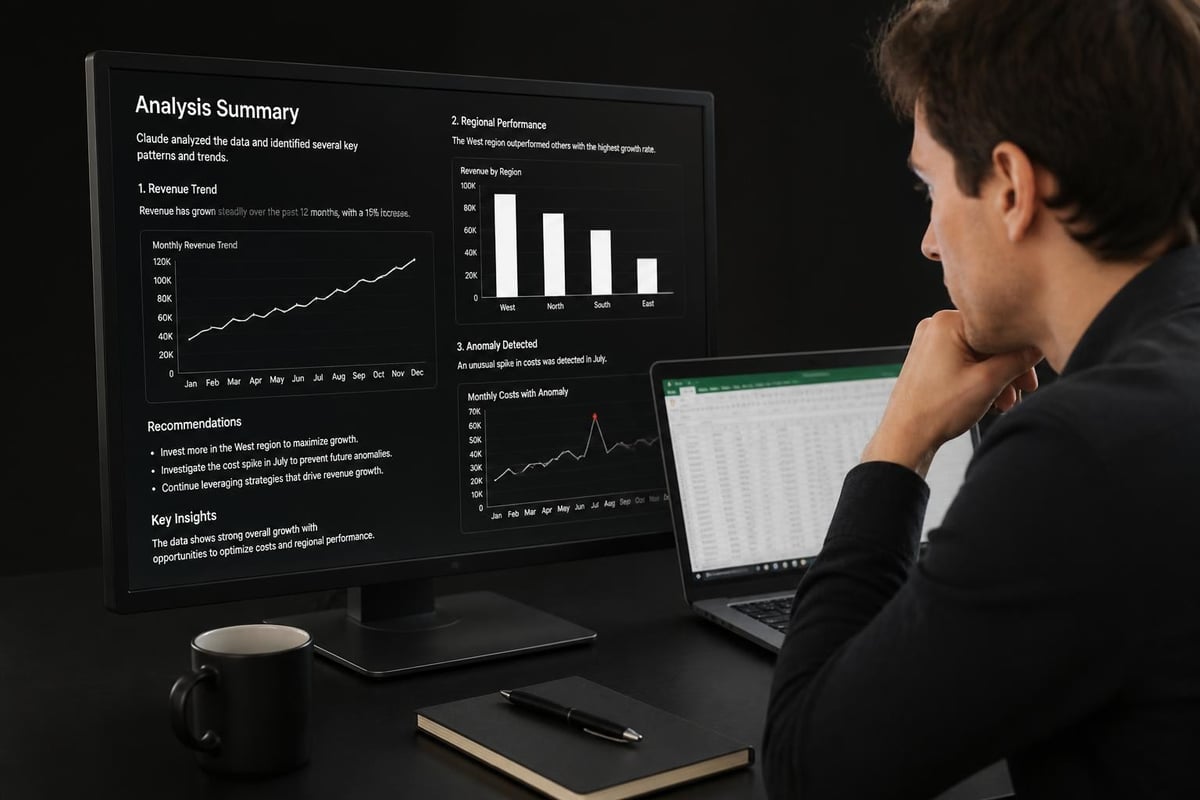
Claude can examine time-series data and identify trends, seasonality, and outliers without requiring you to manually configure complex statistical functions. When you calculate moving averages in Excel, Claude can determine the optimal window size based on your data characteristics and business objectives.
The AI doesn't just calculate statistics; it interprets them in the context of your specific situation. If your sales data shows unusual spikes or dips, Claude can investigate potential causes by examining related data columns and temporal patterns.
Automated Insight Generation
Traditional analysis requires you to formulate specific questions and then construct the queries to answer them. Claude reverses this process by examining your data and proactively suggesting insights you might not have considered.
This exploratory analysis capability is particularly valuable for users who may not have formal statistical training but need to extract meaningful insights from their data. Understanding spreadsheet capabilities across different Microsoft Office Excel versions helps ensure you're using features compatible with your installation.
Creating Dynamic Visualizations
While Excel offers robust charting capabilities, selecting the right visualization type and configuring it properly requires expertise. Claude for excel data analysis recommends appropriate chart types based on your data structure and analytical goals.
When you need to create charts in Excel that effectively communicate your findings, Claude can suggest whether a line chart, bar chart, scatter plot, or more specialized visualization best serves your purpose. The AI considers factors like the number of data series, the relationship between variables, and the story you're trying to tell.
Implementing Claude in Your Workflow
Integration represents more than just technical setup; it requires understanding how to effectively collaborate with AI to maximize productivity while maintaining control over your spreadsheets.
Getting Started with Claude for Excel
The setup process has been designed for accessibility, allowing users without technical backgrounds to begin leveraging AI capabilities quickly. The official support documentation walks through the initial configuration steps and provides examples of starter prompts.
Initial implementation steps:
- Access Claude through the appropriate integration method for your environment
- Upload or connect your Excel workbook for analysis
- Provide context about what the spreadsheet contains and your objectives
- Start with simple queries to understand Claude's interpretation of your data
- Gradually increase complexity as you become comfortable with the interaction model
Many users find it helpful to begin with analytical tasks rather than structural changes. Asking Claude to summarize data, identify outliers, or calculate specific metrics builds confidence before requesting modifications to formulas or workbook structure.
Best Practices for Effective Collaboration
The quality of results from claude for excel data analysis depends significantly on how you frame requests and provide context. Clear communication produces better outcomes.
| Do | Don't |
|---|---|
| Provide specific context about business rules and objectives | Assume Claude knows your organization's unique processes |
| Review suggested formulas before implementing them | Blindly accept all recommendations without verification |
| Ask Claude to explain its reasoning | Use it as a black box without understanding the logic |
| Start with non-critical spreadsheets while learning | Immediately apply to mission-critical financial models |
| Verify results against known benchmarks | Skip validation steps |
When working with password-protected Excel workbooks, ensure you have proper access permissions before attempting AI-assisted analysis. Security protocols remain important even when using advanced tools.
Combining Claude with Traditional Excel Skills
AI assistance works best when it complements rather than replaces fundamental spreadsheet competency. Understanding basic Excel functions, data structures, and best practices enables you to evaluate Claude's suggestions more effectively.
For instance, when Claude recommends using XLOOKUP instead of VLOOKUP, knowing how to use XLOOKUP helps you understand the advantages and implement the function correctly. Similarly, understanding how to create pivot tables allows you to provide better context when asking Claude to build or modify pivot table analyses.
Real-World Applications Across Industries
Different professional contexts benefit from claude for excel data analysis in unique ways, with applications tailored to specific industry needs and analytical challenges.
Financial Analysis and Reporting
Finance teams deal with monthly closes, variance analysis, and forecast updates that involve repetitive calculations across standardized templates. Claude can automate much of this work while maintaining the flexibility to handle exceptions and special circumstances.
When building a construction estimating spreadsheet that requires cost projections across multiple scenarios, Claude helps structure the model to accommodate variables like material price fluctuations, labor rate changes, and timeline adjustments. The AI ensures formulas remain consistent across all scenarios while allowing for project-specific customizations.
Operations and Inventory Management
Operations managers track metrics like inventory turnover, production efficiency, and supply chain performance. Claude can transform raw operational data into actionable dashboards and exception reports.
For businesses using a vehicle inspection checklist in Excel, Claude can analyze inspection data to identify patterns in maintenance needs, predict potential failures, and optimize inspection schedules based on usage patterns and historical data.
Human Resources and Workforce Analytics
HR departments maintain extensive employee data and need to analyze trends in hiring, retention, compensation, and performance. Claude for excel data analysis helps extract insights while maintaining appropriate data privacy and confidentiality.
When managing staff daily attendance sheets in Excel, Claude can identify attendance patterns, calculate productivity metrics, and flag anomalies that might indicate scheduling issues or employee concerns requiring attention.

Overcoming Common Challenges
Even with powerful AI assistance, users encounter specific obstacles when implementing claude for excel data analysis in their workflows. Understanding these challenges and their solutions accelerates the learning curve.
Handling Large and Complex Datasets
Excel's row limitations and performance constraints become apparent with very large datasets. Claude can help optimize spreadsheet structure and suggest when alternative tools might be more appropriate.
The AI can recommend strategies like breaking large workbooks into connected smaller files, using dynamic arrays instead of helper columns, or implementing more efficient lookup methods. According to practical demonstrations of Claude in Excel, proper data structure significantly impacts both performance and analytical capabilities.
Maintaining Data Integrity and Audit Trails
Financial and regulatory requirements often mandate clear documentation of how calculations are performed and data is modified. Claude can assist while preserving these necessary controls.
When removing duplicate records in Excel, Claude can document which records were removed and why, creating an audit trail that satisfies compliance requirements. This transparency becomes particularly important in regulated industries where data modifications must be traceable.
Balancing Automation with Oversight
The temptation exists to automate everything possible, but certain decisions require human judgment that AI cannot replace. Knowing where to draw this line ensures quality outcomes.
Tasks ideal for Claude automation:
- Repetitive data cleaning and formatting
- Standard calculations and aggregations
- Pattern identification and anomaly flagging
- Report generation from structured templates
- Formula debugging and optimization
Tasks requiring human oversight:
- Strategic business decisions based on analysis
- Exception handling for unusual circumstances
- Interpretation of results within broader business context
- Final approval of recommendations before implementation
- Validation of critical financial calculations
Advanced Techniques for Power Users
Experienced Excel users can leverage claude for excel data analysis in sophisticated ways that go beyond standard analytical tasks, creating custom solutions tailored to specific business needs.
Building Intelligent Templates
Rather than creating static templates that require manual updates, Claude can help design adaptive templates that respond to different data inputs while maintaining structural integrity. These templates include built-in error checking, data validation, and dynamic formatting that adjusts based on content.
When you need to create drop-down lists in Excel that populate based on previous selections, Claude can design cascading validation rules that ensure data consistency throughout the workbook. This capability extends to complex scenarios where validation criteria depend on multiple factors.
Integrating with Other Data Sources
Modern business analysis rarely relies on a single data source. Claude can assist in designing Excel workbooks that integrate information from databases, web sources, and other applications while maintaining update procedures and data quality checks.
The AI helps structure connection logic, handles data type conversions, and builds error handling for situations where external sources are unavailable or return unexpected results. This integration capability transforms Excel from a standalone analysis tool into a central hub for business intelligence.
Creating Custom Functions and Macros
For tasks that Excel's built-in functions cannot handle efficiently, Claude can design VBA macros or suggest alternative approaches using newer Excel features like LAMBDA functions. The AI explains the code it generates, making it accessible even to users without programming backgrounds.
When you need to unlock Excel sheets or work with protected workbooks, Claude can guide you through proper procedures while explaining the security implications and best practices for worksheet protection.
The Future of Spreadsheet Intelligence
Looking ahead, the integration of AI capabilities like claude for excel data analysis represents an early stage in the evolution of intelligent spreadsheet tools. The technology continues advancing rapidly, with new capabilities emerging regularly.
Industry experts, as discussed in TechRadar’s analysis of Claude in spreadsheets, suggest that AI assistants will become increasingly sophisticated in understanding business context and providing strategic recommendations beyond technical spreadsheet operations.
Emerging Capabilities on the Horizon
Development roadmaps indicate several areas where claude for excel data analysis will likely expand its functionality in coming years. These include more sophisticated predictive modeling, enhanced visualization recommendations, and deeper integration with enterprise data ecosystems.
The ability to learn from user preferences and organizational standards will enable more personalized assistance over time. As Claude encounters more examples of how your organization structures spreadsheets and performs analysis, its recommendations will become increasingly aligned with your specific needs.
Preparing Your Organization for AI-Enhanced Analytics
Successful adoption of AI tools requires more than technical implementation. Organizations benefit from establishing clear guidelines about when and how to use AI assistance, particularly for critical business processes and regulated activities.
Training programs should focus not just on how to use Claude, but on how to evaluate its recommendations critically and maintain necessary human oversight. Understanding comprehensive Excel capabilities helps users make informed decisions about when AI assistance adds value versus when traditional methods remain more appropriate.
Maximizing Return on AI Investment
The value of claude for excel data analysis extends beyond time savings to include improved accuracy, enhanced insights, and the ability to tackle more complex analytical challenges than previously possible with limited resources.
Measuring Impact and Effectiveness
Organizations should track specific metrics to quantify the benefits of AI-enhanced spreadsheet work. These might include time savings on routine tasks, reduction in formula errors, faster response times for ad-hoc analysis requests, and increased sophistication of insights generated from existing data.
Key performance indicators for AI adoption:
- Hours saved per week on data preparation and cleaning
- Reduction in error rates for critical calculations
- Increase in analytical questions answered per analyst
- Expansion of analytical capabilities without additional headcount
- Improvement in decision-making speed based on data insights
Regular review of these metrics helps refine how your organization deploys AI assistance and identifies opportunities for expanded application.
Building Organizational Capability
Rather than viewing AI as a replacement for Excel skills, forward-thinking organizations recognize it as a tool that allows their teams to operate at a higher level. Analysts spend less time on mechanical tasks and more time on interpretation, strategy, and communication of insights.
According to detailed analyses of how Claude transforms Excel work, the technology enables professionals to handle more complex projects and deliver more sophisticated analysis without proportionally increasing time investment. This capability becomes particularly valuable as data volumes and analytical complexity continue growing across all industries.
The integration of AI capabilities into Excel represents a fundamental shift in how professionals interact with data and perform analysis. Claude for excel data analysis offers powerful tools that enhance productivity, improve accuracy, and unlock insights that might otherwise remain hidden in complex spreadsheets. Whether you're struggling with formula errors, drowning in data cleanup tasks, or looking to extract deeper insights from your information, The Analytics Doctor provides expert guidance on leveraging both traditional Excel techniques and cutting-edge AI tools to transform your spreadsheets into strategic assets that drive better business decisions.