Are you ready to streamline your vehicle inspections and ensure road safety in 2026? Staying ahead of changing regulations is more important than ever, especially as compliance standards evolve.
This guide will walk you through using a vehicle inspection checklist excel to keep your records organized, accessible, and audit-ready. With Excel, you can improve accuracy, reduce paperwork, and simplify the entire inspection process.
Discover the advantages of digital checklists, step-by-step Excel setup, key inspection items, automation tips, and access downloadable templates designed for 2026 standards. Take control of your inspections and stay compliant with confidence.
Why Use an Excel Vehicle Inspection Checklist in 2026?
The landscape of vehicle inspections is rapidly changing. By 2026, stricter regulations and a strong push toward digital record-keeping are transforming how organizations approach vehicle safety. Manual paperwork is becoming outdated as businesses seek more reliable, efficient solutions. With growing demand for transparency and accountability, the vehicle inspection checklist excel approach is now the industry standard.
Digital transformation is not just a trend, it is a necessity. Paper forms can be misplaced, are hard to search, and slow down operations. In contrast, using a vehicle inspection checklist excel template offers instant accessibility, powerful search features, and seamless data analysis. Businesses save on stationery costs and reduce administrative overhead by moving their inspection process into Excel.
Adapting to new legal and insurance obligations is crucial. In 2026, compliance standards require up-to-date, auditable records for every vehicle. A vehicle inspection checklist excel empowers you to meet these requirements by making it easy to update forms, archive inspections, and demonstrate compliance during audits. Digital checklists ensure nothing is missed, helping avoid costly penalties and insurance issues.
Accuracy and error reduction are major advantages. Excel provides built-in validation tools, dropdown menus, and automation features that minimize mistakes. For guidance on creating efficient, audit-ready checklists, explore this Audit-ready Excel checklist design resource. With a vehicle inspection checklist excel, you can centralize records for your entire fleet or individual vehicles, making retrieval and review effortless.
The impact is clear across industries. For example, logistics companies using paper checklists often face lost documents and inconsistent reporting. Switching to a vehicle inspection checklist excel cuts inspection time by up to 40 percent and reduces errors by 60 percent, according to FleetOwner. See the comparison below:
| Feature | Paper Checklist | Excel Checklist |
|---|---|---|
| Searchability | Low | High |
| Error Rate | High | Low |
| Cost | Ongoing | Minimal |
| Compliance | Difficult | Easy |
| Data Analysis | Manual | Automated |
From large fleets to personal cars, everyone benefits. Logistics managers, small business owners, and even individual drivers find that vehicle inspection checklist excel solutions simplify compliance and support safer roads.
Essential Components of a Vehicle Inspection Checklist
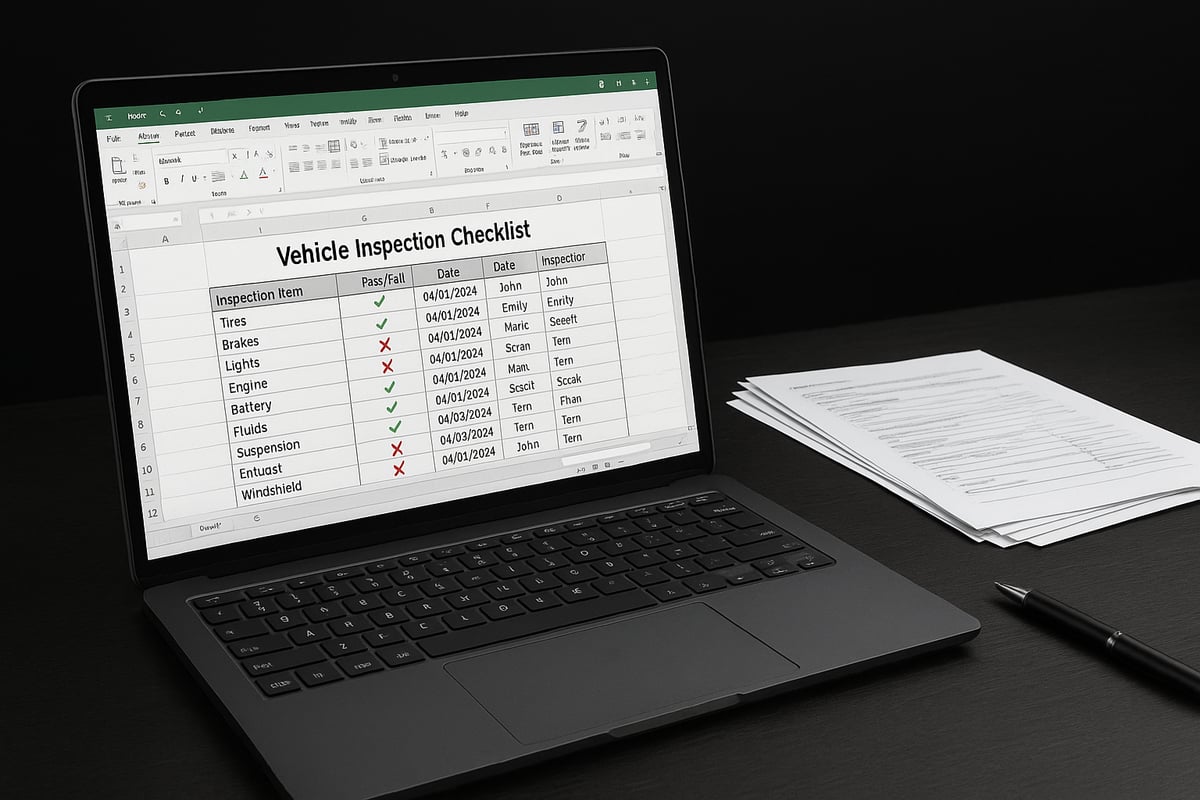
Creating an effective vehicle inspection checklist excel template requires attention to detail, adaptability, and compliance with new standards. Each component plays a role in ensuring your inspections are thorough, auditable, and easy to use. Let’s break down the essential elements for 2026.
Core Inspection Categories
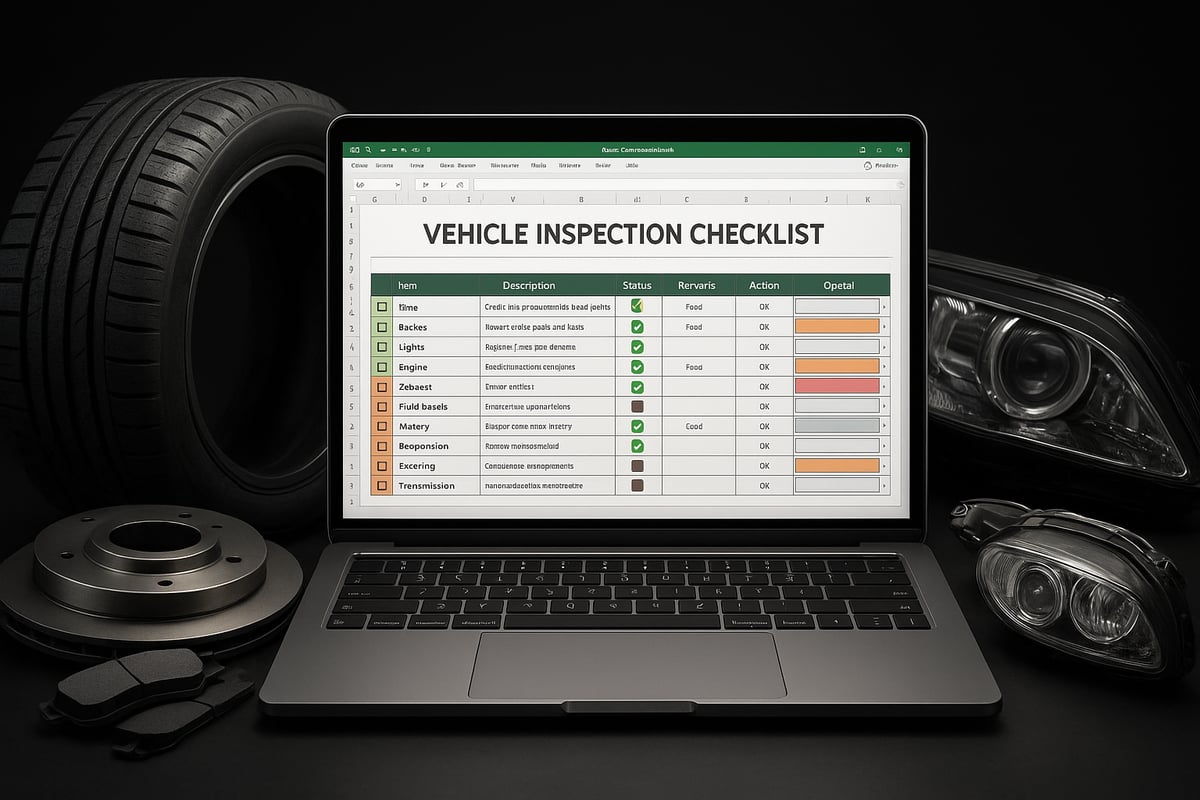
A comprehensive checklist covers all vital systems and parts. The most common categories include:
- Exterior (body, mirrors, windows, wipers)
- Interior (seats, seatbelts, dashboard indicators)
- Engine and fluids (oil, coolant, leaks)
- Tires and wheels (tread, pressure, condition)
- Brakes (pads, discs, response)
- Lights and signals (headlights, brake lights, indicators)
- Safety equipment (fire extinguisher, first aid kit, emergency tools)
By segmenting your vehicle inspection checklist excel into these categories, you ensure every critical area is reviewed during each inspection.
Customizable Fields for Better Tracking
Customizable fields make your checklist adaptable to any fleet size or vehicle type. Essential fields include:
- Vehicle ID or license plate
- Inspection date
- Inspector’s name
- Odometer reading
- Comments or notes section
Including these fields in your vehicle inspection checklist excel template streamlines record-keeping and makes it easier to trace issues or trends over time.
Scoring Methods: Pass/Fail vs. Numeric
Deciding how to rate inspection items is key. A pass/fail approach is straightforward and ideal for basic compliance checks. Numeric scoring (e.g., rating from 1 to 5) offers deeper insight into component condition and trends.
For most users, starting with pass/fail in a vehicle inspection checklist excel sheet works well. Fleets seeking more granular data may prefer numeric scoring for maintenance planning and performance tracking.
Prioritizing Items: Required vs. Recommended
Not every checklist item carries equal weight. Legal requirements, such as brake and light checks, should be labeled as required. Recommended items, like interior cleanliness or minor cosmetic issues, can be included for best practices.
Segmenting your vehicle inspection checklist excel into required and recommended sections helps inspectors focus on compliance while still promoting overall vehicle health.
Visual Cues and Conditional Formatting
Visual cues make checklists intuitive and error-resistant. Color-coding, such as red for “fail” or green for “pass,” instantly highlights issues. Conditional formatting in Excel automates this process, reducing oversight and speeding up reviews.
For a step-by-step guide on setting up these features, see the Excel conditional formatting guide. Applying these visual tools in your vehicle inspection checklist excel template can dramatically improve clarity and compliance.
Real-World Example: Delivery Van vs. Personal Car
A delivery van checklist may emphasize cargo area security, tire wear, and brake performance due to higher usage rates. A personal car checklist might focus more on comfort features and general maintenance.
| Component | Delivery Van Focus | Personal Car Focus |
|---|---|---|
| Tires | Wear, pressure | Tread, pressure |
| Cargo Area | Security, damage | N/A |
| Interior | Cleanliness | Comfort, safety |
| Brakes | Performance | Basic function |
Tailoring your vehicle inspection checklist excel to each vehicle type enhances accuracy and relevance.
Data-Driven Insights: Safety and Cost Impact
According to NHTSA’s 2025 recommendations, detailed digital checklists reduce maintenance costs by up to 25% and improve safety records. Logging every inspection in a vehicle inspection checklist excel sheet helps identify recurring faults and prioritize repairs.
Thorough documentation supports insurance claims, compliance audits, and proactive maintenance, leading to fewer breakdowns and safer roads.
Step-by-Step: Creating Your Vehicle Inspection Checklist in Excel
Creating an effective vehicle inspection checklist excel template is a strategic process. By following these detailed steps, you will ensure your inspections are thorough, compliant, and efficient for 2026. Let us break down each phase, from planning to automation, so you can build a robust digital checklist tailored to your needs.
Planning Your Checklist Structure
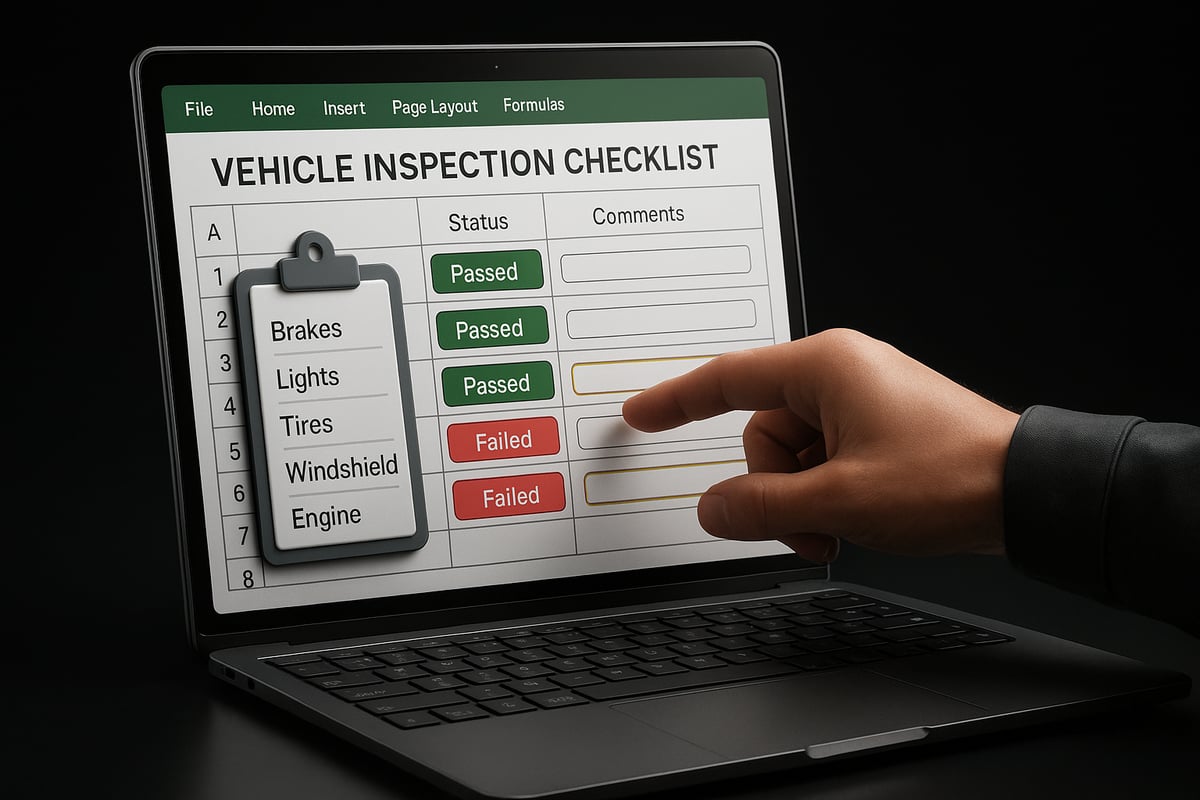
Start by defining the goals for your vehicle inspection checklist excel template. Consider the type of vehicles you manage—commercial trucks, delivery vans, or personal cars. Each may require unique inspection points and schedules.
List the main inspection categories relevant to your fleet or vehicle. Common sections include exterior, interior, engine, tires, brakes, lights, fluids, and safety equipment. For fleets, add customizable fields like vehicle ID, inspector name, date, mileage, and comments to improve traceability.
Choose how often inspections should occur. Daily checks are typical for commercial fleets, while personal vehicles may only need monthly reviews. Matching frequency to usage ensures your vehicle inspection checklist excel remains both practical and compliant.
Here is a simple comparison:
| Scenario | Checklist Focus | Frequency |
|---|---|---|
| Fleet Management | Detailed, multi-vehicle | Daily |
| Single Vehicle | Essential, personalized | Monthly |
Involve your mechanics or drivers in the planning phase. Their hands-on experience will help you identify critical items and avoid missing key components in your vehicle inspection checklist excel.
Remember, a well-structured plan is the foundation for a checklist that supports compliance and safety. Take the time to outline categories and set up a logical flow before moving to the next step.
Building the Excel Template
Once you have a plan, open Excel and begin structuring your vehicle inspection checklist excel. Start with columns for each essential field: inspection item, status (pass/fail or dropdown), notes, date, inspector, and vehicle details.
Leverage Excel's data validation to standardize responses. For example, use dropdown menus for pass/fail or numeric scoring. This not only simplifies input but also reduces errors. For a step-by-step guide on robust data validation, refer to Excel data validation rules.
Add conditional formatting to highlight failed items. For instance, use red backgrounds for failed checks and green for passes. This provides instant visual cues, making your vehicle inspection checklist excel more actionable.
Here is a quick code snippet to set up a pass/fail dropdown:
Select the Status column > Data tab > Data Validation > Allow: List > Source: Pass,Fail
Freeze header rows and protect formula cells to maintain usability and data integrity. For larger fleets, consider using Excel tables for dynamic data management and easier filtering.
A well-designed vehicle inspection checklist excel template should look clean and intuitive. Here is a sample layout:
| Item | Status | Notes | Date | Inspector |
|---|---|---|---|---|
| Tire Tread | Pass | Good | 2026-01-02 | J. Smith |
| Headlights | Fail | Replace | 2026-01-02 | J. Smith |
Investing time in setup will save hours in inspection reviews and audits later.
Automating and Enhancing Your Checklist
Take your vehicle inspection checklist excel to the next level by adding automation and smart features. Use formulas to tally pass/fail counts and calculate compliance rates automatically. This provides management with instant insight into fleet safety.
Transform your checklist into an Excel table. This makes filtering and sorting inspection data seamless, especially for multi-vehicle operations. It also enables dynamic range referencing for future data entries, keeping your vehicle inspection checklist excel scalable.
Integrate your checklist with maintenance logs or driver reports for a holistic view of vehicle health. Setting up reminders through Excel or Outlook integration ensures inspections are not missed. For example, use conditional formatting to flag inspections that are overdue or items that repeatedly fail.
Here is a simple formula for compliance rate:
=COUNTIF(StatusRange,"Pass")/COUNTA(StatusRange)
Consider creating an alert system within your vehicle inspection checklist excel. Conditional formatting can highlight overdue inspections or escalate items that need urgent attention.
By automating repetitive tasks, you not only reduce human error but also free up valuable time for your team. Enhanced checklists support continuous improvement and compliance, ensuring your vehicles stay safe and road-ready.
Advanced Excel Features for Inspection Checklists
Unlocking the full power of Excel can elevate your vehicle inspection checklist excel workflow from basic to best-in-class. Advanced features in Excel help you create smarter, faster, and more reliable inspection processes, whether you manage a fleet or just your own vehicle.
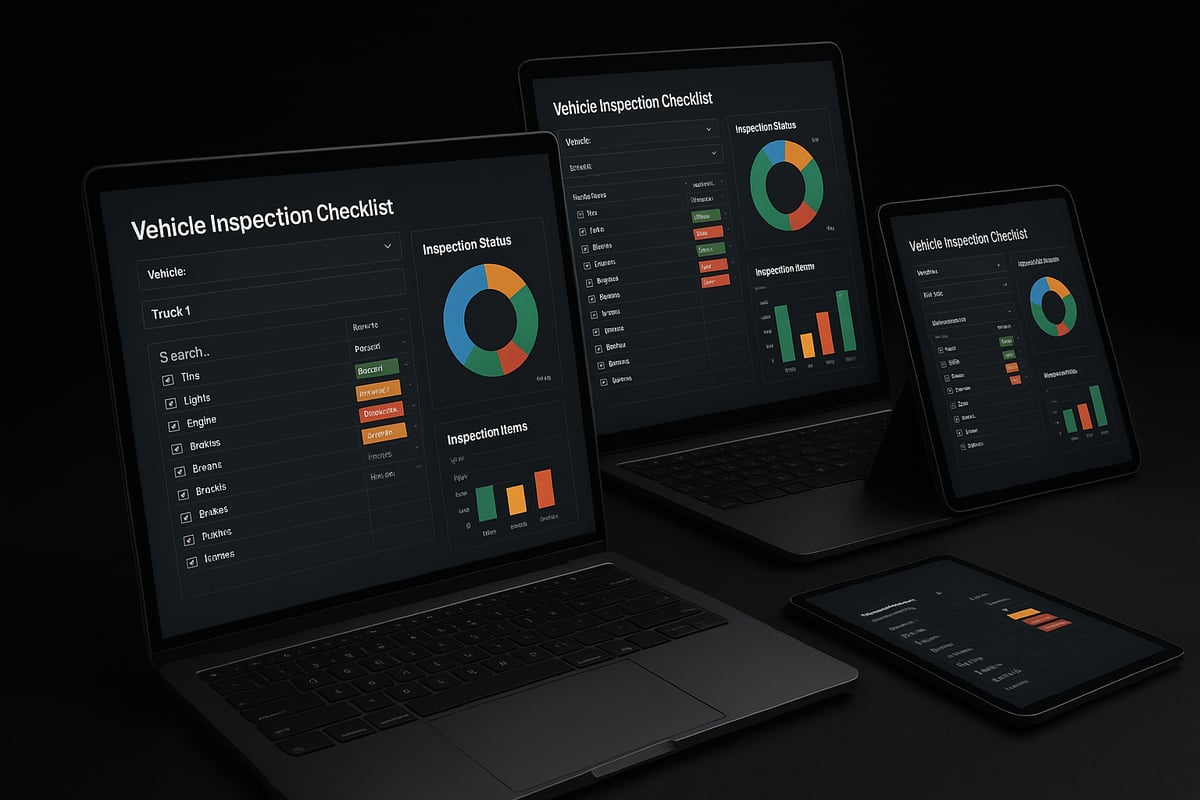
Drop-Downs, Checkboxes, and Conditional Formatting
Start by adding drop-down menus to your vehicle inspection checklist excel file. Drop-downs standardize responses for items like "pass," "fail," or "needs attention." This reduces human error and ensures consistent data.
Checkboxes are another powerful tool. They allow for quick, mobile-friendly data entry, especially when using tablets or touch devices during inspections. Checkboxes can be set up using Excel's Developer tab, making input fast and intuitive.
Conditional formatting brings your checklist to life. For example, you can highlight failed items in red, or overdue inspections in yellow. This visual feedback helps inspectors and managers spot issues instantly. Use rules like =IF([@Status]="Fail",TRUE,FALSE) to trigger color changes.
- Drop-downs for standardized responses
- Checkboxes for mobile usability
- Conditional formatting for instant feedback
These features make your vehicle inspection checklist excel more interactive and reduce the risk of missing critical issues.
Pivot Tables, Charts, and Dashboards
Once you have collected inspection data, pivot tables and charts help you analyze trends in your vehicle inspection checklist excel. Pivot tables summarize results by date, vehicle, or inspector, making it easy to spot recurring issues or maintenance needs.
Charts visualize these trends, offering clear insights at a glance. For example, a bar chart could show inspection pass rates by month, while a pie chart breaks down common failure points. This level of analysis supports data-driven decision-making for your fleet or business.
A well-designed dashboard pulls all this information together. Dashboards can display KPIs like "fleet compliance rate," "average inspection time," and "number of overdue items." Many vehicle inspection checklist template resources already include dashboards, saving you setup time.
| Feature | Benefit | Example Use Case |
|---|---|---|
| Pivot Table | Trend analysis | Track pass/fail rates |
| Chart | Visual performance view | Failure breakdown |
| Dashboard | Real-time oversight | Fleet summary |
With these tools, your vehicle inspection checklist excel becomes a dynamic reporting and management solution.
Security, Automation, and Advanced Tools
Data security is crucial, especially for sensitive inspection records. Use Excel's sheet protection and user permissions to control who can edit your vehicle inspection checklist excel files. Protecting formulas and validation rules ensures data integrity.
Automation further boosts efficiency. Simple macros can automate repetitive tasks, such as flagging overdue inspections or sending email alerts when a vehicle fails. For example, a macro could scan your checklist daily and notify you of any urgent issues.
Integrate your checklist with maintenance logs or driver reports for a seamless workflow. Excel's table features make it easy to filter, sort, and connect data across multiple sheets. This centralizes your compliance records and streamlines audits.
- Sheet protection for sensitive data
- Macros for automated alerts
- Integration with maintenance systems
A 2025 industry survey shows that 70% of fleet managers prefer Excel for its customizable reporting and automation options, making it the go-to platform for advanced vehicle inspection checklist excel solutions.
Downloadable Templates & Customization Tips for 2026
Staying efficient in 2026 starts with the right vehicle inspection checklist excel template. With evolving standards and diverse vehicle types, using a customizable digital checklist ensures you never miss a critical inspection item. Templates save time, boost consistency, and set the foundation for compliance.
Finding and Downloading Templates
Access to reliable templates is crucial. Start by exploring trusted sources that offer up-to-date vehicle inspection checklist excel files. Look for options that include core categories like brakes, lights, and fluids, as well as customizable fields for inspection details.
Many businesses prefer ready-to-use templates that can be tailored to their needs. For a selection of downloadable and adaptable Excel templates, visit Excel templates for reports. These resources streamline your setup, letting you focus on inspection quality.
Customization Strategies for Various Vehicle Types
Every fleet has unique requirements. Customizing your vehicle inspection checklist excel template ensures you capture data relevant to each vehicle. For commercial trucks, add sections for cargo restraints and DOT compliance. Personal vehicles may need focus on comfort and safety features.
Electric vehicles (EVs) require additional checkpoints, such as battery health and charging systems. Add fields for EV-specific items, and use Excel’s conditional formatting to highlight any issues. Incorporate your company logo and legal disclaimers for a professional, branded appearance.
Ensuring Compliance and Keeping Templates Updated
Regulations change, and your vehicle inspection checklist excel must keep pace. In 2026, checklists should align with both state and federal requirements. Regularly review templates to ensure all mandatory items are included and clearly marked.
Gather feedback from inspectors and mechanics to refine your checklist. Update fields, scoring methods, or notes sections as needed. Secure your templates with password protection to safeguard sensitive data, and back up files regularly to prevent loss.
Example: Adapting for an Electric Vehicle Fleet
Suppose your business adds EVs to its fleet. Update your vehicle inspection checklist excel by introducing a dedicated section for electric powertrain components. Use drop-down menus for quick battery status selection, and color-code cells for high-voltage system checks. This approach keeps your inspection process thorough and future-ready.
A 2025 industry survey found that 85 percent of businesses plan to update their inspection checklists annually, highlighting the importance of regular template reviews and improvements.
Best Practices for Ongoing Vehicle Inspections & Record-Keeping
Maintaining a reliable vehicle inspection checklist excel process is essential for long-term safety, compliance, and efficiency. Adopting best practices ensures your inspections are not just a formality but a valuable part of your operations.
Scheduling Inspections for Compliance and Uptime
Regular scheduling is the foundation of an effective vehicle inspection checklist excel system. Set inspection intervals that match your vehicle type and usage—daily for commercial fleets, weekly or monthly for personal vehicles.
Use automated calendar reminders or Excel formulas to flag upcoming or overdue inspections. This approach minimizes downtime while ensuring no inspection is missed. Staying proactive with your vehicle inspection checklist excel helps maintain compliance and avoid costly delays.
Training Staff for Consistency
Even the most advanced vehicle inspection checklist excel template is only as effective as the people using it. Provide hands-on training for all team members, including mechanics and drivers.
Focus on:
- Demonstrating checklist procedures step by step
- Explaining the importance of accurate data entry
- Clarifying how to report and escalate issues
Encourage feedback and adapt training as new requirements emerge. Well-trained staff ensure your inspections are thorough and consistent.
Backing Up Inspection Data Securely
Safeguarding inspection records is crucial. Choose between cloud storage and local backups for your vehicle inspection checklist excel files. Here is a quick comparison:
| Backup Method | Pros | Cons |
|---|---|---|
| Cloud Storage | Accessible anywhere | Requires internet |
| Local Storage | Full control | Risk of loss |
Cloud-based solutions offer automatic backups and easy sharing, while local storage provides direct control. Whichever you choose, schedule regular backups to prevent data loss.
Auditing and Continuous Improvement
Regularly audit your vehicle inspection checklist excel records. Review entries for accuracy, completeness, and compliance with regulations.
Steps for effective auditing:
- Compare inspection records against maintenance logs
- Identify patterns in failures or missed inspections
- Use findings to refine checklists and processes
Referencing a vehicle inspection checklist template can help benchmark your own checklist’s thoroughness and ensure nothing is overlooked.
Integrating Data and Meeting 2026 Legal Requirements
Maximize value by integrating your vehicle inspection checklist excel data with other systems, like maintenance logs or compliance reports. This creates a seamless workflow and reduces duplicate data entry.
Stay updated on legal requirements for 2026, such as data retention periods and privacy regulations. Protect sensitive information with password protection and controlled access. For more on how digital solutions streamline compliance, see the digital vehicle inspection benefits.
Real-World Example: Streamlining Audits
A regional delivery company implemented a vehicle inspection checklist excel process across its entire fleet. By centralizing digital records and training staff, the business reduced audit preparation time by 50 percent. Automated reminders ensured inspections were never missed, and cloud backups protected data from accidental loss. As a result, the company passed every compliance audit in 2025 with zero violations.
By following these best practices, your organization can turn a vehicle inspection checklist excel into a powerful tool for safety, compliance, and operational excellence.
Common Mistakes to Avoid with Excel Vehicle Inspection Checklists
Avoiding mistakes with your vehicle inspection checklist excel template is crucial for compliance and efficiency. Even small errors can lead to costly fines or missed safety issues. Below, we highlight key pitfalls and how you can sidestep them for a smoother inspection process.
Common Pitfalls in Vehicle Inspection Checklist Excel Templates
One frequent mistake is overcomplicating your vehicle inspection checklist excel file. Adding excessive fields or formulas can overwhelm users and slow down inspections.
Consider this table for clarity:
| Mistake | Solution |
|---|---|
| Too many columns and complex formulas | Keep templates simple and focused |
| Unclear instructions | Add guidance notes for users |
Keep your checklist straightforward. Focus on essential items and only add advanced features if they directly support your inspection goals.
The Importance of Keeping Checklists Current
Neglecting to update your vehicle inspection checklist excel for new vehicle types or regulations is another common error. Regulatory standards change frequently, especially as 2026 approaches.
Failing to revise your checklist may result in compliance failures or missed inspection points. Schedule regular reviews and assign responsibility for updates to ensure your checklist always reflects the latest legal and operational requirements.
Data Protection and Version Control
Many organizations underestimate the importance of data protection and version control in their vehicle inspection checklist excel workflow. Unsecured files risk unauthorized edits or data loss.
Implement password protection for sensitive sheets and establish a clear versioning system. This practice prevents confusion and helps maintain a reliable audit trail. For those seeking more robust solutions, the Digital vehicle inspection software guide offers additional strategies for secure, scalable inspection management.
Training and Usability Matter
Even the best vehicle inspection checklist excel template can fail if users are not properly trained. Inconsistent inspection quality often stems from a lack of clear instructions or insufficient onboarding.
Gather feedback from drivers and mechanics regularly. Update your checklist to address usability issues, making sure everyone understands how to complete and submit inspections correctly.
Real-World Consequences and Compliance Data
Ignoring these best practices can have significant consequences. For example, a regional fleet operator was fined after auditors discovered they used an outdated vehicle inspection checklist excel template that missed new 2024 safety items.
According to compliance audits in 2024, 30% of violations were traced to poor checklist practices. Avoid these mistakes by keeping your templates simple, current, and user-friendly, and by prioritizing data protection.