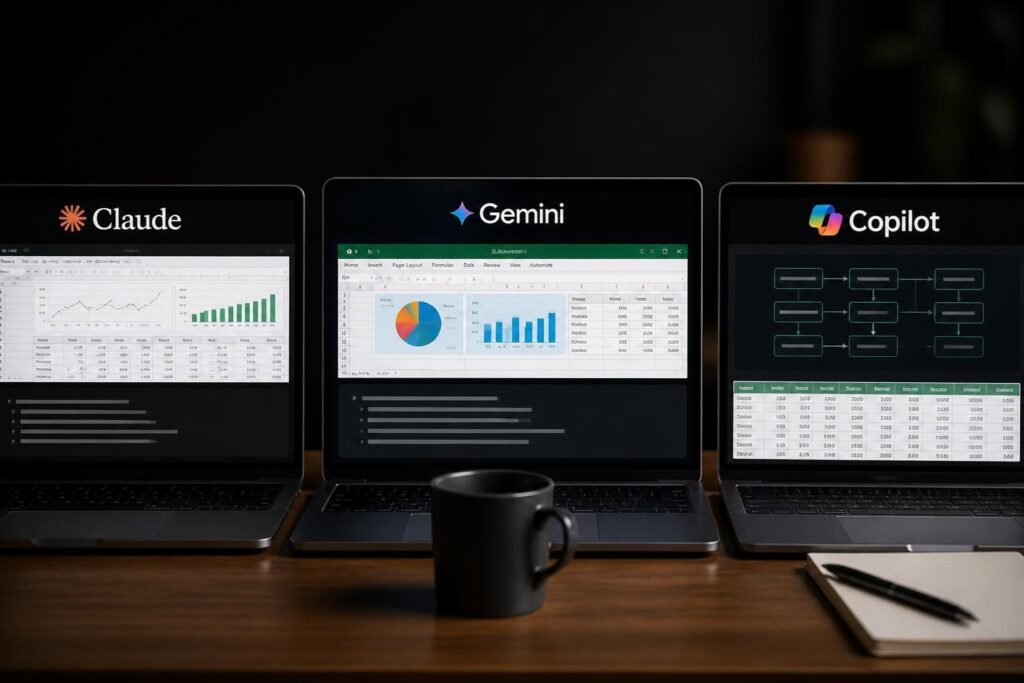
Businesses generate massive amounts of data every day, but raw numbers alone don't drive decision-making. A data analytics consultant excel for business approach transforms spreadsheets from simple record-keeping tools into strategic assets that reveal patterns, forecast trends, and identify opportunities. Whether you're managing sales pipelines, tracking operational metrics, or analyzing customer behavior, Excel remains the most accessible and powerful platform for business analytics when used correctly. The challenge isn't collecting data; it's turning that data into actionable intelligence that drives growth and efficiency.
The Strategic Value of Excel-Based Business Analytics
Excel continues to dominate the business analytics landscape because of its universal accessibility and flexibility. Nearly every professional knows how to open a spreadsheet, but fewer understand how to leverage Excel's analytical capabilities for meaningful business insights.
Modern Excel offers robust analytical features that rival specialized software packages. From Power Query for data transformation to Power Pivot for handling millions of rows, today's Excel versions support enterprise-level analysis. The difference between basic spreadsheet use and strategic analytics lies in methodology, not just tools.
A data analytics consultant excel for business methodology focuses on three core principles:
- Data integrity: Ensuring information accuracy through validation rules and error-checking protocols
- Scalability: Building models that grow with your business without breaking
- Accessibility: Creating dashboards and reports that non-technical stakeholders can understand and use
Building a Foundation with Proper Data Architecture
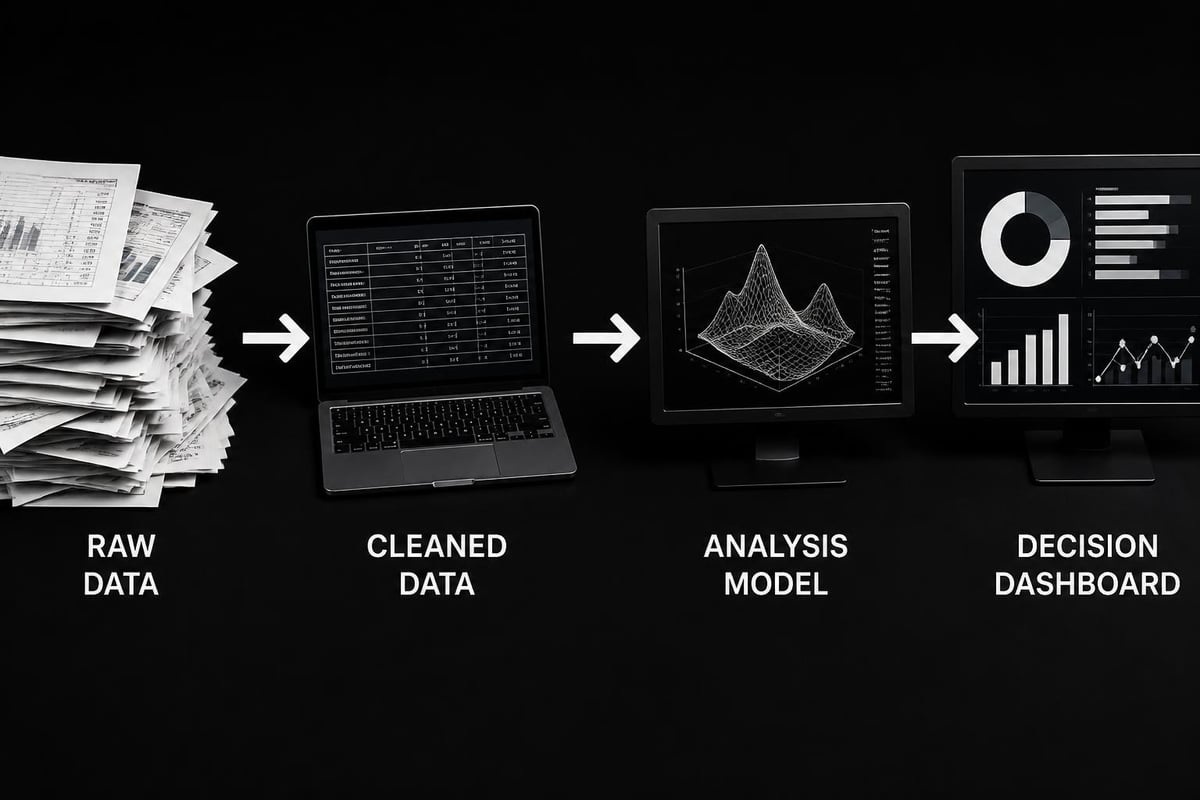
Before any analysis can occur, your data must be structured correctly. Many businesses struggle with spreadsheets that grew organically over time, accumulating inconsistencies, duplicate entries, and broken formulas.
The first step in implementing a data analytics consultant excel for business approach involves auditing your current data landscape. This means identifying all sources of business data, understanding how information flows between systems, and documenting dependencies. Understanding how different Excel versions handle data becomes critical when working across teams with varied software installations.
Proper data architecture follows these principles:
- Separate raw data from analysis: Never perform calculations directly on source data tables
- Use named ranges: Replace cell references with descriptive names for clarity
- Implement data validation: Control what users can enter to prevent errors
- Create audit trails: Track changes and maintain version history
- Standardize formatting: Consistent date formats, number precision, and text conventions
| Data Architecture Element | Poor Practice | Best Practice |
|---|---|---|
| Data Entry | Direct entry mixed with formulas | Dedicated input tables with validation |
| Calculations | Scattered across multiple sheets | Centralized calculation engine |
| Updates | Manual copying and pasting | Automated refresh processes |
| Documentation | Tribal knowledge only | Written specifications and change logs |
Essential Analytical Techniques for Business Intelligence
Once your data foundation is solid, specific analytical techniques transform numbers into insights. A data analytics consultant excel for business professional masters these core methodologies and applies them strategically based on business context.
Descriptive Analytics: Understanding What Happened
Descriptive analytics examines historical data to identify trends and patterns. This foundational analysis answers questions like "What were our best-performing products last quarter?" or "How does seasonal variation affect our revenue?"
Key Excel techniques for descriptive analytics include:
- PivotTables for dynamic summarization and cross-tabulation
- Conditional formatting to highlight exceptions and outliers
- Statistical functions like AVERAGE, MEDIAN, and STDEV for distribution analysis
- Time-series charts to visualize trends across periods
Learning to create effective pivot tables accelerates your ability to slice data from multiple perspectives without writing complex formulas. Similarly, building charts that communicate clearly ensures your analysis reaches decision-makers effectively.
Diagnostic Analytics: Understanding Why It Happened
Moving beyond description, diagnostic analytics investigates root causes. When revenue dips or customer churn increases, diagnostic analysis identifies contributing factors.
Excel supports diagnostic analytics through:
- Correlation analysis to identify relationships between variables
- Variance analysis comparing actual results against budgets or forecasts
- Drill-down capabilities using slicers and filters to isolate specific segments
- What-if analysis with scenario manager and data tables
For businesses seeking to strengthen their analytical capabilities, business analytics courses using Excel provide structured training from elementary concepts to advanced techniques.

Predictive Analytics: Forecasting Future Outcomes
Predictive analytics uses historical patterns to forecast future performance. While Excel isn't a replacement for specialized machine learning platforms, it handles many business forecasting needs effectively.
Forecasting techniques in Excel include:
- Moving averages for smoothing volatility in time-series data
- Exponential smoothing to weight recent observations more heavily
- Regression analysis to model relationships between dependent and independent variables
- Forecast sheets for automated trend projection with confidence intervals
Calculating moving averages in Excel provides a practical starting point for time-series forecasting. These techniques work particularly well for sales forecasting, inventory planning, and resource allocation.
Implementing Data Analytics Frameworks in Business Operations
Theory matters little without execution. Implementing a data analytics consultant excel for business framework requires connecting analytical capabilities to actual business processes and decision points.
Dashboard Development for Real-Time Monitoring
Dashboards transform complex data into visual, intuitive displays that executives can understand at a glance. Effective dashboard design balances comprehensiveness with simplicity.
Critical dashboard design principles include:
- Focus on KPIs: Display only metrics that drive decisions
- Visual hierarchy: Most important metrics should dominate screen space
- Consistent refresh cycles: Automate data updates to ensure currency
- Interactive filters: Allow users to drill down without creating separate reports
Modern platforms like Clear Analytics extend Excel's native capabilities, enabling self-service analytics without extensive technical training. These tools integrate seamlessly with existing Excel workflows while adding enterprise-grade features.
| Dashboard Component | Purpose | Excel Features |
|---|---|---|
| KPI Cards | Highlight critical metrics | Formatted cells with conditional icons |
| Trend Charts | Show performance over time | Line charts with moving averages |
| Comparison Views | Benchmark against targets | Combination charts with reference lines |
| Heat Maps | Identify patterns across categories | Conditional formatting scales |
Automating Routine Analytics Tasks
Manual data processing consumes valuable time that could be spent on strategic analysis. A data analytics consultant excel for business approach emphasizes automation to eliminate repetitive work.
Automation opportunities include:
- Data consolidation from multiple sources using Power Query
- Report generation through template-based systems with dynamic refresh
- Exception alerts using conditional formatting and validation rules
- Distribution automation via macros and VBA scripts
Enabling macros in Excel opens possibilities for sophisticated automation, though security considerations require careful implementation. For organizations concerned about macro-enabled files, formula-based solutions often provide adequate automation without security risks.
Advanced Analytics Applications Across Business Functions
Different business functions require tailored analytical approaches. A data analytics consultant excel for business professional customizes methodologies based on departmental needs and decision contexts.
Sales and Revenue Analytics
Sales teams need visibility into pipeline health, conversion rates, and revenue trends. Excel-based sales analytics track:
- Lead-to-customer conversion by source, campaign, and sales representative
- Deal velocity measuring time from initial contact to close
- Revenue attribution assigning credit across multiple touchpoints
- Quota attainment comparing individual and team performance against targets
Building drop-down lists in Excel standardizes data entry for sales tracking, ensuring consistency in product categories, sales stages, and customer segments.
Financial Planning and Analysis
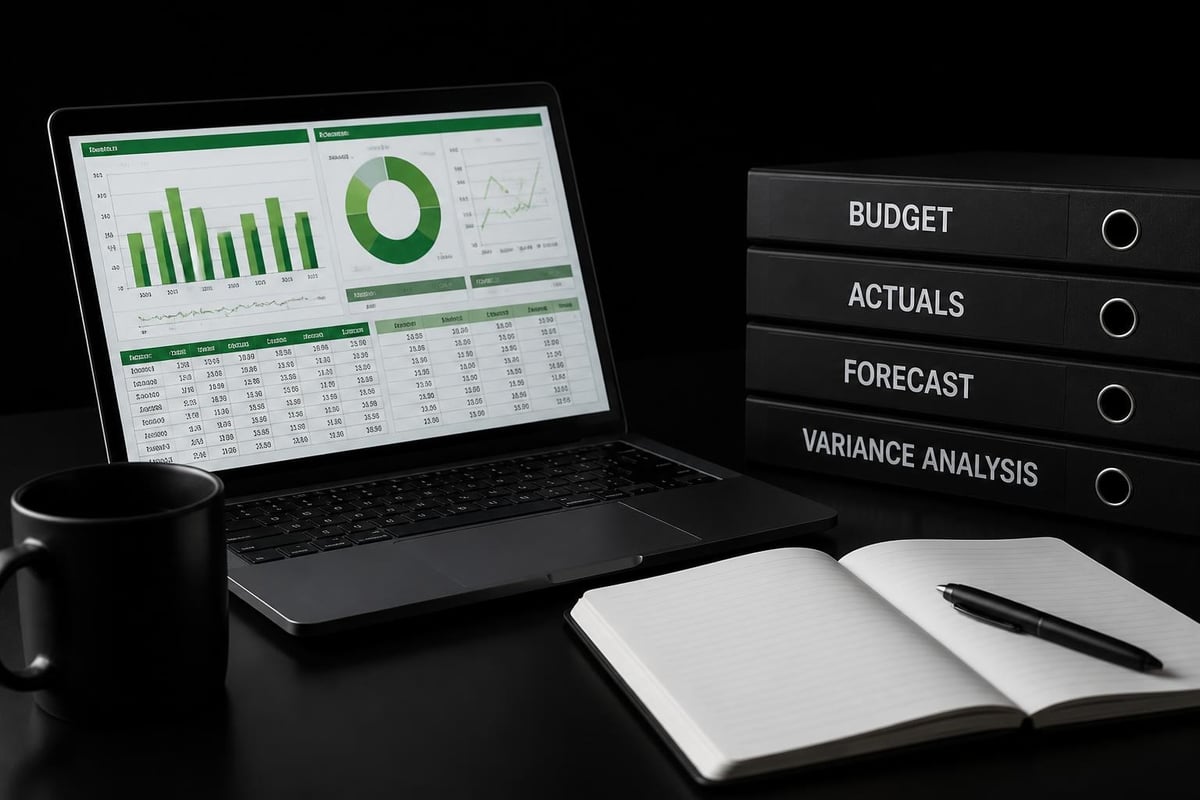
Finance departments rely on Excel for budgeting, forecasting, and variance analysis. Key applications include:
- Three-statement modeling linking income statements, balance sheets, and cash flow
- Budget vs. actual reporting with automated variance calculations
- Scenario planning modeling optimistic, realistic, and pessimistic outcomes
- Capital allocation analysis evaluating ROI across investment opportunities
Construction estimating spreadsheets demonstrate industry-specific financial modeling, showing how templates can be customized for specialized business needs.
Operations and Supply Chain Optimization
Operational excellence depends on data-driven process improvement. Excel supports operations analytics through:
- Inventory optimization balancing carrying costs against stockout risks
- Workforce planning matching staffing levels to demand forecasts
- Quality control tracking using statistical process control charts
- Supplier performance measuring delivery reliability and cost efficiency
Staff attendance tracking in Excel illustrates how simple spreadsheet applications support operational management when designed with proper structure and automation.
Marketing Campaign Analytics
Marketing teams measure campaign effectiveness, customer acquisition costs, and lifetime value. Excel-based marketing analytics include:
- Channel attribution modeling distributing credit across marketing touchpoints
- Customer segmentation grouping audiences by behavior and demographics
- A/B test analysis determining statistical significance of experiments
- Marketing ROI calculation connecting spend to revenue generation
Understanding deliverables and KPIs in data analytics consulting helps marketing teams define success metrics and structure their analytical frameworks appropriately.
Best Practices for Maintaining Analytical Excellence
Sustainable analytics requires ongoing maintenance and continuous improvement. A data analytics consultant excel for business framework includes protocols for quality assurance and capability development.
Data Governance and Quality Control
Poor data quality undermines even the most sophisticated analysis. Implementing governance protocols ensures reliability:
- Validation rules prevent invalid entries at the source
- Regular audits identify and correct inconsistencies
- Access controls limit who can modify source data versus view reports
- Documentation standards explain calculation logic and data lineage
Protecting Excel workbooks balances accessibility with security, allowing stakeholders to view and interact with analyses while preventing accidental modifications to formulas and data structures.
Continuous Skill Development
Excel capabilities expand continuously, and analytical techniques evolve. Organizations committed to data-driven decision-making invest in ongoing education.
Recommended learning paths include:
- Fundamental Excel proficiency covering formulas, functions, and basic analysis
- Advanced analytics techniques including statistical methods and modeling
- Automation and VBA for building custom solutions
- Data visualization creating compelling, accurate charts and dashboards
Programs like the Excel data analytics and visualization specialization provide structured curricula that build comprehensive analytical capabilities progressively.
Documentation and Knowledge Transfer
Analytics becomes organizational knowledge only when properly documented. Critical documentation includes:
- Data dictionaries defining fields, formats, and business rules
- Calculation specifications explaining formulas and methodology
- User guides teaching stakeholders how to interact with tools
- Change logs tracking modifications and version history
Designing efficient spreadsheets for operations teams provides practical frameworks for creating audit-ready, error-resistant analytical tools that teams can maintain independently.
Scaling Your Analytics Capabilities
As analytical maturity grows, businesses face decisions about when to enhance Excel with complementary technologies versus migrate to specialized platforms.
When Excel Remains the Right Choice
Excel excels in specific contexts:
- Ad hoc analysis requiring flexibility and rapid iteration
- Small to medium datasets under one million rows
- Widely distributed reporting where universal access matters
- Budget-conscious environments avoiding expensive software licenses
Excel's strengths include its learning curve advantage, integration with Microsoft 365, and the ability to combine data analysis with presentation in a single tool.
Augmenting Excel with Complementary Tools
Rather than replacing Excel entirely, many organizations augment it strategically:
- Database connections pulling live data from SQL Server, Access, or cloud sources
- Power BI integration for advanced visualizations while maintaining Excel as calculation engine
- Python or R add-ins enabling statistical analysis beyond Excel's native capabilities
- API connections automating data retrieval from web services
This hybrid approach preserves Excel skills while expanding analytical possibilities. Teams continue working in familiar environments while accessing enterprise-grade data infrastructure.
Preparing for Enterprise Analytics Platforms
Some organizations eventually outgrow Excel for specific use cases. Indicators include:
- Data volume exceeding Excel's row limitations
- Real-time requirements demanding sub-second refresh rates
- Complex data relationships needing graph databases or multidimensional models
- Advanced algorithms requiring machine learning capabilities
Even when migrating to specialized platforms, Excel typically remains relevant for prototyping, validation, and communicating results to non-technical audiences.
Common Pitfalls and How to Avoid Them
Understanding where analytics initiatives fail helps organizations navigate implementation successfully. A data analytics consultant excel for business approach anticipates and addresses common challenges.
Overcomplicating Solutions
Sophisticated analysis doesn't require complex formulas. Common overcomplications include:
- Nested formulas spanning multiple lines when simpler approaches exist
- Excessive automation creating fragile systems that break with minor changes
- Feature overload building dashboards with every possible metric rather than focusing on decision drivers
The best analytical solutions balance power with maintainability. Using XLOOKUP effectively demonstrates how modern Excel functions simplify tasks that previously required complex formula combinations.
Ignoring User Experience
Analytics tools fail when end users don't adopt them. Common UX mistakes include:
- Unclear navigation requiring training to find basic features
- Slow performance causing frustration with calculation times
- Inconsistent formatting creating visual confusion
- Missing context displaying numbers without explaining what they mean
Prioritizing user experience ensures analytical tools get used rather than abandoned in favor of manual processes.
Neglecting Scalability
Spreadsheets that work perfectly for current needs often break when circumstances change. Scalability failures include:
- Hard-coded values embedded in formulas rather than referenced from parameter tables
- Fixed ranges that don't expand when new data arrives
- Manual processes that become bottlenecks as volume grows
- Undocumented logic creating single points of failure when key employees leave
Building scalability from the start prevents costly rebuilds later. This includes using dynamic named ranges, table structures that auto-expand, and thorough documentation of business logic.
Measuring Analytics Impact on Business Performance
The ultimate test of any analytics initiative is measurable business impact. A data analytics consultant excel for business framework includes mechanisms for demonstrating ROI.
Defining Success Metrics
Analytics initiatives should connect to specific business outcomes:
- Time savings from automated reporting and data processing
- Improved accuracy reducing errors in forecasting and planning
- Faster decisions providing insights when they matter
- Revenue impact from better-informed strategic choices
Quantifying these benefits requires baseline measurements before implementation and ongoing tracking afterward.
Building a Culture of Data-Driven Decision-Making
Technology alone doesn't create analytical organizations. Cultural elements matter equally:
- Leadership commitment to using data in decision processes
- Accessible training ensuring all team members have basic analytical skills
- Safe experimentation encouraging hypothesis testing without penalizing failures
- Shared metrics aligning departments around common success indicators
When executives model data-driven behavior and reward evidence-based recommendations, analytical capabilities become embedded in organizational DNA.
Continuous Improvement Cycles
Analytics maturity develops through iterative refinement:
- Deploy initial tools solving immediate pain points
- Gather feedback from users about what works and what doesn't
- Refine and enhance based on real-world usage patterns
- Expand scope applying successful methodologies to new areas
- Share best practices across departments and teams
This cycle transforms analytics from a project into a capability that strengthens continuously.
Implementing a data analytics consultant excel for business approach transforms how organizations leverage their most valuable asset: information. By building proper data foundations, mastering essential analytical techniques, and focusing on user adoption, businesses unlock insights that drive measurable performance improvements. Whether you're struggling with broken formulas, inconsistent data, or spreadsheets that have grown beyond manageability, expert guidance accelerates your analytical journey. The Analytics Doctor specializes in diagnosing spreadsheet problems and implementing practical solutions that make your data work harder for your business, from personalized training to automated reporting systems designed for your specific needs.