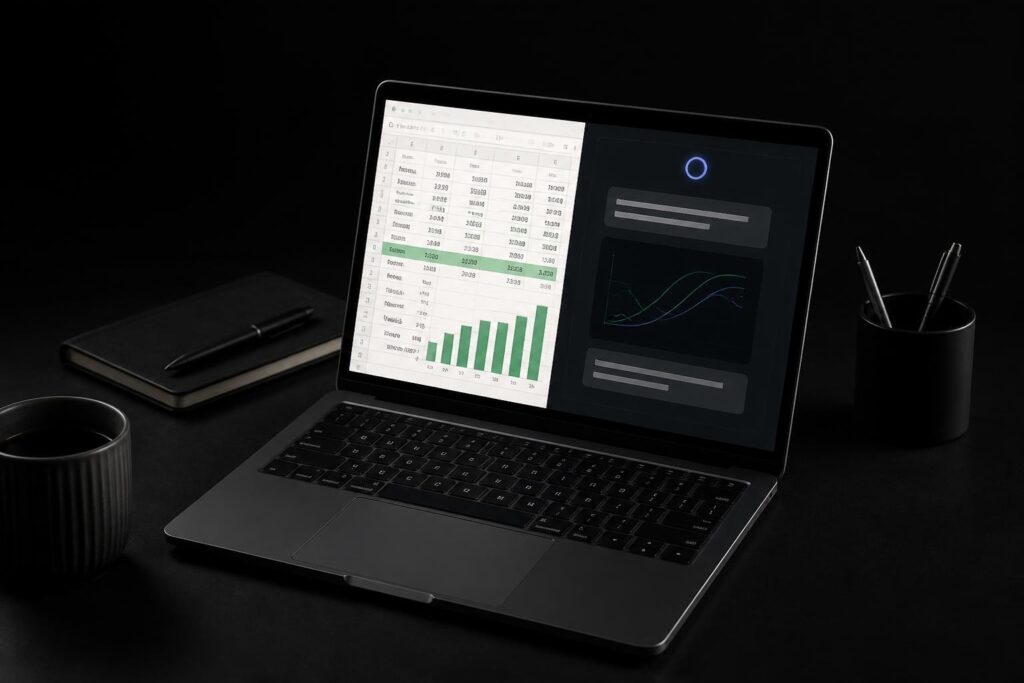
The landscape of Excel automation has transformed dramatically with the introduction of artificial intelligence. For years, professionals relied on VBA (Visual Basic for Applications) to automate repetitive tasks, but this approach required coding expertise that many Excel users simply didn't have. Today, excel automation without vba using ai represents a fundamental shift in how we approach spreadsheet productivity. AI-powered tools now enable anyone to automate complex workflows using natural language commands, eliminating the technical barriers that previously limited automation to programmers and power users.
Understanding the Shift from VBA to AI-Driven Automation
Traditional VBA macros have served Excel users for decades, but they come with significant limitations. Writing and maintaining VBA code requires programming knowledge, debugging skills, and constant updates when workbook structures change. Many organizations also restrict macro usage due to security concerns, creating additional hurdles for users who need automation.
The emergence of excel automation without vba using ai addresses these challenges directly. Instead of writing code, users can describe what they want to accomplish in plain English. AI interprets these instructions and executes the tasks automatically, making automation accessible to everyone regardless of technical background.

How AI Understands Your Spreadsheet Tasks
Modern AI systems have been trained on millions of spreadsheet operations, enabling them to understand context, recognize patterns, and execute multi-step workflows. When you describe a task, the AI analyzes your data structure, identifies the appropriate functions, and applies transformations without manual intervention.
This capability extends beyond simple operations. AI can handle complex scenarios involving data validation, conditional formatting, cross-sheet references, and dynamic calculations. The AI-driven automation capabilities demonstrated by modern tools show time savings of 70-80% on routine tasks.
Core AI Technologies Replacing VBA Functions
Several AI approaches now power excel automation without vba using ai, each offering distinct advantages for different use cases. Understanding these technologies helps you select the right tool for your specific needs.
Natural Language Processing for Command Interpretation
Natural language processing (NLP) allows AI to parse your instructions and translate them into executable operations. Instead of learning formula syntax or VBA commands, you simply tell the AI what outcome you need. For example, "clean this dataset by removing duplicates and standardizing dates" becomes a single command that would traditionally require multiple manual steps or complex macro code.
The sophistication of NLP has improved remarkably. Modern systems understand context, handle ambiguous requests, and even ask clarifying questions when instructions lack specificity. This interactive approach makes Excel workflow automation with AI more intuitive than traditional programming methods.
Machine Learning for Pattern Recognition
Machine learning algorithms excel at identifying patterns in your data and suggesting automation opportunities. These systems analyze how you work with spreadsheets, recognize repetitive tasks, and propose automated solutions. Over time, the AI learns your preferences and workflows, delivering increasingly relevant suggestions.
For accounting teams managing reconciliation workpapers, AI and machine learning platforms can automatically match transactions, flag discrepancies, and generate variance analyses without manual intervention. This level of intelligence goes far beyond what traditional macros could achieve.
Practical Applications of AI-Powered Excel Automation
The real value of excel automation without vba using ai becomes clear when examining specific use cases. Here are the most impactful applications transforming how professionals work with spreadsheets in 2026.
Data Cleaning and Standardization
Data quality issues consume hours of manual work in most organizations. AI automation handles these tasks efficiently:
- Removing duplicates across multiple columns with complex matching criteria
- Standardizing formats for dates, phone numbers, addresses, and currency
- Correcting typos and inconsistent entries using fuzzy matching algorithms
- Filling missing values based on patterns in surrounding data
- Splitting and combining columns according to business rules
Traditional approaches required either painstaking manual review or extensive VBA code. AI accomplishes these tasks through simple natural language instructions, as detailed in guides on Excel data cleaning with AI.
Report Generation and Distribution
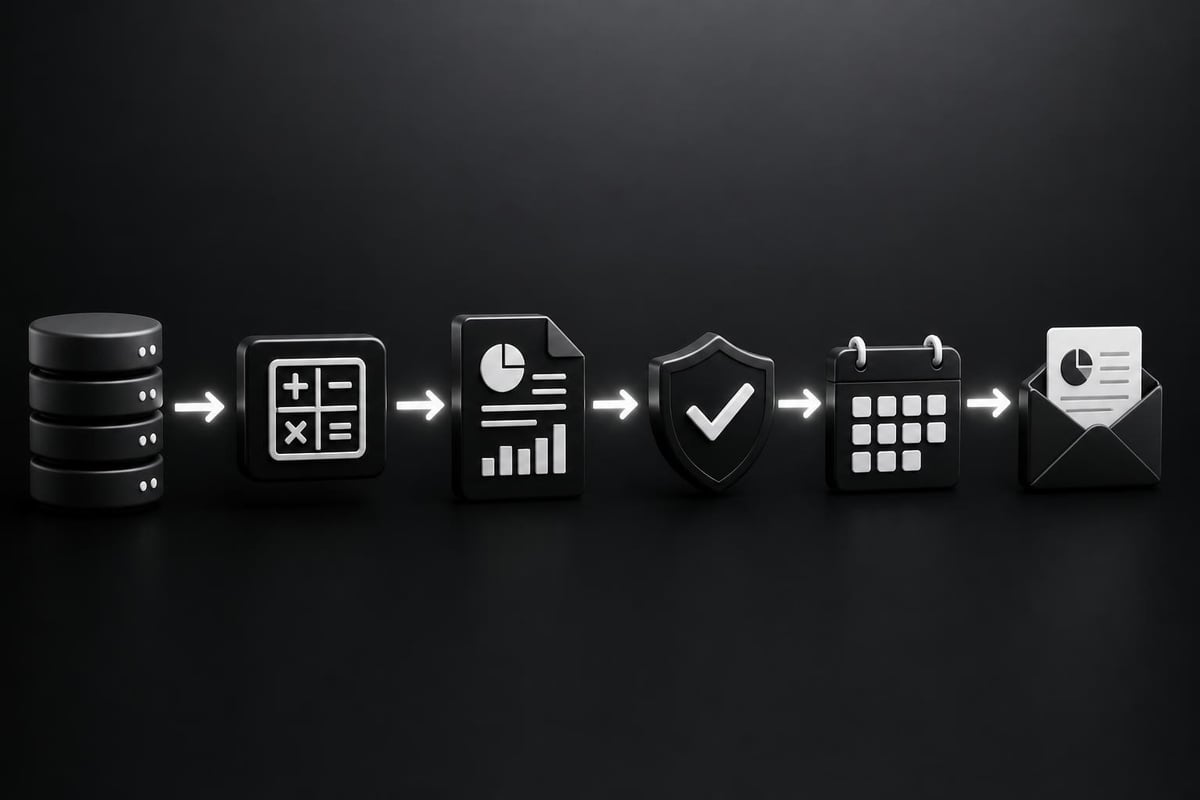
Monthly, weekly, and daily reports represent prime candidates for automation. Excel automation without vba using ai streamlines the entire reporting workflow:
| Task Component | Traditional Method | AI-Powered Method |
|---|---|---|
| Data gathering | Manual copy-paste | Automatic aggregation |
| Calculations | Formula updates | Intelligent computation |
| Formatting | Manual styling | Template application |
| Distribution | Individual emails | Automated delivery |
AI systems can pull data from multiple sources, apply calculations, format results according to templates, and distribute completed reports to stakeholders. This automation eliminates the 3-4 hours many professionals spend on weekly reporting cycles.
Advanced Formula Creation and Troubleshooting
Writing complex Excel formulas challenges even experienced users. AI changes this dynamic by generating formulas from descriptions of desired outcomes. When you need to calculate weighted averages across multiple conditions or create nested IF statements, you can describe the logic in plain language and receive working formulas instantly.
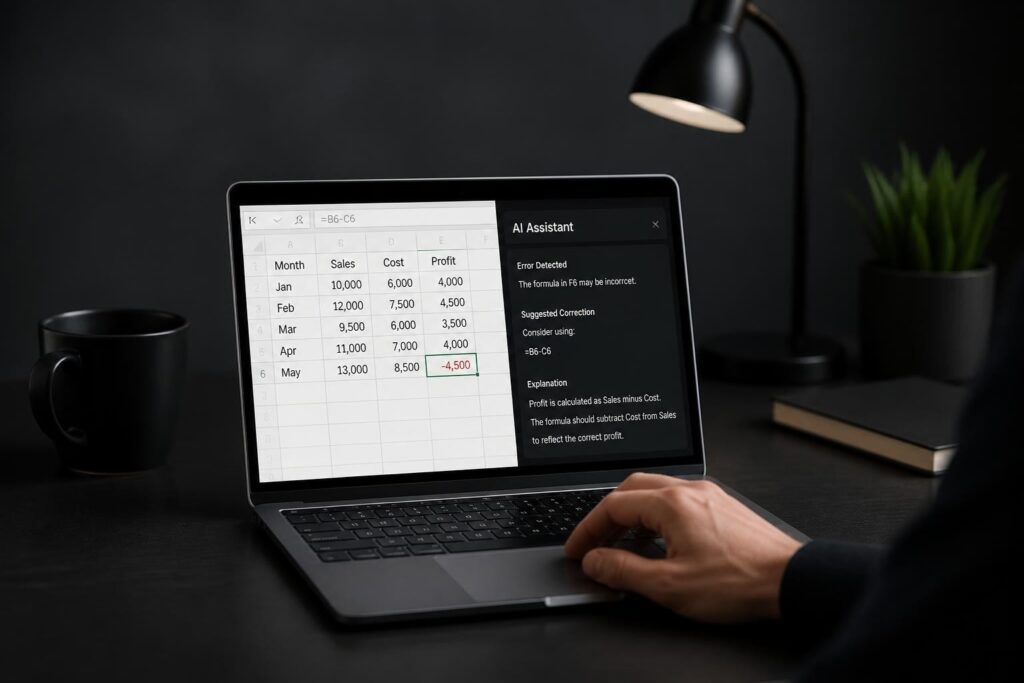
The AI formula generator capabilities extend to troubleshooting as well. When formulas return errors or unexpected results, AI can diagnose the problem and suggest corrections. Microsoft's Agent Mode feature even fixes broken formulas automatically through multi-step analytical workflows.
Leading AI Tools for Excel Automation
The market for excel automation without vba using ai has expanded significantly, offering solutions for different user needs and budgets. Here are the most effective platforms available in 2026.
Microsoft Copilot Integration
Microsoft has embedded AI directly into Excel through Copilot, making automation accessible within the familiar spreadsheet interface. The latest developments include the =COPILOT function that users can call from any cell using natural language prompts.
Key capabilities include:
- Generating formulas and pivot tables from descriptions
- Analyzing datasets to identify trends and outliers
- Creating charts and visualizations automatically
- Answering questions about data using conversational queries
- Performing multi-step operations through Agent Mode
For users already in the Microsoft ecosystem, Copilot provides seamless integration without switching between applications. Learn more about using Copilot in Excel to maximize these capabilities.
Third-Party AI Automation Platforms
Specialized platforms offer enhanced automation features beyond what's available in native Excel. These tools typically provide:
ElyxAI focuses on workflow automation for business users, handling tasks like weekly report generation and data processing without coding requirements. Their platform demonstrates significant time savings on routine operations.
SheetXAI specializes in processing large datasets through natural language commands, making it ideal for AI-powered dashboard creation and complex data matching operations.
Excelmatic provides comprehensive guides and automation templates for common business scenarios, offering practical implementation examples that users can adapt to their specific needs.
Choosing the Right AI Tool for Your Needs
Selecting an appropriate automation solution depends on several factors:
| Consideration | Best Choice | Reasoning |
|---|---|---|
| Budget constraints | Microsoft Copilot | Included with Microsoft 365 subscription |
| Complex workflows | Third-party platforms | Specialized features for advanced automation |
| Learning curve | Integrated solutions | Familiar interface, less context switching |
| Data sensitivity | On-premise tools | Enhanced security and compliance control |
Most professionals benefit from combining multiple approaches. Use integrated AI for everyday tasks and specialized platforms for complex automation requirements.
Implementing Excel Automation Without VBA Using AI
Successfully deploying excel automation without vba using ai requires methodical planning and execution. Follow these proven strategies to maximize results while minimizing disruption.
Identifying High-Value Automation Opportunities
Start by auditing your current Excel workflows to find tasks that consume disproportionate time relative to their value. The best automation candidates share these characteristics:
- High frequency – performed daily, weekly, or monthly
- Clear rules – follow consistent logic without requiring judgment calls
- Time-consuming – take 30 minutes or more to complete manually
- Error-prone – involve repetitive copying, pasting, or data entry
- Documentation needs – require audit trails or version control
Tasks meeting three or more criteria should receive priority for automation. Common examples include monthly close reports, customer data updates, inventory reconciliations, and sales performance dashboards.
Creating Effective AI Prompts
The quality of your automation results depends heavily on how you communicate with AI tools. Well-structured prompts produce accurate, efficient automation.
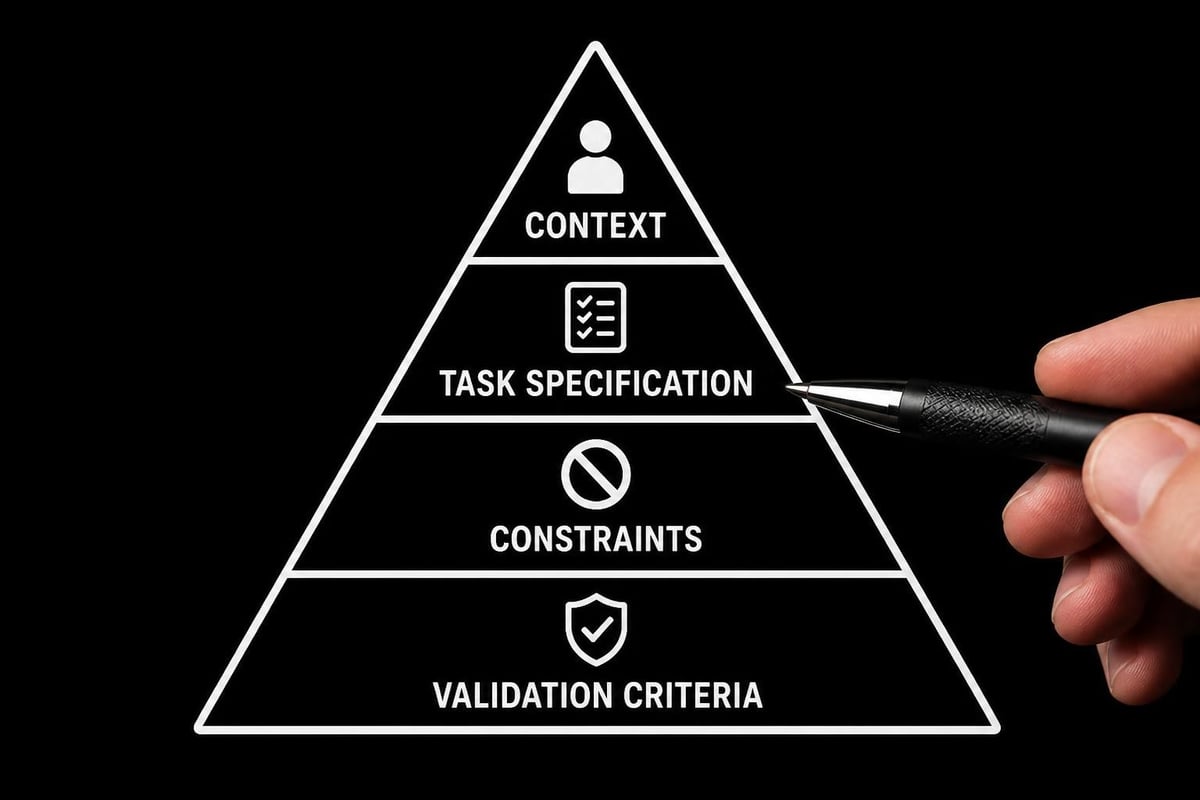
Effective prompt structure:
- Context: Describe the data structure and business purpose
- Task: Specify the exact operation or outcome needed
- Constraints: Define any rules, exceptions, or formatting requirements
- Validation: Explain how to verify the results are correct
Example: "This sales data contains customer IDs in column A, transaction dates in column B, and amounts in column C. Create a pivot table showing total sales by customer for Q2 2026, formatted as currency with grand totals highlighted in blue. Exclude any transactions marked 'refund' in column D."
This level of detail enables AI to generate precise automation. For more guidance, explore best AI prompts for Excel users with proven templates.
Testing and Validating Automated Workflows
Excel automation without vba using ai requires thorough testing before deployment to production environments. Implement these validation steps:
Initial testing phase:
- Run automation on sample datasets with known outcomes
- Compare AI-generated results against manual calculations
- Test edge cases and unusual data scenarios
- Verify formatting, formulas, and cross-references
Ongoing monitoring:
- Establish checkpoints for critical calculations
- Document expected results for regular workflows
- Create error detection mechanisms
- Schedule periodic reviews of automated outputs
Most automation errors stem from ambiguous instructions rather than AI failures. When results don't match expectations, refine your prompts with additional specificity and retest until outputs align perfectly with requirements.
Overcoming Common Challenges
While excel automation without vba using ai offers tremendous benefits, implementation involves navigating several challenges. Understanding these obstacles helps you prepare effective solutions.
Handling Complex Business Logic
AI automation excels at standard operations but may struggle with highly nuanced business rules involving judgment calls or contextual interpretation. When automation reaches these limits, consider hybrid approaches:
- Use AI for data preparation and formatting
- Apply manual review for decision points
- Employ AI again for post-decision processing and reporting
This segmented approach balances automation efficiency with necessary human oversight. For particularly complex scenarios, Microsoft Excel consulting can help design optimal workflows.
Managing Data Security and Compliance
AI-powered automation often involves sharing data with cloud platforms, raising security and privacy considerations. Address these concerns through:
Data minimization – Only share the minimum dataset needed for automation
Anonymization – Remove personally identifiable information before processing
Platform selection – Choose tools offering appropriate security certifications
Access controls – Restrict automation capabilities to authorized users
Audit trails – Maintain logs of all automated operations for compliance
Organizations in regulated industries should evaluate whether AI tools meet their specific compliance requirements before deployment.
Scaling Automation Across Teams
Individual automation successes need organizational support to scale effectively. Build sustainable automation practices through:
- Documentation standards for all automated workflows
- Template libraries of proven automation prompts and solutions
- Training programs to build team AI literacy
- Governance frameworks defining appropriate automation use cases
- Success metrics measuring time savings and error reduction
These structures ensure automation knowledge transfers across team members and persists beyond individual contributors.
Advanced Techniques for Power Users
Once you've mastered basic excel automation without vba using ai, these advanced strategies unlock additional productivity gains.
Combining AI with Built-In Excel Features
AI automation becomes more powerful when integrated with Excel's native capabilities. Power Query, dynamic arrays, and Power Pivot complement AI-driven workflows:
Power Query + AI: Use AI to generate complex query logic, then execute through Power Query for refresh capabilities
Dynamic arrays + AI: Have AI create spilled array formulas that update automatically as source data changes
Power Pivot + AI: Leverage AI for DAX formula creation and data model optimization
These combinations deliver automation that's both intelligent and deeply integrated with Excel's architecture. The no-code Excel automation approaches demonstrate how native features enhance AI capabilities.
Creating Reusable Automation Templates
Transform one-time automation solutions into reusable templates that accommodate different datasets and scenarios. Template development follows this pattern:
- Automate a specific use case completely
- Identify variable elements (data ranges, calculation parameters, formatting preferences)
- Create generic versions accepting these variables as inputs
- Document template usage with clear instructions
- Share templates across teams for consistent automation approaches
Well-designed templates multiply the value of initial automation investments across dozens or hundreds of applications.
Building Automated Dashboards and Reports
Excel automation without vba using ai enables sophisticated dashboard creation that updates automatically. Modern approaches combine:
- AI-generated visualizations based on data characteristics and analysis goals
- Automated data refresh pulling information from multiple sources
- Dynamic filtering allowing users to explore different views
- Conditional formatting highlighting exceptions and trends
- Narrative summaries generated by AI explaining key insights
These automated dashboards provide real-time business intelligence without the complexity of traditional BI platforms. For implementation guidance, review AI dashboard creation techniques with step-by-step examples.
Measuring Automation Success
Quantifying the impact of excel automation without vba using ai justifies continued investment and identifies improvement opportunities. Track these key metrics:
Time Savings Analysis
Calculate hours saved by comparing manual completion time against automated execution:
| Process | Manual Time | Automated Time | Weekly Frequency | Annual Savings |
|---|---|---|---|---|
| Weekly sales report | 3 hours | 15 minutes | 52 | 143 hours |
| Data cleaning | 1.5 hours | 10 minutes | 20 | 23 hours |
| Customer analysis | 2 hours | 20 minutes | 12 | 19 hours |
| Total | 185 hours |
These calculations demonstrate clear ROI and highlight which automation projects deliver maximum value.
Quality Improvement Metrics
Beyond time savings, excel automation without vba using ai typically improves output quality through:
- Error reduction – Fewer calculation mistakes and data entry errors
- Consistency – Standardized approaches across similar tasks
- Completeness – Automated processes rarely skip steps
- Timeliness – Reports delivered on schedule without delays
Track error rates before and after automation implementation to quantify quality improvements objectively.
Future Developments in AI-Powered Excel Automation
The field of excel automation without vba using ai continues evolving rapidly. Understanding emerging trends helps you prepare for coming capabilities.
Enhanced Contextual Understanding
Future AI systems will demonstrate deeper comprehension of business context, enabling them to make more sophisticated decisions about data interpretation, exception handling, and output formatting. This evolution will reduce the specificity required in prompts and enable more conversational automation requests.
Cross-Platform Integration
AI automation will increasingly span multiple applications, allowing seamless workflows between Excel, databases, CRM systems, and other business tools. This integration will eliminate the manual data transfer steps that currently interrupt automated processes.
Predictive Automation Suggestions
Rather than waiting for explicit instructions, AI will proactively identify automation opportunities by observing your work patterns. These systems will suggest specific automation implementations based on detected repetitive tasks, similar to how modern email clients suggest smart replies.
The evolution of Excel as an integrated development environment demonstrates how the platform continues expanding its capabilities beyond traditional spreadsheet functions.
Excel automation without vba using ai has democratized productivity improvements that were previously available only to programmers and power users. By leveraging natural language commands and intelligent algorithms, anyone can now automate complex workflows and eliminate repetitive tasks. Whether you're struggling with broken formulas, spending hours on manual reports, or simply need smarter spreadsheets that work harder for you, The Analytics Doctor provides the expert guidance and practical solutions to transform your Excel experience through AI-powered automation.