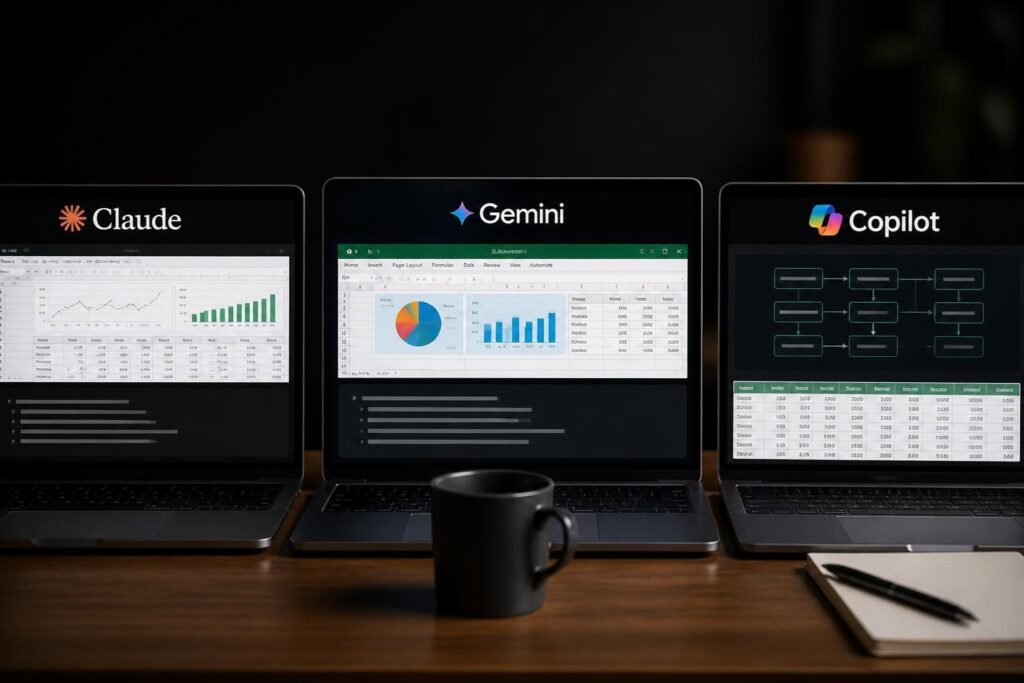
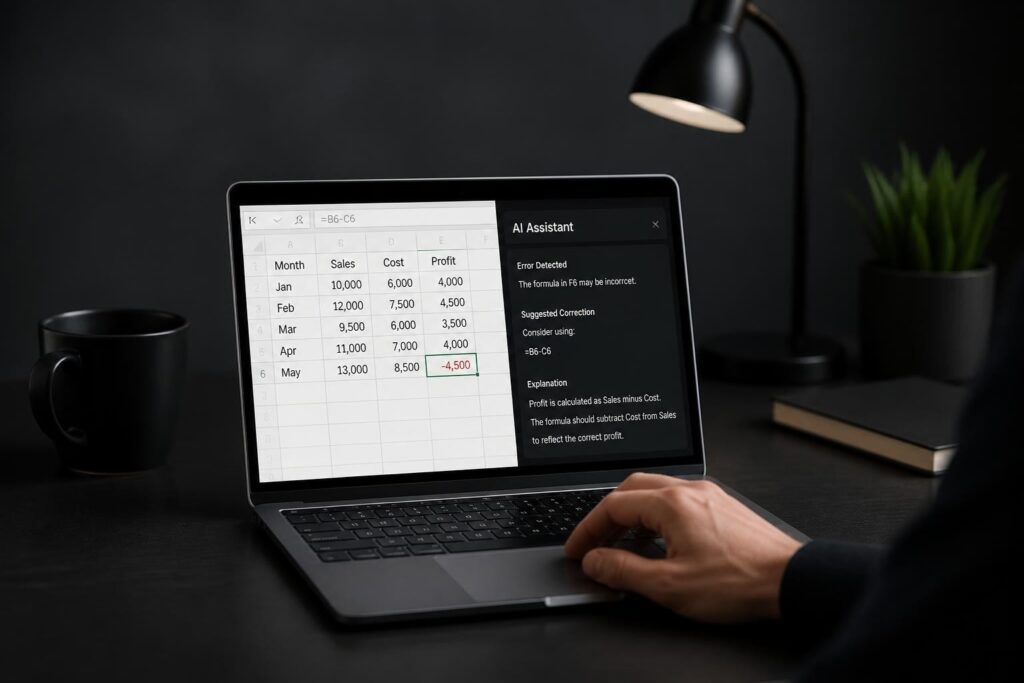
Spreadsheets have evolved far beyond simple calculation tools, and the integration of artificial intelligence has fundamentally changed how professionals approach data management. Excel workflow automation with AI represents a significant shift from manual, time-consuming processes to intelligent, self-executing systems that handle repetitive tasks with remarkable accuracy. Whether you're wrestling with broken formulas, drowning in data entry, or spending hours on monthly reports, AI-powered automation offers practical solutions that transform how you work with Excel.
Understanding AI-Powered Excel Automation
The landscape of spreadsheet management has transformed dramatically with the introduction of intelligent automation tools. Traditional automation relied on macros and VBA scripts, requiring programming knowledge and constant maintenance. Modern excel workflow automation with AI leverages machine learning algorithms and natural language processing to understand context, predict patterns, and execute complex multi-step tasks without extensive coding.
AI agents can now analyze your spreadsheet structure, identify inefficiencies, and suggest improvements automatically. Microsoft's introduction of Agent Mode capabilities in Excel demonstrates how AI can diagnose and repair broken formulas, saving hours of troubleshooting time. These intelligent systems learn from your work patterns and adapt to your specific needs.
Core Components of AI Excel Automation
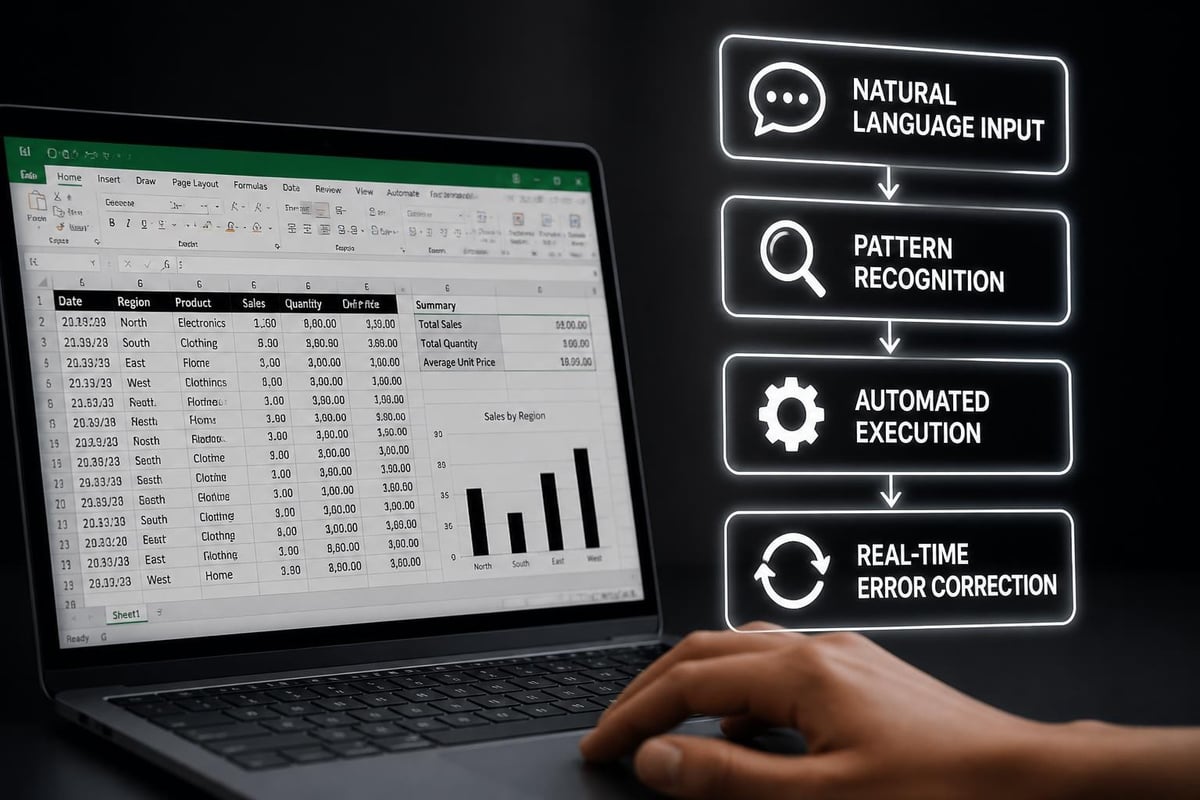
Several technological elements work together to enable excel workflow automation with AI:
- Natural Language Processing (NLP) interprets your instructions in plain English
- Machine Learning Models analyze data patterns and predict outcomes
- Intelligent Agents execute multi-step workflows autonomously
- API Integrations connect Excel with external data sources and services
- Real-time Processing enables instant data transformation and analysis
The convergence of these technologies creates automation systems that understand not just what you're asking, but why you're asking it. This contextual awareness separates modern AI automation from traditional rule-based systems.
Practical Applications for Business Users
Excel workflow automation with AI solves real-world business challenges that consume valuable time and resources. Data entry remains one of the most tedious yet critical spreadsheet tasks, and AI-powered tools can automatically extract information from invoices, receipts, and forms, populating your spreadsheets with verified accuracy.
Data Cleaning and Validation
Automated data cleaning addresses one of the most frustrating aspects of spreadsheet work. AI systems can identify inconsistencies, duplicate entries, and formatting errors across thousands of rows in seconds.
| Data Quality Issue | Traditional Method | AI-Automated Solution |
|---|---|---|
| Duplicate detection | Manual review or basic formulas | Pattern matching across multiple columns |
| Format standardization | Find and replace operations | Intelligent recognition and conversion |
| Missing value handling | Manual inspection | Predictive imputation based on patterns |
| Outlier identification | Statistical formulas | Anomaly detection algorithms |
When you need to find repeated values in Excel, AI tools go beyond simple matching to understand semantic duplicates where entries might be worded differently but represent the same entity. This sophisticated data validation in Excel prevents errors before they compound through your workflow.
Formula Optimization and Error Resolution
Broken formulas disrupt entire workflows and can cascade errors throughout interconnected spreadsheets. Excel workflow automation with AI tackles this challenge by analyzing formula logic, identifying errors, and suggesting corrections automatically.
The integration of COPILOT functions allows users to describe their calculation needs in natural language rather than wrestling with complex nested formulas. Instead of memorizing syntax for advanced functions, you can type "calculate the percentage change from last quarter" and receive the appropriate formula structure.
AI assistance proves particularly valuable when working with complex lookups. Understanding how VLOOKUP works in Excel becomes easier when AI tools explain each component and suggest alternatives like XLOOKUP or INDEX-MATCH combinations based on your specific scenario.
Advanced Automation Techniques
Moving beyond basic tasks, excel workflow automation with ai enables sophisticated analytical workflows previously requiring specialized software or programming skills.
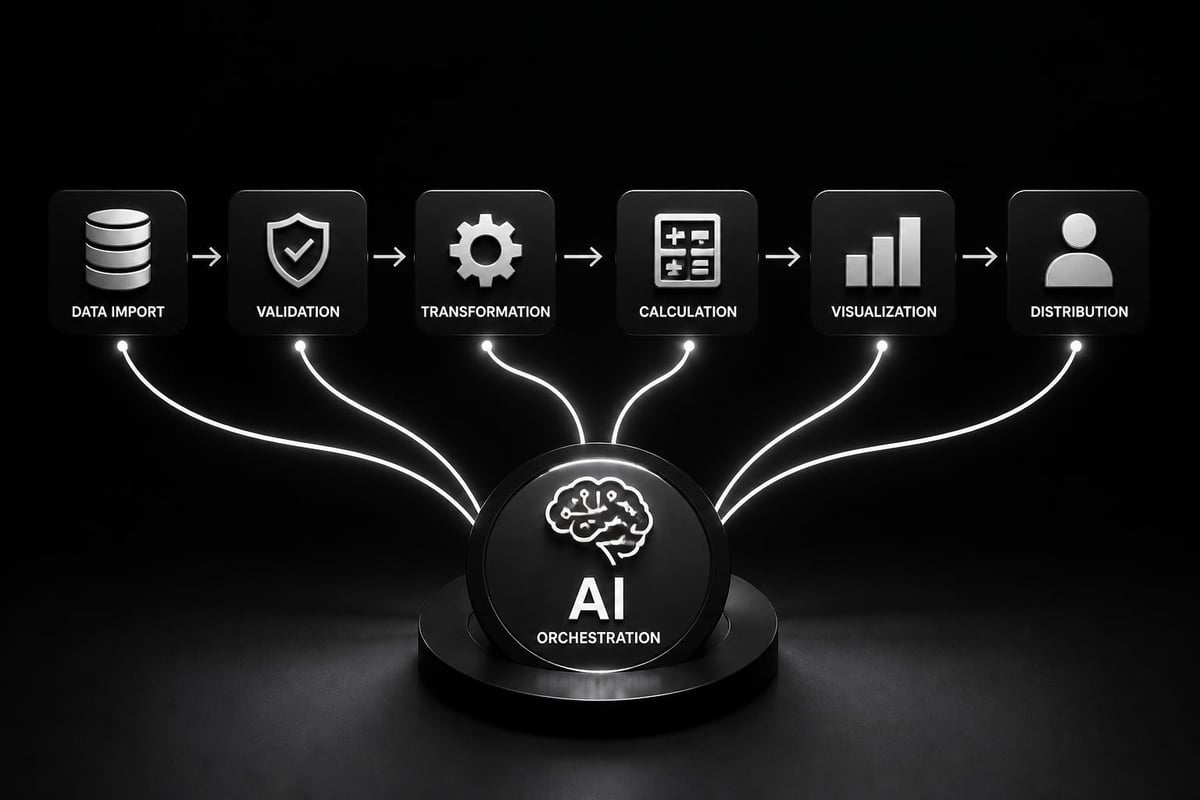
Multi-Step Workflow Orchestration
Research into specialized AI agents for complex spreadsheet tasks demonstrates how reinforcement learning frameworks can handle workflows requiring dozens of sequential operations. These systems learn optimal execution paths through trial and error, becoming more efficient with each iteration.
Consider a monthly financial reporting workflow:
- Import data from multiple sources
- Standardize formats and clean inconsistencies
- Apply business rules and calculations
- Generate summary tables and pivot reports
- Create visualizations and charts
- Format for presentation standards
- Export to distribution formats
AI automation executes this entire sequence with a single trigger, handling variations and exceptions intelligently. When data sources change format or new edge cases emerge, the system adapts without requiring manual reconfiguration.
Interactive AI Agents for Table Reasoning
Advanced AI agents designed for spreadsheet manipulation bring conversational capabilities to data analysis. Rather than clicking through menus or writing formulas, users interact with their spreadsheets through dialogue, asking questions and receiving both answers and the automated workflows that generated them.
This approach particularly benefits users who understand their business questions but lack advanced Excel expertise. The AI translates business logic into technical execution, democratizing access to sophisticated analysis.
Implementation Strategies
Successfully deploying excel workflow automation with ai requires strategic planning and phased implementation. Starting small and scaling gradually produces better outcomes than attempting comprehensive automation immediately.
Identifying Automation Opportunities
Prioritize workflows based on these criteria:
- Frequency: Tasks performed daily or weekly yield the highest time savings
- Repetitiveness: Identical steps with minimal variation automate most reliably
- Error-proneness: Manual processes with high mistake rates benefit significantly
- Time consumption: Multi-hour tasks provide substantial productivity gains
- Complexity: Simple workflows serve as ideal learning opportunities
Begin by documenting your current processes in detail. Note every click, formula, and decision point. This documentation reveals patterns and dependencies that inform automation design.
Choosing the Right Tools
The excel workflow automation with ai ecosystem includes various tools serving different needs and expertise levels.
| Tool Type | Best For | Technical Requirement | Integration Complexity |
|---|---|---|---|
| Native Excel AI | Basic automation and formula help | Low | None – built-in |
| Third-party plugins | Specific industry workflows | Low to Medium | Simple installation |
| API-based solutions | Cross-platform integration | Medium to High | Custom configuration |
| Custom AI agents | Highly specialized processes | High | Extensive development |
Converting spreadsheets into live APIs enables real-time data exchange between Excel and other business systems, creating automated pipelines that update continuously. This approach works exceptionally well for dashboards and reporting applications requiring current information.
Training and Adoption
Technology alone doesn't guarantee successful automation. Users must understand both the capabilities and limitations of excel workflow automation with ai to leverage it effectively.
Effective training focuses on:
- Practical scenarios relevant to daily work
- Hands-on practice with actual business data
- Troubleshooting skills for when automation needs adjustment
- Best practices for maintaining automated workflows
- Security awareness regarding data protection and access controls
When working with sensitive information, understanding how to password protect Excel files becomes crucial for maintaining data security within automated workflows.
Overcoming Common Challenges
Excel workflow automation with ai introduces new considerations alongside its benefits. Addressing these challenges proactively ensures smooth implementation and sustained value.
Data Quality and Consistency
AI automation performs only as well as the data it processes. Inconsistent input formats, missing values, and unexpected variations can derail even sophisticated systems.
Establish data governance practices:
- Define standard formats for all data types
- Implement validation rules at entry points
- Create data dictionaries documenting field definitions
- Monitor data quality metrics continuously
- Schedule regular audits of automated outputs
When using formulas to handle null or blank values in Excel, AI tools can suggest appropriate logic based on business context rather than just technical correctness.
Managing Complexity and Dependencies
As automation workflows grow more sophisticated, understanding their dependencies becomes challenging. Changes to source data structures or business rules can break automated processes in non-obvious ways.
Documentation strategies include:
- Workflow mapping showing each automation step and its triggers
- Dependency tracking identifying which processes rely on specific data sources
- Version control maintaining history of automation changes
- Testing protocols validating automation after modifications
- Rollback procedures for quickly reverting problematic changes

Balancing Automation and Control
Excel workflow automation with ai shouldn't become a black box where users don't understand how results are generated. Maintaining transparency and user control ensures trust and enables informed decision-making.
The evolution of Excel into an analytics IDE emphasizes the importance of risk management in AI-driven automation. Users need visibility into automated processes and the ability to intervene when business judgment requires human oversight.
Integration with Broader Business Systems
Modern excel workflow automation with ai extends beyond standalone spreadsheets to connect with enterprise systems, databases, and cloud platforms.
API Connectivity and Real-Time Data
Automated data pipelines eliminate manual export-import cycles that introduce delays and errors. AI-powered Excel workflow tools can connect directly to CRM systems, accounting software, and operational databases, pulling updated information automatically on scheduled intervals or event triggers.
This real-time connectivity transforms Excel from a static reporting tool into a dynamic dashboard. When calculating column totals or other aggregations, the values reflect current data automatically without manual refresh.
Collaborative Automation
Team-based workflows benefit from AI automation that coordinates across multiple users and workbooks. Intelligent agents can manage version control, merge changes, and distribute updated reports to stakeholders automatically.
Collaborative automation features include:
- Scheduled report generation and distribution
- Automated conflict resolution in shared workbooks
- Intelligent notification of relevant data changes
- Role-based access enforcement
- Audit trails tracking all automated actions
When locking rows in Excel or protecting sensitive areas, AI tools can automatically apply appropriate security controls based on user roles and data classification.
Future Developments and Trends
The field of excel workflow automation with ai continues advancing rapidly, with emerging capabilities that will further transform spreadsheet work.
Conversational Spreadsheet Interfaces
The introduction of natural language functions in Excel represents the beginning of fully conversational spreadsheet interactions. Future developments will enable complex analytical conversations where AI understands context across multiple exchanges, building sophisticated analyses through iterative dialogue.
Users will describe analytical goals in business terms, and AI will not only execute the analysis but explain its reasoning, suggest alternatives, and highlight potential issues. This approach makes advanced analytics accessible to non-technical users while preserving the flexibility Excel users value.
Predictive Automation
Beyond executing defined workflows, AI systems will anticipate user needs based on patterns and context. When you open a monthly report template on the first business day of a new month, automation will trigger without manual initiation because the system recognizes the pattern.
Predictive automation extends to data quality issues, potential errors, and optimization opportunities. The system might suggest filtering data differently based on current month's distribution patterns or recommend formula improvements based on performance analysis.
Enhanced Data Visualization
AI-powered visualization tools will automatically select chart types, color schemes, and formatting based on data characteristics and presentation context. Rather than manually creating charts, users will describe their communication goal, and AI will generate optimized visualizations that effectively convey insights.
Tools like RowSpeak for spreadsheet analysis demonstrate how AI can clean, analyze, and visualize data in integrated workflows, removing the barriers between data preparation and insight communication.
Measuring Automation Success
Implementing excel workflow automation with ai requires ongoing assessment to ensure continued value and identify optimization opportunities.
Key Performance Indicators
| Metric Category | Specific Measures | Target Impact |
|---|---|---|
| Time Savings | Hours saved per week/month | 30-50% reduction in manual tasks |
| Error Reduction | Mistake frequency and severity | 70-90% fewer errors |
| Processing Speed | Time from data to insights | 50-80% faster completion |
| User Satisfaction | Adoption rates and feedback | 80%+ positive sentiment |
| Cost Efficiency | Labor cost per report/analysis | 40-60% cost reduction |
Regular measurement reveals which automations deliver value and which need refinement. When working with complex formulas, tracking how often AI assistance resolves issues faster than manual troubleshooting demonstrates tangible benefits.
Continuous Improvement
Excel workflow automation with ai isn't a set-and-forget solution. Markets change, business processes evolve, and new data sources emerge. Successful automation programs include regular review cycles that assess current workflows and identify new automation opportunities.
Quarterly automation reviews should evaluate:
- Which automated workflows require manual intervention most frequently
- Whether business rule changes necessitate automation updates
- New repetitive tasks that have emerged since last review
- User feedback on automation pain points
- Technology updates offering new capabilities
Excel workflow automation with AI transforms time-consuming manual processes into efficient, intelligent workflows that free professionals to focus on analysis and decision-making rather than data manipulation. Whether you're struggling with broken formulas, spending hours on repetitive tasks, or seeking to unlock deeper insights from your data, expert guidance makes all the difference. The Analytics Doctor specializes in diagnosing spreadsheet challenges and implementing practical automation solutions tailored to your specific needs, from formula troubleshooting to complete workflow transformation that makes your data work smarter for you.