Are you tired of endlessly scrolling through Excel spreadsheets, only to discover that missed duplicates can lead to costly errors in your analysis or reporting? Even a single repeated entry can throw off your project, making it vital to know how to find repeated values in excel with confidence.
This expert guide shares the most effective, up-to-date strategies for identifying duplicates quickly and accurately, no matter your skill level. You will discover manual checks, advanced formulas, conditional formatting techniques, and the latest tools Excel offers. By following these expert-recommended methods, you can ensure your data is clean, reliable, and ready for smarter decisions.
Why Identifying Repeated Values in Excel Matters
Tackling duplicates in Excel is not just about tidying up. Overlooked repeated values can erode the integrity of your reports, affect business decisions, and even expose your organization to compliance risks. Understanding how to find repeated values in excel is a foundational skill that ensures your data is trustworthy, actionable, and ready for analysis.
The Impact of Duplicates on Data Integrity
Repeated values can silently distort your data. A single duplicate transaction in a financial spreadsheet might lead to inaccurate profit calculations. In inventory management, duplicated item codes can cause overstocking or missed shipments. According to a 2023 survey, more than 60% of data analysts ranked duplicates as one of their top challenges when cleaning data. To understand how to find repeated values in excel, it is essential to recognize these risks. If you need practical steps to address this, review Microsoft’s Guide on Finding and Removing Duplicates for official methods.
Key Use Cases Across Industries
Every industry faces the challenge of repeated values in Excel. In finance, duplicate entries can result in double-counted transactions, skewing financial statements. Marketing teams risk sending multiple emails to the same contact due to repeated records. Operations teams may miscount inventory, and HR could process payroll for the same employee twice. Mastering how to find repeated values in excel helps professionals in all these fields maintain accuracy and efficiency.
Risks of Overlooking Repeated Values
Ignoring duplicates can have serious consequences:
- Compliance failures during audits
- Increased manual work to fix errors
- Loss of business credibility with clients and partners
When you fail to implement robust processes for how to find repeated values in excel, errors may go undetected until they cause significant damage. Regular checks protect your data and your reputation.
The Growing Complexity of Excel Data Sets
Excel files are growing larger and more complex. A 2025 industry report found that the average workbook size has increased by 40% since 2022. As cloud collaboration becomes the norm, more users are editing shared spreadsheets, increasing the risk of duplicates. Manual checks become harder, and the need for automated solutions becomes critical.
Evolving Excel Features: Why 2026 Is Different
Excel 2026 introduces new AI-driven tools for detecting and managing duplicates. These features make how to find repeated values in excel faster and more reliable, even in crowded, shared workbooks. By using the latest Excel capabilities, you can streamline your data cleaning process and stay ahead of potential errors. Understanding these updates ensures your methods remain effective as Excel evolves.
Manual Methods to Find Repeated Values in Excel
Tackling how to find repeated values in excel can seem daunting, but manual methods remain a practical starting point for many. Whether you're addressing a short customer list or a mid-sized dataset, these techniques offer control and transparency. Let's explore the step-by-step processes that professionals use to pinpoint duplicates without automation.
Using the “Sort & Filter” Function
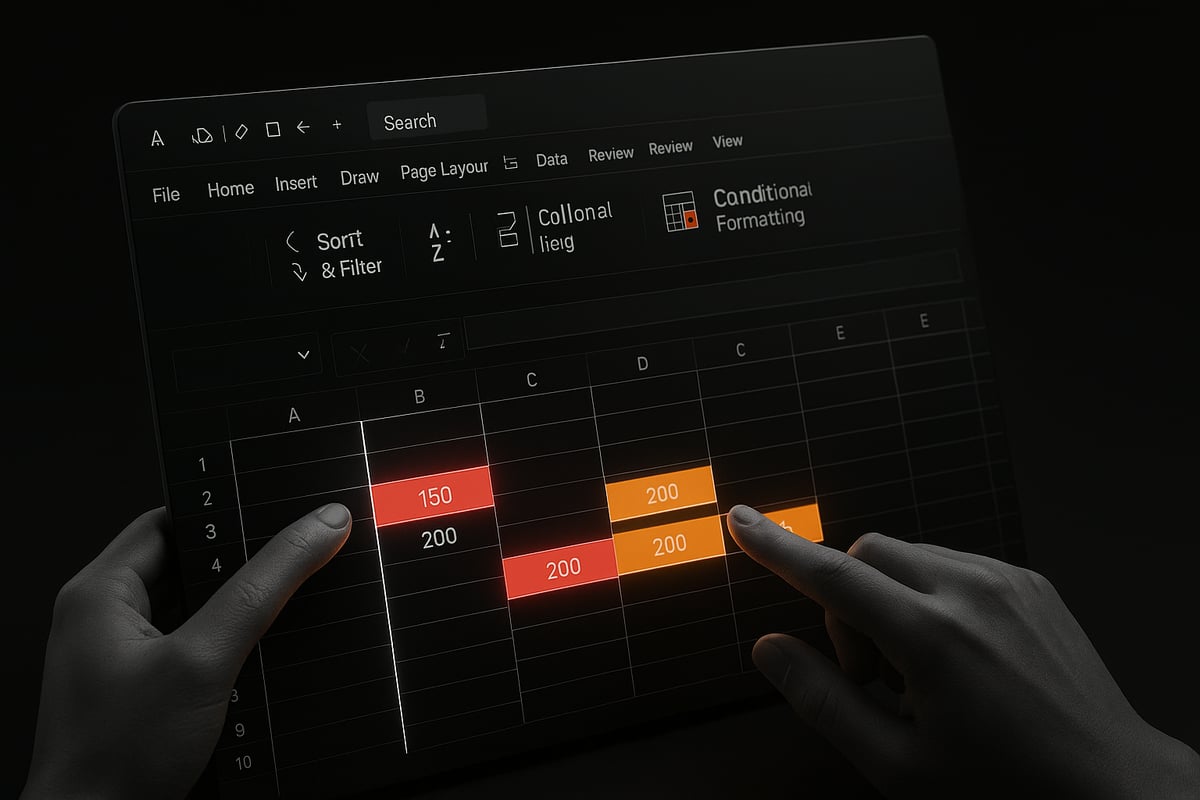
Sorting data is often the first step in how to find repeated values in excel. Begin by selecting your target column, then click the “Sort & Filter” button on the Home tab. Sort data alphabetically or numerically to group identical entries together. This makes repeated values visually stand out for easy review.
For instance, in a customer list, sorting by last name immediately reveals clusters of identical names. This method is especially effective for small datasets where scrolling and manual checks are manageable.
Pros:
- Quick and intuitive for small lists
- No risk of accidental deletion
Cons:
- Inefficient for large datasets
- Human error can occur if the data spans multiple columns
Double-check each group to ensure that you correctly interpret which values are truly repeated. For many, this is the most accessible entry point for how to find repeated values in excel.
Applying Conditional Formatting for Duplicates
Another reliable way for how to find repeated values in excel is using Conditional Formatting. Start by selecting your data range. Go to the Home tab, choose “Conditional Formatting,” then “Highlight Cells Rules,” and select “Duplicate Values.” The duplicates will be automatically highlighted.
You can customize the highlight color for better visibility. For example, you might set a bold red fill to flag repeated order IDs in sales data. This visual cue helps you quickly identify and address problem entries.
According to a 2024 Microsoft survey, 78% of business analysts use conditional formatting for duplicate detection. This method is best for moderate-sized datasets where visual cues suffice, and it allows you to maintain full control over your data.
Leveraging the “Remove Duplicates” Tool
When learning how to find repeated values in excel, the “Remove Duplicates” tool is invaluable. Go to the Data tab and click “Remove Duplicates.” You can choose which columns to check, ensuring precision in your search.
It's important to understand that this tool can both identify and delete duplicates. Always back up your data before removing anything. If you only want to find, not delete, use this tool in a copy of your file.
For a detailed walkthrough, see this Remove duplicate records in Excel guide, which covers step-by-step removal while preserving data integrity.
Manual Search Techniques
Sometimes, how to find repeated values in excel requires targeted techniques. Use the “Find & Select” feature (Ctrl+F) to search for specific values. Filters can also help: apply a filter to your column, then scroll for repeated entries.
For example, filtering invoice numbers and searching for a specific entry can quickly reveal duplicates in financial records. You can also use the “Replace” function to standardize formatting, making duplicates easier to spot.
Manual search is best for very specific checks or when you suspect only a few repeated values exist.
When Manual Methods Make Sense
Manual approaches to how to find repeated values in excel are best suited for small or simple datasets. They provide transparency and immediate results without the need for advanced tools.
However, with larger datasets, manual checks become time-consuming and prone to human error. Always balance the size and complexity of your data against the manual effort required, and consider automation for more robust needs.
Advanced Formula Approaches for Detecting Repeated Values
Unlocking the full potential of Excel means knowing how to find repeated values in excel with precision. Advanced formulas allow you to go beyond basic highlighting and automate duplicate detection across even the most complex datasets. Whether you are managing thousands of records or comparing multiple fields, mastering these techniques is essential for accuracy and efficiency.

COUNTIF and COUNTIFS Functions
The COUNTIF function is a cornerstone for anyone learning how to find repeated values in excel. It tallies how many times a value appears in a specified range. To flag duplicates, you can use a helper column with a formula like:
=COUNTIF($A$2:$A$100, A2)
If the result is greater than 1, the value is repeated. For multi-column checks, COUNTIFS is invaluable. For example, to find repeated employee records based on both name and ID:
=COUNTIFS($A$2:$A$100, A2, $B$2:$B$100, B2)
This approach helps identify duplicates based on multiple criteria. Use these formulas to create dynamic flags or conditional formatting triggers.
Using UNIQUE and FILTER Functions (Excel 365/2026)
With Excel 365 and Excel 2026, the UNIQUE and FILTER functions streamline how to find repeated values in excel. The UNIQUE function extracts only distinct items from a list, making it easy to see what is missing or duplicated. For example:
=UNIQUE(A2:A100)
To extract all duplicates, FILTER is key. The following formula lists all values that appear more than once:
=FILTER(A2:A100, COUNTIF(A2:A100, A2:A100)>1)
This method quickly isolates repeated product codes or customer IDs, saving time on manual review.
Combining IF, MATCH, and ISNUMBER for Custom Checks
Advanced users often combine IF, MATCH, and ISNUMBER to create tailored checks for how to find repeated values in excel. For example, to flag duplicate emails, use:
=IF(COUNTIF($B$2:$B$100, B2)>1, "Duplicate", "")
Or, for a more custom approach:
=IF(ISNUMBER(MATCH(B2, $B$2:B1, 0)), "Repeated", "")
This flags only subsequent occurrences, which is helpful for large datasets. Custom formulas like these allow granular control over which duplicates to highlight or report.
Array Formulas for Complex Duplicate Detection
Array formulas elevate how to find repeated values in excel by enabling multi-dimensional searches. For instance, to flag rows where the combination of order number and date are repeated:
=SUM((A2=$A$2:$A$100)*(B2=$B$2:$B$100))>1
Enter this as an array formula (Ctrl+Shift+Enter in older Excel versions). Array formulas are powerful for identifying patterns that span across several columns or even sheets. For a step-by-step guide on comparing data across spreadsheets, see Compare two Excel spreadsheets for differences.
Limitations and Performance Considerations
While formulas offer flexibility, knowing the limitations is crucial. Large datasets can slow down calculations, especially with volatile formulas or extensive arrays. In Excel 2026, performance has improved, but consider using built-in tools for massive files. Remember, how to find repeated values in excel efficiently often means balancing formula complexity with workbook speed.
Evaluate when to use formulas versus dedicated duplicate tools. For mission-critical or high-volume tasks, automated solutions may be more reliable. Always test your formulas on sample data before scaling up, and document your process for consistency.
Automated Tools and Excel 2026 Features for Duplicate Detection
Automated tools have transformed how to find repeated values in excel, especially with the latest updates in Excel 2026. Today’s features go far beyond manual checks, offering AI-driven insights, customizable automation, and integrations with advanced add-ins. Let’s explore the most effective solutions for fast and reliable duplicate detection.

Built-in Excel 2026 Enhancements
Excel 2026 introduces several upgrades that make how to find repeated values in excel more efficient than ever. The new AI-powered "Clean Data" feature automatically scans large datasets for duplicates and suggests cleaning actions based on context. Shared workbooks benefit from real-time duplicate alerts, reducing errors in collaborative environments.
Conditional formatting rules have become smarter, allowing users to highlight duplicates with just a few clicks. The feature now recognizes patterns and partial matches, which helps catch subtle data issues. Integration with cloud services ensures that duplicate checks remain consistent across all devices and users.
These enhancements mean users spend less time on manual checks and more on analysis. Excel’s built-in tools are now powerful enough for most business needs, especially for teams managing shared and growing datasets.
Power Query for Advanced Duplicate Management
Power Query stands out as a robust solution for those looking to master how to find repeated values in excel on a large scale. By loading your data into Power Query, you can quickly identify, filter, and manage duplicates with visual workflows. The interface allows for step-by-step transformation, making even complex deduplication tasks approachable.
Users can choose to remove duplicates or simply flag them for review. Power Query’s advanced matching logic supports multi-column checks, helping you catch duplicates that might otherwise slip through. For a deep dive into leveraging Power Query for duplicate management, see this Power Query and data modeling audit checklist.
Power Query is ideal for handling tens of thousands of rows, providing speed and reliability. Its integration with Excel 2026 ensures compatibility with the latest data management features.
VBA Macros for Custom Automation
When built-in tools are not enough, VBA macros offer a flexible way to automate how to find repeated values in excel. A simple macro can scan your dataset, highlight duplicates, or generate a separate report for further analysis. This approach is especially useful for recurring tasks or custom business rules.
Here is a basic example of a VBA macro that highlights duplicate values in a selected range:
Sub HighlightDuplicates()
    Dim cell As Range
    Dim rng As Range
    Set rng = Selection
    For Each cell In rng
        If WorksheetFunction.CountIf(rng, cell.Value) > 1 Then
            cell.Interior.Color = RGB(255, 199, 206)
        End If
    Next cell
End Sub
While VBA provides unmatched flexibility, it does require careful maintenance and security considerations. Always test macros on backup copies and ensure they remain compatible with Excel 2026 updates.
Third-Party Add-Ins and Extensions
For even more options in how to find repeated values in excel, third-party add-ins like Ablebits and Kutools offer enhanced duplicate detection features. These tools streamline bulk processing, provide detailed reports, and often include fuzzy matching for partial duplicates.
Key features of reputable add-ins include:
- One-click duplicate search and removal
- Custom reporting and export options
- Integration with Excel 2026’s interface
Before adopting any extension, check for compatibility with your Excel version and ensure the provider follows strict data privacy standards. These tools are especially valuable for organizations with complex or industry-specific data needs.
Choosing the Right Tool for Your Needs
Selecting the best method for how to find repeated values in excel depends on your dataset size, complexity, and skill level. Built-in tools are perfect for most everyday tasks, while Power Query and VBA macros handle advanced or large-scale scenarios. Third-party add-ins fill gaps with specialized features and user-friendly interfaces.
Here is a quick comparison:
| Tool | Best For | Skill Level | Cost |
|---|---|---|---|
| Built-in Tools | Small to medium data | Beginner | Free |
| Power Query | Large/complex datasets | Intermediate | Free |
| VBA Macros | Custom automation | Advanced | Free |
| Add-Ins | Specialized needs | All | Varies |
Consider the frequency and scale of duplicate issues you face. For ongoing needs, investing time in automation or specialized add-ins can save hours and reduce errors.
With Excel 2026’s evolving toolkit, you can confidently tackle duplicate detection, ensuring your data remains accurate and actionable.
Best Practices and Pro Tips for Managing Duplicates in Large Datasets
Managing large datasets in Excel requires a strategic approach to ensure accurate results. Learning how to find repeated values in excel efficiently can save time, prevent costly errors, and streamline your workflow. Below, explore expert strategies to help you stay ahead of duplicate challenges in any complex spreadsheet environment.

Data Preparation and Cleaning Strategies
Preparing your data is the first step in mastering how to find repeated values in excel. Always start by validating and cleaning your data before searching for duplicates. Normalize formats, such as dates and text case, to ensure accurate detection.
For example, standardize all customer names to uppercase and strip leading or trailing spaces. This reduces the risk of false negatives when running duplicate checks. Pre-cleaning a customer database not only improves accuracy but also makes subsequent steps more efficient.
- Remove extra spaces using
TRIM() - Convert text to a consistent case with
UPPER()orLOWER() - Format dates uniformly
By investing time in preparation, you set a solid foundation for reliable duplicate detection.
Creating Dynamic Duplicate Checks with Named Ranges and Tables
Using named ranges and Excel tables makes how to find repeated values in excel a dynamic process. Structured references simplify formulas and ensure your checks update automatically as data grows.
For instance, define a table for your sales data. When you add new records, your duplicate detection formulas referencing the table expand automatically. This approach reduces manual updates and errors.
Benefits of dynamic tables:
| Feature | Advantage |
|---|---|
| Auto-expanding range | No manual resizing |
| Structured formulas | Easier to manage |
| Improved readability | Clearer data structure |
Dynamic checks are especially useful for monthly updates or recurring reports.
Preventing Duplicates at Data Entry
The most effective way to address how to find repeated values in excel is to prevent them from occurring. Implement data validation rules and dropdowns to restrict user input and block duplicate entries.
For example, set up a validation rule to prevent repeated invoice numbers in a financial log. According to a 2025 survey, data validation can reduce duplicate entry errors by 45 percent.
Explore this comprehensive Excel data validation rules and checks resource for step-by-step guidance on setting up robust validation systems.
By catching errors at the source, you minimize cleanup effort later.
Auditing and Reporting Duplicates Over Time
Ongoing auditing is crucial for understanding how to find repeated values in excel as your dataset evolves. Build dashboards and use pivot tables to track duplicate trends and summarize findings.
Visualizing repeated values helps you spot patterns, such as recurring data entry issues or compliance risks. For example, generate a duplicate trend report for annual audits to ensure data quality standards are maintained.
- Use conditional formatting in dashboards
- Summarize duplicates by category with pivot tables
- Schedule periodic reviews
Regular reporting keeps your data integrity in check and supports compliance efforts.
Collaboration and Version Control in Shared Workbooks
Shared workbooks introduce new challenges in how to find repeated values in excel, especially with cloud-based collaboration. Multiple users editing the same file can inadvertently create duplicates or conflicting entries.
To manage this, establish version control protocols and track changes. Use Excel’s built-in features to highlight changes and resolve conflicts promptly.
Tips for team collaboration:
- Assign data entry responsibilities
- Regularly review shared changes
- Use comments to clarify edits
Effective collaboration reduces duplicate risks and ensures everyone works from the same, accurate dataset.
Regular Maintenance and Automation
Routine checks are essential for keeping large datasets clean. Schedule automated duplicate searches using Power Query or macros. Automation not only saves time but also ensures consistency in how to find repeated values in excel.
Power Query, for instance, can process thousands of rows efficiently. Learn more about Advanced Excel Data Cleaning with Power Query to streamline your maintenance routines.
Document your procedures so your team can replicate them, even as staff or data changes.
Common Pitfalls and How to Avoid Them
Even experienced analysts face pitfalls when learning how to find repeated values in excel. Over-deleting is a common risk, which can lead to loss of legitimate data. Also, partial duplicates, such as similar but not identical entries, may go unnoticed.
Solutions:
- Use fuzzy matching tools for near-matches
- Always back up data before removing duplicates
- Include manual review steps for borderline cases
By anticipating these challenges, you can maintain data accuracy and avoid costly mistakes.
Troubleshooting Common Issues When Finding Repeated Values
Even with the best techniques for how to find repeated values in excel, real-world data can present stubborn challenges. Let’s tackle the most common issues users face, and how to troubleshoot them efficiently.
Duplicates Not Detected Due to Formatting Differences
A frequent roadblock when learning how to find repeated values in excel is hidden formatting inconsistencies. Extra spaces, inconsistent letter casing, or invisible characters can cause Excel to overlook duplicates.
To resolve this, preprocess your data before searching for repeats. Use the TRIM function to remove extra spaces, CLEAN to eliminate non-printable characters, and LOWER or UPPER to standardize text case. For example, enter =TRIM(LOWER(A2)) in a new column to normalize entries before running duplicate checks.
With Excel 2026, the AI-powered data cleaning feature can automatically flag and resolve many of these issues, making your process even smoother. Always check and clean your data before running any duplicate detection.
Handling Partial and Fuzzy Duplicates
Sometimes, how to find repeated values in excel involves more than exact matches. Typos, abbreviations, or similar names can create “fuzzy” duplicates that standard tools miss.
Excel’s Fuzzy Lookup add-in and Power Query’s fuzzy matching option help locate near-matches based on similarity scores. For instance, merging “Jon Smith” with “John Smith” is possible using these tools. Power Query’s fuzzy match settings let you adjust the similarity threshold to catch more or fewer matches as needed.
For large or complex datasets, consult advanced approaches like those described in Scalable Predictive Modeling for Duplicate Detection, which can enhance your ability to identify subtle duplicate patterns.
Dealing with Large, Slow, or Corrupted Workbooks
When working with massive files, how to find repeated values in excel becomes a performance challenge. Duplicates checks can slow down or even freeze Excel, especially with workbooks over 50,000 rows.
To improve speed, close unnecessary apps, turn off automatic calculation, and filter your data before running checks. If your workbook is corrupted, use Excel’s built-in “Open and Repair” option before attempting duplicate analysis. According to a 2024 Microsoft report, 20% of users encounter performance issues with large files during duplicate checks.
Regularly archive old data and split oversized files to maintain optimal performance.
Errors with Formulas and Automation Tools
Formula errors are a common frustration when figuring out how to find repeated values in excel. COUNTIF, FILTER, or custom macros may produce unexpected results if ranges are misaligned, formulas reference incorrect cells, or updates in Excel 2026 introduce compatibility issues.
To troubleshoot, double-check all cell references, ensure your formulas are entered correctly, and update macros for any deprecated functions. Always test formulas on a small data sample before applying them to the entire dataset.
Keeping Excel up to date and reviewing Microsoft’s documentation for new features will minimize unexpected errors.
Ensuring Data Security and Privacy
Handling sensitive information during how to find repeated values in excel raises data security and privacy concerns. Always work on a copy of your dataset, and restrict access to files containing personal or confidential data.
When sharing cleaned datasets, remove unnecessary columns, encrypt files if needed, and follow your organization’s data protection policies. Document every step in your duplicate detection process to support compliance and audit requirements.
A secure approach ensures accuracy while protecting your business reputation.