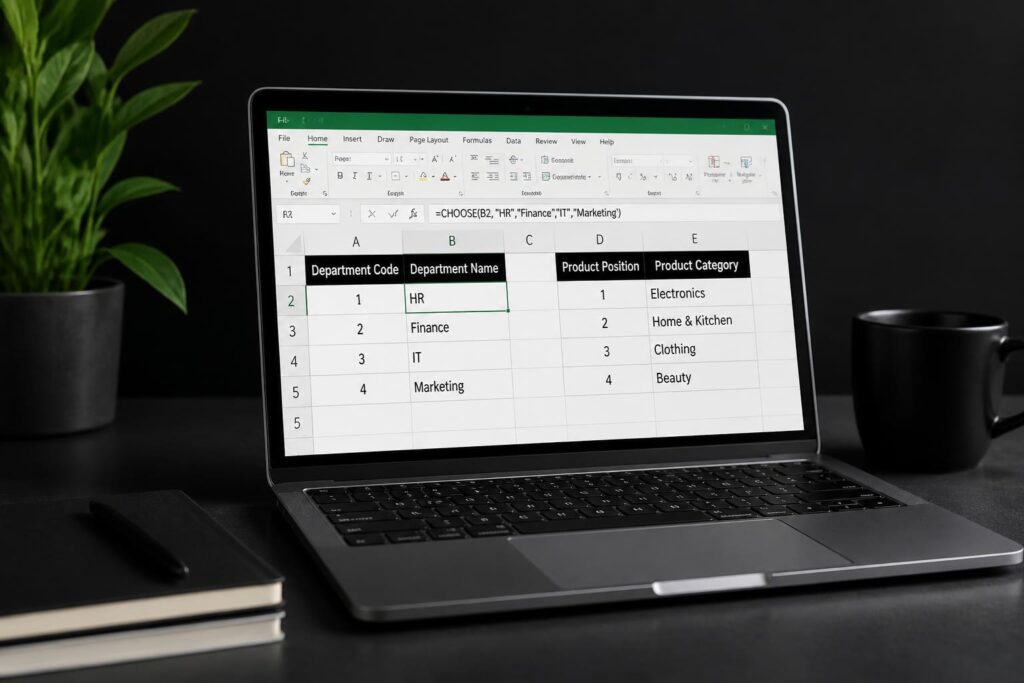
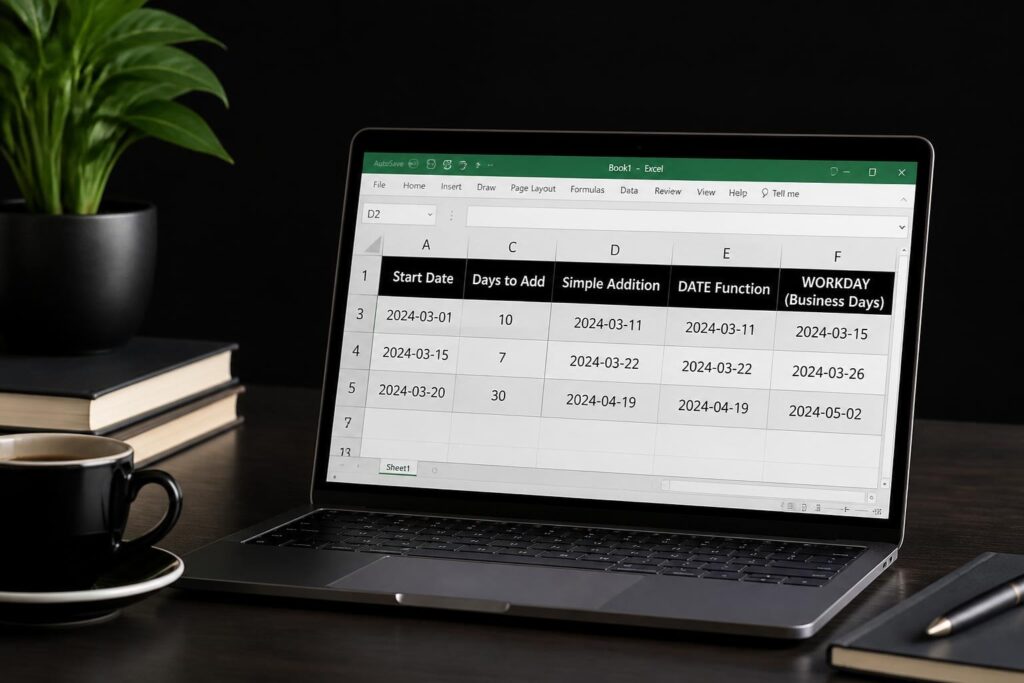
Seabrook professionals face increasing pressure to maximize productivity through better data management and analysis. Excel remains the cornerstone of business operations across industries, yet many users struggle to unlock its full potential. Finding quality excel training seabrook options that deliver practical, immediately applicable skills can transform how you work with data, automate repetitive tasks, and generate meaningful insights. Whether you're managing financial reports, tracking inventory, or analyzing customer data, proper Excel training eliminates frustration and multiplies efficiency.
Why Seabrook Professionals Need Specialized Excel Training
The Seabrook business community spans petrochemical operations, marine services, hospitality, and retail sectors. Each industry demands specific Excel competencies that generic online tutorials often miss.
Local professionals require training that addresses real-world challenges:
- Complex data sets from multiple sources requiring consolidation
- Automated reporting for compliance and operational oversight
- Financial modeling with accuracy and auditability
- Dashboard creation for executive decision-making
- Integration with industry-specific software systems
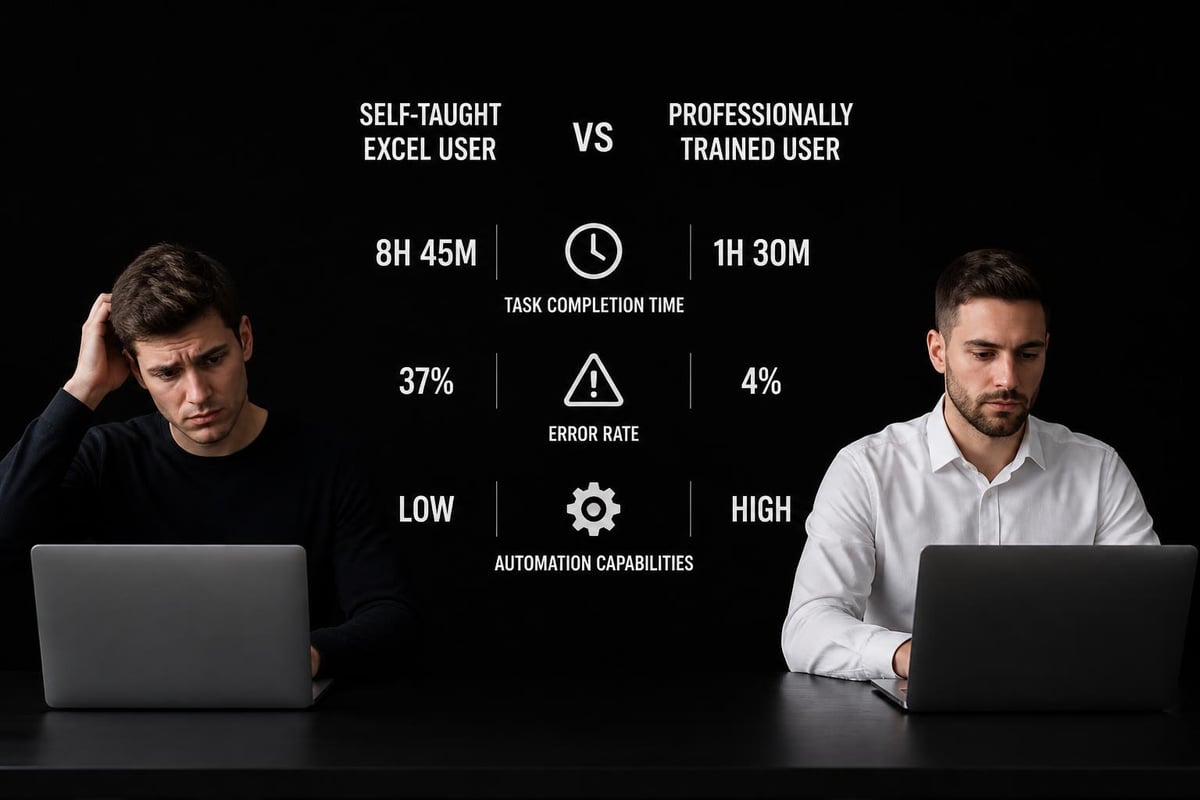
Many Seabrook workers learned Excel through trial and error, creating inefficient workarounds that waste hours each week. Structured excel training seabrook programs identify these productivity gaps and replace bad habits with best practices. The difference between self-taught skills and professional training often means the gap between spending three hours on a task versus thirty minutes.
The Cost of Inadequate Spreadsheet Skills
Businesses lose thousands of dollars annually to spreadsheet errors and inefficiencies. A single misplaced formula in a budget projection can cascade into strategic miscalculations. Employees who lack proper training spend excessive time on tasks that advanced Excel users complete in minutes.
Consider these common scenarios:
| Problem | Time Lost | Professional Solution |
|---|---|---|
| Manual data entry from multiple files | 5-8 hours/week | Power Query automation reduces to 15 minutes |
| Recreating reports monthly | 3-4 hours/report | Template with dynamic formulas: 10 minutes |
| Finding errors in complex workbooks | 2-6 hours | Audit tools identify issues in minutes |
| Formatting for presentations | 1-2 hours | Conditional formatting applies automatically |
Organizations that invest in excel training seabrook programs for their teams see immediate returns through reduced errors, faster project completion, and improved data-driven decision-making. The educational resources available in Seabrook provide foundational support, but specialized Excel instruction delivers targeted results.
Essential Excel Skills for Seabrook's Workforce
The Analytics Doctor structures training around competencies that matter most to local businesses. Rather than teaching every Excel feature, effective programs focus on high-impact skills that solve daily challenges.
Foundational Skills Every Professional Needs
Beginning with the basics ensures everyone builds on solid ground. These core competencies form the foundation for advanced work:
- Formula construction and cell referencing – Understanding absolute versus relative references prevents calculation errors
- Data organization principles – Proper table structure enables all advanced features
- Basic functions – SUM, AVERAGE, COUNT, IF, and VLOOKUP handle most daily tasks
- Formatting for clarity – Professional presentation makes data accessible to stakeholders
- Print setup and page layout – Ensuring reports display correctly on paper and PDF
The University of Houston’s Bauer College offers free resources covering foundational to intermediate Excel content, which complement hands-on training. However, personalized instruction identifies individual knowledge gaps that self-paced materials cannot address.
Intermediate Capabilities That Multiply Productivity
Once users master fundamentals, intermediate skills unlock Excel's real power. This level separates casual users from productivity experts.
Key intermediate competencies include:
- PivotTables and PivotCharts for rapid data summarization and analysis
- Conditional formatting to highlight trends, outliers, and exceptions automatically
- Data validation to prevent input errors at the source
- Named ranges for clearer, more maintainable formulas
- Array formulas for complex calculations across multiple cells
- XLOOKUP and INDEX-MATCH for flexible data retrieval
These skills transform static spreadsheets into dynamic analytical tools. A well-designed PivotTable can answer questions in seconds that would take hours using manual sorting and subtotals. When seeking excel training seabrook services, prioritize programs that dedicate substantial time to these practical, high-value techniques.
Advanced Techniques for Power Users
Senior analysts, financial professionals, and department managers benefit from advanced Excel capabilities that automate complex workflows and create sophisticated analytical models.
Advanced training covers:
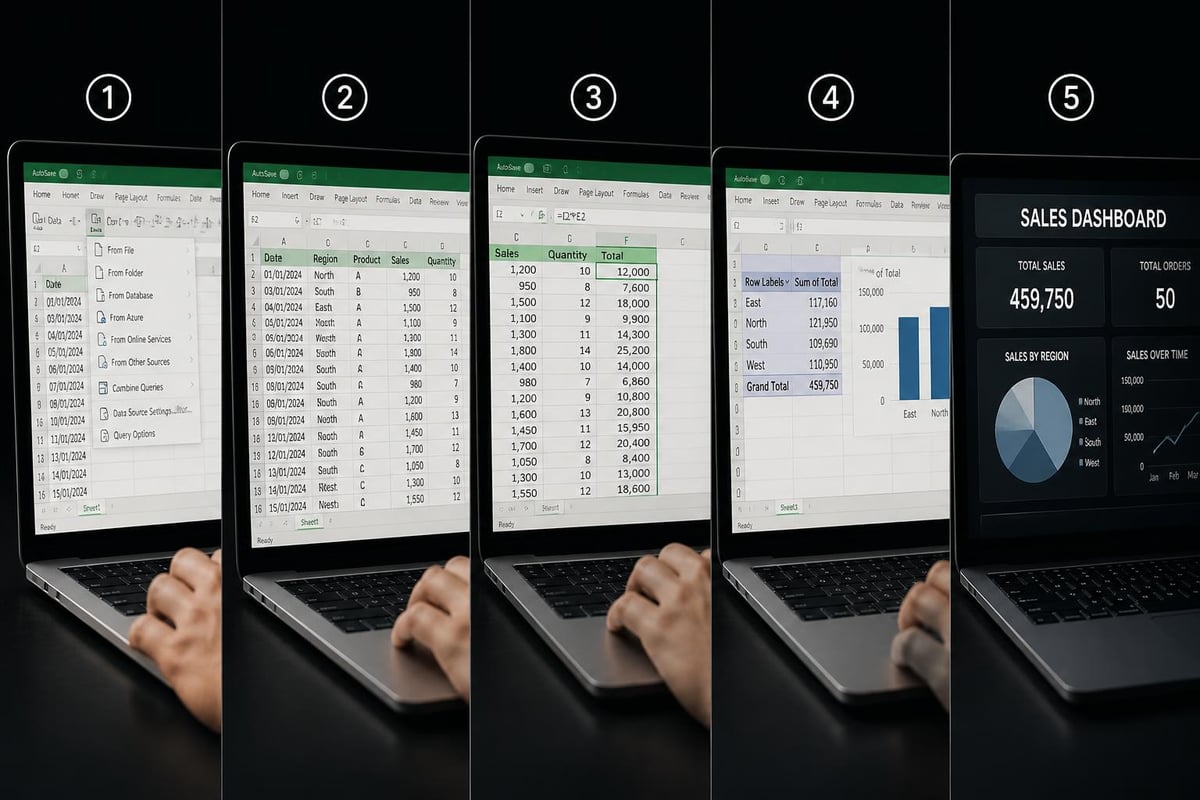
- Power Query for ETL operations and data transformation
- Power Pivot for millions of rows and complex data relationships
- VBA and macros for custom automation and repetitive task elimination
- Advanced formulas including SUMIFS, COUNTIFS, and nested functions
- Scenario analysis with Goal Seek, Solver, and Data Tables
- Dashboard design with slicers, timelines, and dynamic charts
The Corporate Finance Institute’s Excel resources provide templates and exercises for advanced users, though professional guidance accelerates mastery. Working with experienced Excel consultants ensures you implement best practices from the start rather than developing workarounds that create maintenance headaches.
Choosing the Right Excel Training Format for Your Needs
Seabrook professionals have multiple options for improving their Excel skills. The optimal choice depends on learning style, schedule constraints, current skill level, and specific goals.
One-on-One Personalized Training
Individual instruction provides maximum customization and efficiency. The trainer focuses entirely on your specific challenges, existing workflows, and job requirements.
Benefits of personalized training:
- Curriculum tailored to your industry and role
- Flexible scheduling around your availability
- Direct work on your actual files and projects
- Immediate answers to questions as they arise
- Faster skill acquisition through targeted instruction
This approach works exceptionally well for executives, managers, and specialists with unique analytical needs. Rather than sitting through generic material covering features you'll never use, personalized sessions concentrate exclusively on skills that deliver immediate value.
Corporate Group Training Programs
When entire teams need Excel skills, group training delivers consistent knowledge across the organization. Corporate Excel training creates shared understanding and standardizes approaches to common tasks.
| Training Format | Best For | Typical Duration | Key Advantage |
|---|---|---|---|
| Half-day workshops | Specific feature introduction | 3-4 hours | Minimal time away from desk |
| Full-day intensive | Comprehensive skill building | 6-8 hours | Deep dive with practice time |
| Multi-day programs | Complete transformation | 2-5 days | Progression from basics to advanced |
| Ongoing support | Continuous improvement | Monthly sessions | Reinforcement and new techniques |
Group training builds team capability while controlling costs. When everyone knows proper techniques, collaboration improves and file-sharing problems decrease. Organizations near Seabrook can explore comprehensive Excel training programs designed for Houston-area businesses.
Online Learning Versus In-Person Instruction
The debate between remote and face-to-face training continues, with each format offering distinct advantages. For excel training seabrook professionals, proximity to Houston provides access to both options.
Online training advantages:
- No commute time or travel expenses
- Screen sharing for precise demonstration
- Session recording for later review
- Easier scheduling across time zones
- Digital file exchange simplifies practice
In-person training advantages:
- Fewer distractions than home or office environments
- Immediate hands-on assistance with technical issues
- Stronger interpersonal connection with instructor
- Team building when training groups
- Better for kinesthetic learners
The best Excel online courses reviewed by TechRadar showcase quality remote options, though they lack the customization that local, personalized training provides. Many Seabrook professionals find hybrid approaches ideal-structured lessons online supplemented by in-person troubleshooting sessions.
What Makes Excel Training Effective
Not all training programs deliver equal results. The difference between mediocre and exceptional instruction lies in methodology, practical application, and ongoing support.
Hands-On Practice With Real Scenarios
Reading about Excel features or watching demonstrations provides limited retention. Effective excel training seabrook programs emphasize practical exercises using scenarios relevant to participants' actual work.
Quality training includes:
- Diagnostic assessment identifying current skill gaps and priority areas
- Structured progression building complexity logically as competency increases
- Industry-specific examples demonstrating applications in your field
- Guided practice with instructor support during exercises
- Independent challenges testing mastery before moving forward
- Reference materials providing post-training resources
The Analytics Doctor approaches training as diagnostic problem-solving rather than feature cataloging. By examining your current spreadsheets and workflows, instructors identify exactly which skills will eliminate your biggest frustrations and time-wasters.
Ongoing Support and Reinforcement
The true test of training effectiveness comes weeks after formal instruction ends. Can you apply what you learned? Do you remember the techniques? Can you troubleshoot new challenges independently?
Superior training programs include follow-up support:
- Email or chat access for questions after sessions conclude
- Resource libraries with templates, cheat sheets, and guides
- Refresher sessions reviewing concepts and introducing updates
- Community forums connecting learners for peer support
- Advanced workshops building on foundational training
Excel automation services often complement training by implementing systems that reinforce learned concepts. When employees use well-designed templates incorporating best practices, they naturally maintain good habits.

Common Excel Challenges Seabrook Professionals Face
Understanding typical problems helps identify which training areas deserve emphasis. The Analytics Doctor frequently diagnoses these issues in Seabrook client spreadsheets.
Formula Errors and Circular References
Broken formulas frustrate users and compromise data integrity. Common culprits include:
- #REF! errors from deleted rows or columns referenced in formulas
- #VALUE! errors from incompatible data types in calculations
- Circular references where formulas create infinite loops
- Volatile functions causing slow performance in large workbooks
- Hard-coded values replacing formulas during copy-paste operations
Learning to audit and debug complex spreadsheets prevents these problems and repairs damage when errors occur. Excel training seabrook sessions should include substantial formula troubleshooting practice.
Data Management and Organization Problems
Poor data structure undermines every advanced Excel feature. Issues include:
- Merged cells breaking sort, filter, and formula operations
- Multiple data types within single columns
- Inconsistent date or number formatting
- Empty rows and columns interrupting ranges
- Headers not properly defined for tables
Implementing data validation rules at the input stage prevents most organization problems. Quality training teaches proper table design principles that make everything else easier.
Performance and File Size Issues
Bloated workbooks that calculate slowly frustrate users and sometimes crash. Contributing factors include:
- Excessive formatting applied to entire columns
- Volatile functions recalculating unnecessarily
- Unused styles and themes accumulating
- Embedded objects and images not compressed
- Multiple hidden worksheets with orphaned data
Techniques to reduce Excel file size restore performance and prevent corruption. Professional training addresses these optimization strategies that most users never discover independently.
Finding Quality Excel Training in the Seabrook Area
Seabrook's proximity to Houston provides access to extensive educational resources while maintaining the community feel of a smaller city. Several options exist for professionals seeking to upgrade their skills.
Local and Regional Training Resources
The greater Houston area offers numerous institutions providing Excel instruction. Michigan State University’s comprehensive Excel Foundations course exemplifies the type of structured curriculum available through major universities, though distance learning options make geography less limiting in 2026.
Regional resources include:
- Community colleges offering semester-long courses through continuing education
- Professional development centers providing concentrated workshops
- Corporate training firms delivering customized on-site instruction
- Independent consultants offering personalized coaching
When evaluating excel training seabrook options, consider the instructor's real-world business experience, not just technical certification. Someone who has diagnosed thousands of spreadsheet problems brings insights that pure academics cannot match.
Specialized Training for Industry-Specific Needs
Generic Excel training covers universal features, but industry-specific instruction addresses unique analytical requirements. Petrochemical professionals need different skills than retail managers or marine service operators.
Industry-focused training includes:
- Financial services – Complex modeling, scenario analysis, risk calculations
- Manufacturing – Production tracking, quality control charts, inventory optimization
- Healthcare – Patient data analysis, compliance reporting, resource allocation
- Retail – Sales forecasting, inventory turnover, promotional analysis
- Engineering – Technical calculations, specification management, project tracking
The Analytics Doctor customizes curriculum based on participant industries and actual data challenges. This relevance accelerates learning and ensures immediate applicability.
Evaluating Training Providers and Programs
Not all Excel instructors possess equal expertise or teaching ability. Technical knowledge alone doesn't guarantee effective instruction.
Key evaluation criteria:
| Factor | What to Look For | Red Flags |
|---|---|---|
| Experience | Years working with diverse clients | Only classroom teaching, no business experience |
| Curriculum | Customized to your needs | One-size-fits-all generic content |
| Methodology | Hands-on practice with real scenarios | Lecture-only format |
| Support | Post-training access for questions | No follow-up after sessions end |
| References | Testimonials from similar organizations | No verifiable client feedback |
| Credentials | Microsoft certification plus business expertise | Certification without practical application |
Carnegie Mellon’s partnership approach to Excel training demonstrates how academic institutions recognize the value of practical, career-focused instruction. When exploring excel training seabrook providers, request sample materials and speak with previous participants.
Building an Excel Training Plan for Your Organization
Organizations achieve maximum ROI when they approach Excel training strategically rather than sending random employees to generic courses. A structured plan ensures comprehensive skill development across the team.
Assessing Current Skill Levels and Gaps
Begin by understanding what your team knows and what they need to learn. This diagnostic phase prevents wasting time on skills people already possess while identifying critical gaps.
Assessment methods include:
- Self-evaluation surveys where employees rate their comfort with specific features
- Practical skill tests asking users to complete representative tasks
- Spreadsheet audits examining existing files for quality and efficiency
- Manager interviews discussing workflow bottlenecks and error patterns
- Observation sessions watching employees complete routine tasks
This analysis reveals whether you need beginner foundations, intermediate productivity training, or advanced analytical capabilities. Many organizations discover their team has scattered knowledge-strong in some areas but missing critical fundamentals in others.
Creating a Progressive Learning Path
Effective Excel mastery follows a logical progression. Attempting advanced techniques without solid fundamentals leads to frustration and reinforces bad habits.
Recommended progression for excel training seabrook programs:
- Phase 1: Foundations (1-2 days) – Data entry, basic formulas, formatting, simple charts
- Phase 2: Productivity (2-3 days) – PivotTables, data validation, intermediate functions, templates
- Phase 3: Analysis (2-3 days) – Advanced formulas, conditional logic, scenario tools, dashboards
- Phase 4: Automation (2-3 days) – Power Query, Power Pivot, introduction to VBA
- Phase 5: Mastery (ongoing) – Complex modeling, custom solutions, continuous optimization
Not every employee needs every phase. Administrative staff may only require Phases 1-2, while analysts and managers benefit from the complete progression. Hands-on corporate Excel training courses can be customized to match organizational needs and available time.
Measuring Training Effectiveness and ROI
Training represents an investment that should deliver measurable returns. Track specific metrics to validate effectiveness.
Quantifiable success indicators:
- Time reduction for routine reporting tasks
- Decrease in spreadsheet errors and rework
- Increased employee confidence scores
- Reduction in IT support requests for Excel issues
- Faster completion of analytical projects
- Improved data quality and consistency
Collect baseline measurements before training, then reassess 30, 60, and 90 days after completion. The University of Tennessee’s Excel support resources provide examples of institutional approaches to ongoing skill development and measurement.
Maximizing Your Excel Training Investment
Simply attending training doesn't guarantee lasting improvement. Participants must actively apply new skills and organizations must create supportive environments that reinforce learning.
Immediate Application Strategies
Skills deteriorate rapidly without use. Plan to apply new techniques immediately after training while knowledge remains fresh.
Post-training action steps:
- Identify three current tasks to complete using new methods within the first week
- Rebuild one existing spreadsheet applying newly learned best practices
- Create a reference document summarizing key techniques for quick review
- Schedule practice time dedicating 30 minutes daily to skill reinforcement
- Share knowledge teaching colleagues what you learned to deepen understanding
When organizations book excel training seabrook sessions, they should clear participants' schedules for a few days afterward, allowing time for experimentation and application without immediate work pressure.
Creating Templates and Standards
Organizational efficiency improves when everyone follows consistent approaches. Training provides the perfect opportunity to establish standards.
Standardization opportunities:
- Template workbooks for common reports and analyses
- Naming conventions for files, worksheets, and ranges
- Formatting guidelines ensuring professional appearance
- Formula libraries for frequently used calculations
- Documentation requirements for complex spreadsheets
The Analytics Doctor often assists organizations with Excel consultancy services that transform training into enterprise-wide improvements. Well-designed templates incorporating training concepts help employees maintain good practices.
Building Internal Excel Expertise
Organizations achieve greatest long-term value when they develop internal experts who can support colleagues and solve problems independently.
Knowledge-building strategies:
- Identify Excel champions among staff members showing strong aptitude
- Provide advanced training equipping champions with expert-level skills
- Create support structures where champions assist colleagues
- Document solutions building organizational knowledge base
- Continue education keeping champions current with new features
This approach transforms training from a one-time event into sustained capability development. Internal experts understand company-specific data and workflows, providing more relevant support than external generic help resources.
Advanced Excel Capabilities Worth Mastering
Beyond standard features, several advanced capabilities dramatically expand what's possible with Excel. These tools separate basic users from true power users.
Power Query for Data Transformation
Power Query revolutionizes how users import, clean, and combine data from multiple sources. This ETL (Extract, Transform, Load) tool eliminates hours of manual data preparation.
Power Query capabilities:
- Connect to databases, web sources, and multiple files simultaneously
- Clean inconsistent data with repeatable transformation steps
- Merge data from different sources using common keys
- Unpivot and reshape data structures automatically
- Refresh data with a single click when sources update
Most excel training seabrook programs now include Power Query due to its extraordinary efficiency gains. Once you master query editor operations, you'll never want to manually copy-paste data again.
VBA and Macro Programming
Visual Basic for Applications enables complete automation of repetitive tasks and creation of custom Excel functionality. While requiring more technical skill, VBA delivers unmatched power.
Common VBA applications:
- Automated report generation combining multiple data sources
- Custom functions not available in standard Excel
- User interface forms for data entry and validation
- Batch processing of multiple workbooks
- Integration with other Microsoft Office applications
Excel VBA programming services help organizations implement sophisticated automation while training teams to maintain and modify solutions. Learning even basic VBA opens possibilities most Excel users never imagine.
Power Pivot for Big Data Analysis
When datasets exceed Excel's traditional row limits or require complex relationships between multiple tables, Power Pivot provides enterprise-grade analytical power within the familiar Excel environment.
Power Pivot advantages:
- Analyze millions of rows efficiently
- Create relationships between tables without VLOOKUP
- Build sophisticated DAX formulas for advanced calculations
- Design data models supporting comprehensive analysis
- Create memory-efficient workbooks despite large datasets
Understanding Power Pivot and data modeling positions you for advanced analytical roles. These capabilities transform Excel from a calculation tool into a business intelligence platform.
Investing in quality Excel training transforms how Seabrook professionals work with data, eliminating frustration while multiplying productivity and analytical capability. Whether you need foundational skills or advanced automation expertise, structured instruction delivers faster results than self-taught approaches. The Analytics Doctor specializes in diagnosing spreadsheet problems and delivering practical training that solves your specific challenges-from fixing broken formulas to automating complex reports-ensuring your data works for you rather than against you.