Excel users face increasing pressure to work faster, analyze data more deeply, and deliver insights with greater accuracy. The traditional approach of manually creating formulas, cleaning datasets, and troubleshooting errors consumes valuable time that could be spent on strategic analysis. An ai spreadsheet assistant for excel users represents a fundamental shift in how professionals interact with their data, transforming complex spreadsheet tasks into conversational exchanges that boost productivity and reduce frustration.
Understanding AI Spreadsheet Assistants and Their Impact
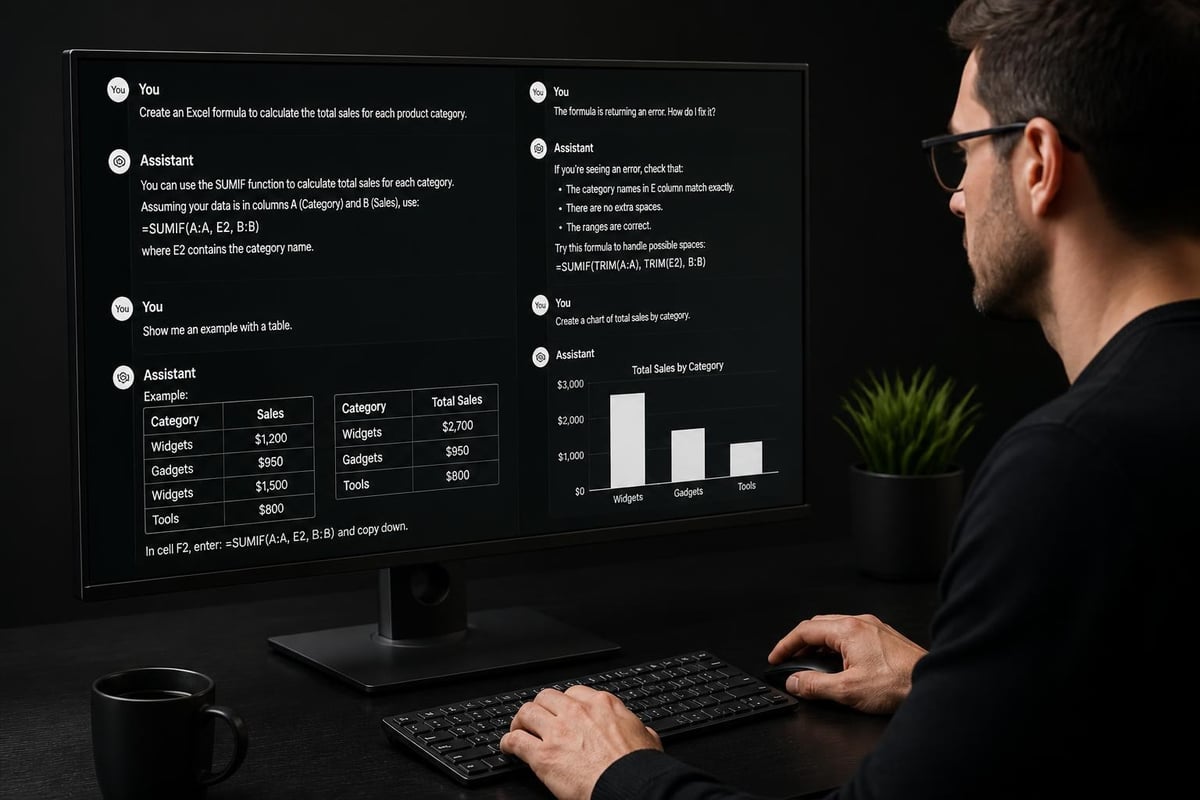
The concept of an ai spreadsheet assistant for excel users extends far beyond simple automation. These intelligent tools leverage natural language processing, machine learning, and contextual understanding to interpret user intent, suggest solutions, and execute complex operations. Rather than memorizing obscure function syntax or searching through documentation, users can describe what they need in plain English and receive immediate, actionable results.
Modern AI assistants integrate directly into Excel's interface, creating a seamless experience that feels natural rather than disruptive. They analyze your spreadsheet context, understand your data structure, and provide recommendations tailored to your specific situation. This contextual awareness sets them apart from generic automation scripts or simple macro recorders.
Key Capabilities That Transform Excel Workflows
When evaluating an ai spreadsheet assistant for excel users, several core capabilities define its effectiveness:
- Natural language formula generation that converts descriptions into working formulas
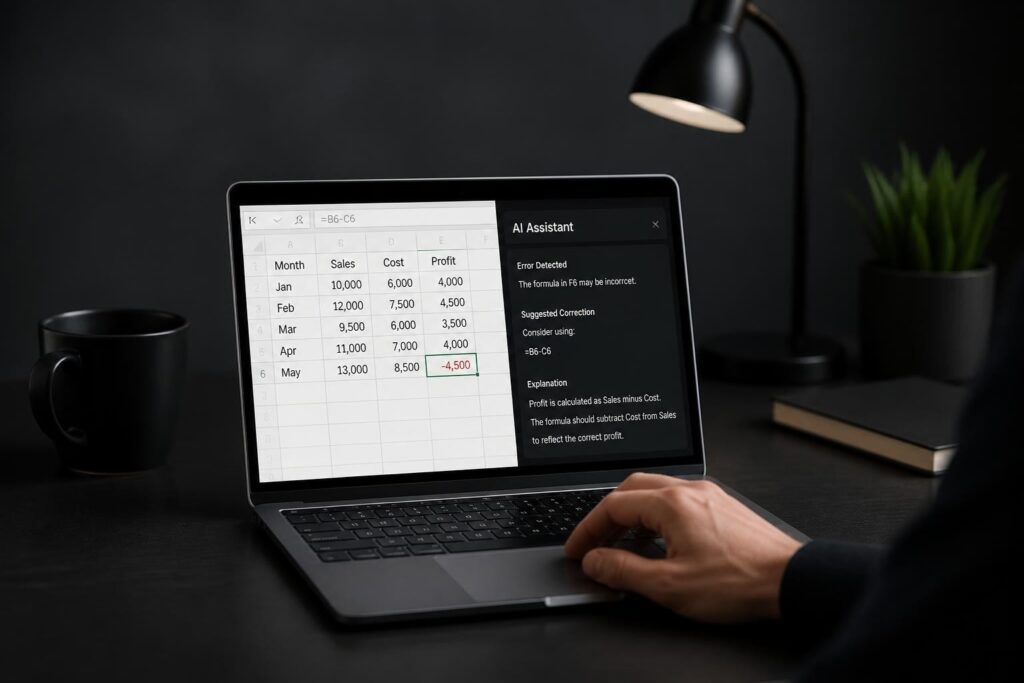
- Intelligent error detection that identifies and suggests fixes for broken calculations
- Data cleaning automation that standardizes formats and removes inconsistencies
- Pattern recognition that identifies trends and anomalies in datasets
- Multi-step workflow automation that chains together complex operations
These capabilities work synergistically to address the most time-consuming aspects of spreadsheet management. For instance, Excel’s new Agent Mode demonstrates how AI can fix broken formulas through conversational interaction, proving that artificial intelligence can deliver genuine utility in everyday tasks.
Major AI Assistants Available for Excel Users
The landscape of AI-powered spreadsheet tools has expanded dramatically in 2026. Understanding which assistant aligns with your workflow requirements helps maximize the return on your technology investment.
Microsoft Copilot: Native Integration Advantage
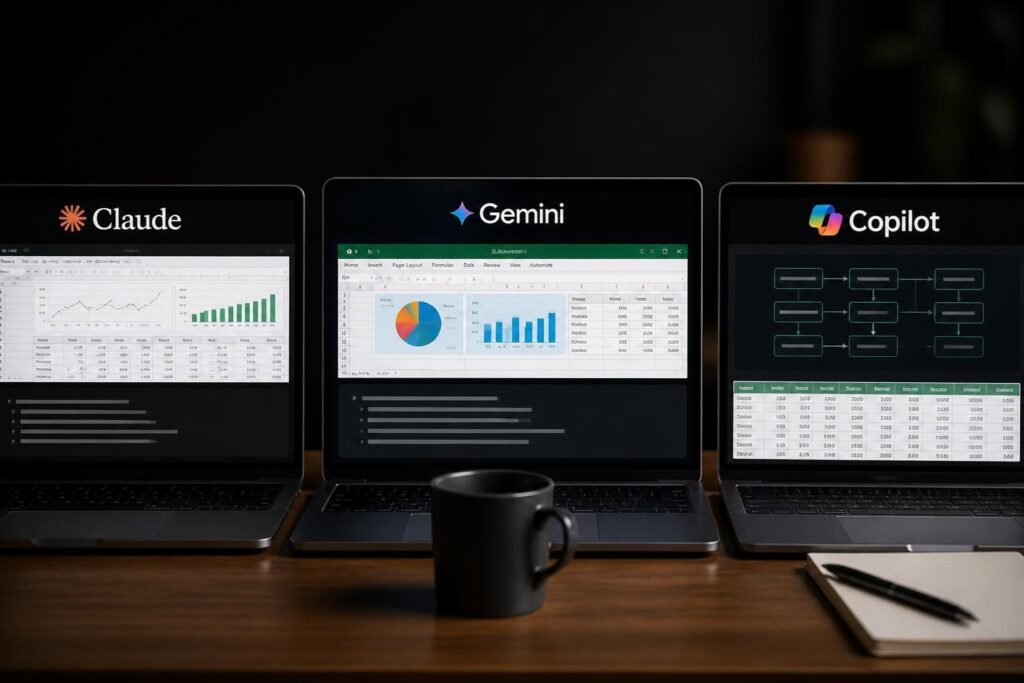
Microsoft Copilot represents the most deeply integrated ai spreadsheet assistant for excel users, built directly into the Microsoft 365 ecosystem. It accesses your spreadsheet context, organizational data, and historical patterns to provide highly relevant suggestions. The COPILOT function in Excel generates formulas based on natural language descriptions, though Microsoft cautions users about its limitations in tasks requiring absolute accuracy.
For detailed guidance on leveraging this tool effectively, explore our comprehensive Microsoft Copilot for Excel tutorial which covers practical implementation strategies.
| Feature | Microsoft Copilot | Claude for Excel | Grok Add-in |
|---|---|---|---|
| Native Integration | Built-in with M365 | Add-in required | Add-in required |
| Data Privacy | Enterprise-grade | Context-limited | Variable by tier |
| Learning Curve | Minimal | Low | Moderate |
| Formula Complexity | Advanced | Advanced | Intermediate |
| Cost | M365 subscription | Separate pricing | Freemium model |
Claude for Excel: Advanced Reasoning Capabilities
Claude’s integration with Excel brings sophisticated reasoning capabilities to spreadsheet work. This ai spreadsheet assistant for excel users excels at explaining complex formulas, debugging logic errors, and providing step-by-step guidance for intricate calculations. Its strength lies in contextual understanding and the ability to handle multi-step analytical workflows.
Business analysts particularly benefit from Claude's analytical approach. Our Claude for Excel data analysis guide demonstrates how to structure prompts for maximum effectiveness.
Grok Add-in: Conversational Simplicity
SpaceXAI's Grok add-in for Microsoft Excel provides conversational AI assistance for common tasks like formulas, sorting, and chart creation through natural language input. While less feature-rich than enterprise solutions, Grok offers accessibility for users seeking straightforward assistance without complex setup requirements.
Practical Applications That Deliver Immediate Value
Understanding theoretical capabilities matters less than knowing how to apply an ai spreadsheet assistant for excel users to solve real business problems. These practical applications demonstrate tangible productivity gains.
Formula Creation and Debugging
The most common use case involves formula generation. Instead of remembering VLOOKUP syntax or nested IF statements, users describe their desired outcome: "Calculate the total revenue for each product category where the sale date is in Q1 2026 and the region is Northeast."
The AI assistant translates this into working formulas, suggests optimal function choices, and explains its reasoning. When formulas break, these tools analyze the error context and provide specific fixes rather than generic troubleshooting advice.
For those working with complex calculations, our AI formula generator for Excel spreadsheets resource offers additional techniques and examples.
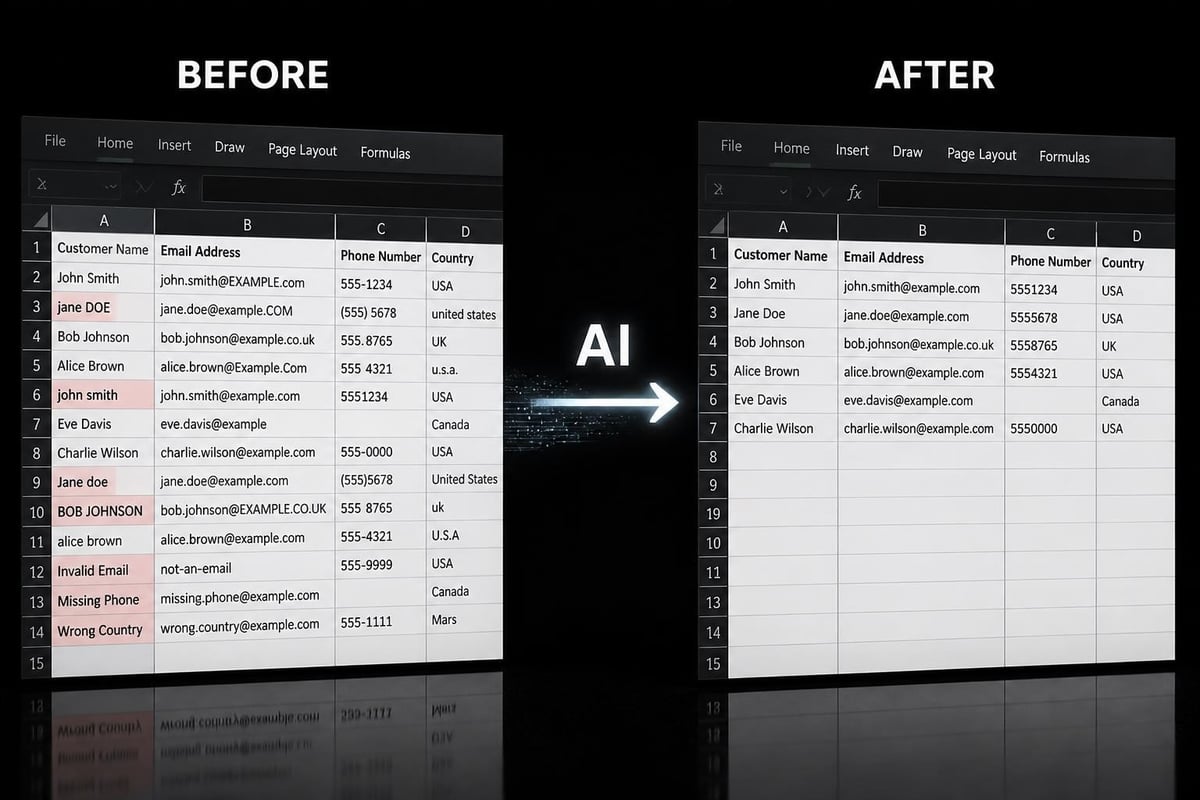
Data Cleaning and Standardization
Real-world datasets rarely arrive in perfect condition. An ai spreadsheet assistant for excel users accelerates data preparation through:
- Identifying inconsistent formatting across columns
- Suggesting standardization rules based on detected patterns
- Automating text cleaning to remove extra spaces, fix capitalization, and normalize entries
- Detecting duplicate records with fuzzy matching capabilities
- Validating data types and flagging anomalies
These operations that traditionally require multiple manual steps and formula combinations now execute through simple conversational commands. Learn more techniques in our Excel data cleaning with AI guide.
Report Automation and Dashboard Creation
Monthly reporting consumes countless hours across organizations. An ai spreadsheet assistant for excel users transforms this burden by automating repetitive elements while maintaining customization flexibility. Users can describe their reporting requirements once, and the AI generates the necessary formulas, pivot tables, and visualizations.
Dashboard creation follows similar patterns. Rather than manually configuring charts and conditional formatting, users describe their visualization goals and data relationships. The assistant suggests appropriate chart types, creates calculated fields, and establishes dynamic connections between data sources.
For comprehensive dashboard strategies, explore our AI-powered Excel dashboard tutorial which covers design principles and automation techniques.
Choosing the Right AI Assistant for Your Needs
Not all AI spreadsheet tools suit every user or organization. Strategic selection requires evaluating several critical factors that impact long-term effectiveness.
Assessment Criteria for Business Users
Data sensitivity and privacy ranks as the primary consideration for enterprise users. Tools with native integration typically offer superior data governance, while third-party add-ins may transmit data externally for processing. Understanding where your data travels and how it's protected prevents compliance violations.
Complexity of analytical tasks influences tool selection. Users performing advanced statistical analysis or complex financial modeling need assistants with sophisticated reasoning capabilities. Those handling routine data entry and basic calculations may prioritize ease of use over advanced features.
Integration with existing workflows determines adoption success. An ai spreadsheet assistant for excel users should complement rather than disrupt established processes. Tools requiring significant workflow changes face resistance, regardless of their technical capabilities.
Cost-Benefit Analysis Framework
| Cost Factor | Typical Range | Value Consideration |
|---|---|---|
| Subscription fees | $20-50/user/month | Compare against time savings |
| Training investment | 2-8 hours initial | Factor ongoing learning curve |
| Integration setup | 1-5 hours | Consider IT support needs |
| Maintenance overhead | Minimal | Evaluate update frequency |
Calculate potential time savings by identifying repetitive tasks, estimating current time investment, and projecting AI-assisted completion rates. Most organizations see positive ROI within three months when the ai spreadsheet assistant for excel users addresses genuine productivity bottlenecks.
Implementation Strategies for Maximum Adoption
Successfully deploying AI spreadsheet tools requires more than technical installation. Strategic implementation ensures users embrace the technology and realize its full potential.
Pilot Program Approach
Start with a small team facing clear pain points. Document their current workflows, baseline productivity metrics, and specific frustrations. Introduce the ai spreadsheet assistant for excel users with targeted training focused on their actual use cases rather than generic capabilities.
Monitor adoption patterns, gather feedback, and measure time savings during the pilot phase. This evidence-based approach builds credibility for broader rollout while identifying configuration adjustments needed for organizational success.
Training and Skill Development
Effective training goes beyond feature demonstrations to develop strategic thinking about when and how to leverage AI assistance. Users need to understand:
- Which tasks benefit most from AI assistance versus manual approaches
- How to structure prompts for optimal results
- When to verify AI outputs versus accepting suggestions automatically
- How to combine AI assistance with traditional Excel skills for complex problems
Our Excel productivity tips using AI collection provides practical techniques for daily workflow optimization.

Advanced Techniques for Power Users
Once comfortable with basic AI assistance, power users can leverage advanced techniques that multiply productivity gains and unlock sophisticated analytical capabilities.
Workflow Chaining and Automation Sequences
An ai spreadsheet assistant for excel users excels at executing multi-step processes that previously required manual intervention between stages. Define comprehensive workflows that combine data import, cleaning, analysis, and reporting into single automated sequences.
For example, describe an entire monthly reporting process: "Import sales data from the CSV file, remove duplicates, categorize products by margin tier, create a pivot table showing revenue by category and region, generate a trend chart for the top five products, and format the summary sheet with conditional formatting highlighting variances greater than 10%."
The AI assistant breaks this complex request into discrete steps, executes them sequentially, and handles errors or edge cases autonomously. Explore more examples in our Excel workflow automation with AI resource.
Context-Aware Prompt Engineering
The quality of AI assistance directly correlates with prompt specificity and context. Rather than asking "create a chart," provide comprehensive context: "Create a combination chart showing monthly revenue as bars and cumulative revenue as a line for 2025-2026, using blue for current year and gray for prior year comparison, with data labels on the cumulative line only."
Effective prompts include:
- Specific data references (cell ranges, table names, column headers)
- Desired output format (formula types, chart styles, layout preferences)
- Business context (calculation purpose, audience, decision criteria)
- Edge case handling (what to do with blanks, errors, or outliers)
Integration with External AI Tools
While dedicated Excel assistants provide convenience, combining them with general-purpose AI tools like ChatGPT, Claude, or Gemini enables even more sophisticated workflows. Use external AI to design complex formulas or analysis frameworks, then implement them in Excel with your ai spreadsheet assistant for excel users handling the technical execution.
This hybrid approach works particularly well for statistical analysis, forecasting models, and custom business logic that requires iterative refinement. The external AI helps conceptualize the approach, while the Excel-specific assistant handles implementation details and spreadsheet-specific constraints.
For comparative insights, review our best AI tool for Excel automation analysis which evaluates different AI platforms for spreadsheet work.
Common Challenges and Troubleshooting Solutions
Even the most sophisticated ai spreadsheet assistant for excel users encounters limitations and challenges. Understanding common issues and their solutions prevents frustration and maintains productivity.
Accuracy and Verification Requirements
AI-generated formulas and analysis require verification, particularly for financial calculations, compliance reporting, or decision-critical data. Implement systematic verification protocols:
- Spot-check calculations with known results to validate logic
- Review edge cases where data anomalies might trigger errors
- Compare AI outputs against manual calculations for critical metrics
- Document assumptions the AI made during formula creation
- Maintain audit trails showing how results were generated
The limitations Microsoft acknowledges about the COPILOT function underscore the importance of human oversight, especially in accuracy-sensitive contexts.
Performance Considerations for Large Datasets
AI assistants may struggle with extremely large datasets or complex workbooks containing thousands of formulas. When performance degrades:
- Segment large datasets into manageable chunks
- Use data models instead of worksheet-based calculations
- Optimize existing formulas before adding AI-generated ones
- Close unnecessary workbooks that consume memory
- Upgrade hardware if consistently working with large files
Privacy and Security Best Practices
Organizations handling sensitive data must establish clear protocols for AI assistant usage. Define which data types can be processed by AI tools, implement data classification systems, and train users on recognizing when human judgment should override AI convenience.
For cloud-based assistants, understand data retention policies, processing locations, and whether your information trains future models. Enterprise agreements typically offer stronger privacy protections than consumer-tier services.
Future Developments and Emerging Capabilities
The trajectory of AI spreadsheet assistance points toward increasingly sophisticated capabilities that will further transform how professionals work with data.
Predictive Analytics Integration
Future iterations will move beyond reactive assistance to proactive guidance. Imagine an ai spreadsheet assistant for excel users that automatically flags unusual patterns, suggests analytical approaches based on your data characteristics, and generates hypotheses worth investigating before you even ask.
Research like TabClaw, an interactive AI agent for spreadsheet manipulation and table reasoning, demonstrates the advancing capabilities in this space. These academic developments eventually filter into commercial products, expanding what's possible in everyday spreadsheet work.
Collaborative Intelligence Features
Multi-user spreadsheets will benefit from AI assistants that understand team dynamics, track contribution patterns, and suggest optimal division of analytical tasks. These systems will learn organizational preferences, standardize approaches across teams, and maintain consistency even as team members change.
Adaptive Learning and Personalization
AI assistants will increasingly personalize their suggestions based on individual user patterns, preferred formula styles, and typical analytical approaches. Rather than providing generic solutions, they'll adapt recommendations to match your expertise level and working preferences.
Systems like InvisibleMentor, which analyzes screen recordings to recommend more efficient workflows, illustrate how AI can identify improvement opportunities specific to individual users. As these technologies mature, expect ai spreadsheet assistant for excel users to offer increasingly tailored guidance.
Measuring ROI and Productivity Gains
Quantifying the value delivered by AI spreadsheet tools justifies investment and guides optimization efforts. Establish baseline measurements before implementation, then track improvements across multiple dimensions.
Quantifiable Metrics to Monitor
Time savings per task provides the most direct productivity measure. Document how long common operations take manually, then compare against AI-assisted completion times. Track these measurements over time as users become more proficient with the tools.
Error reduction rates matter significantly in financial analysis, reporting, and compliance contexts. Monitor formula errors, data quality issues, and reporting corrections before and after AI assistant deployment.
Analysis depth and breadth often improves when routine tasks consume less time. Measure whether teams explore more scenarios, test additional hypotheses, or deliver richer insights when freed from mechanical spreadsheet work.
Qualitative Benefits Worth Tracking
Beyond numbers, monitor user satisfaction, confidence levels, and willingness to tackle complex analytical challenges. An effective ai spreadsheet assistant for excel users should reduce frustration, increase engagement with data, and empower users to attempt analyses they previously avoided.
Survey users regularly about which features deliver the most value, where they still struggle, and what additional capabilities would enhance their productivity. This feedback drives continuous improvement and ensures the technology evolves with organizational needs.
The integration of AI assistance into Excel workflows represents a significant productivity opportunity for professionals at all skill levels. By understanding available tools, implementing them strategically, and developing proficiency with advanced techniques, you can transform time-consuming spreadsheet tasks into streamlined, efficient processes. Whether you're struggling with broken formulas, wrestling with messy data, or seeking to automate repetitive reporting, The Analytics Doctor provides expert guidance, personalized training, and practical solutions that help your spreadsheets work smarter. Let's diagnose your spreadsheet challenges and prescribe the right AI-assisted approach for your specific needs.