Skip to content

Unlock the true power of data analysis in 2025 with the sum of sum technique. As datasets grow more complex, mastering sum of sum becomes essential for analysts, business professionals, and students seeking clarity in their results.
This method streamlines reporting, delivers accurate insights, and boosts efficiency in Excel and other data tools. Whether you are building dashboards or analyzing financials, the sum of sum approach ensures your calculations are both robust and reliable.
Use this comprehensive handbook to master sum of sum for modern data challenges. You’ll learn core concepts, step-by-step calculations, real-world applications, advanced techniques, common pitfalls, and the best resources for 2025.
Understanding the Sum of Sum Concept
Unlocking the sum of sum approach is essential for anyone working with complex datasets in 2025. As data grows in volume and structure, knowing how to aggregate information across multiple levels is a game-changer for business intelligence and analytics.
Definition and Core Principles
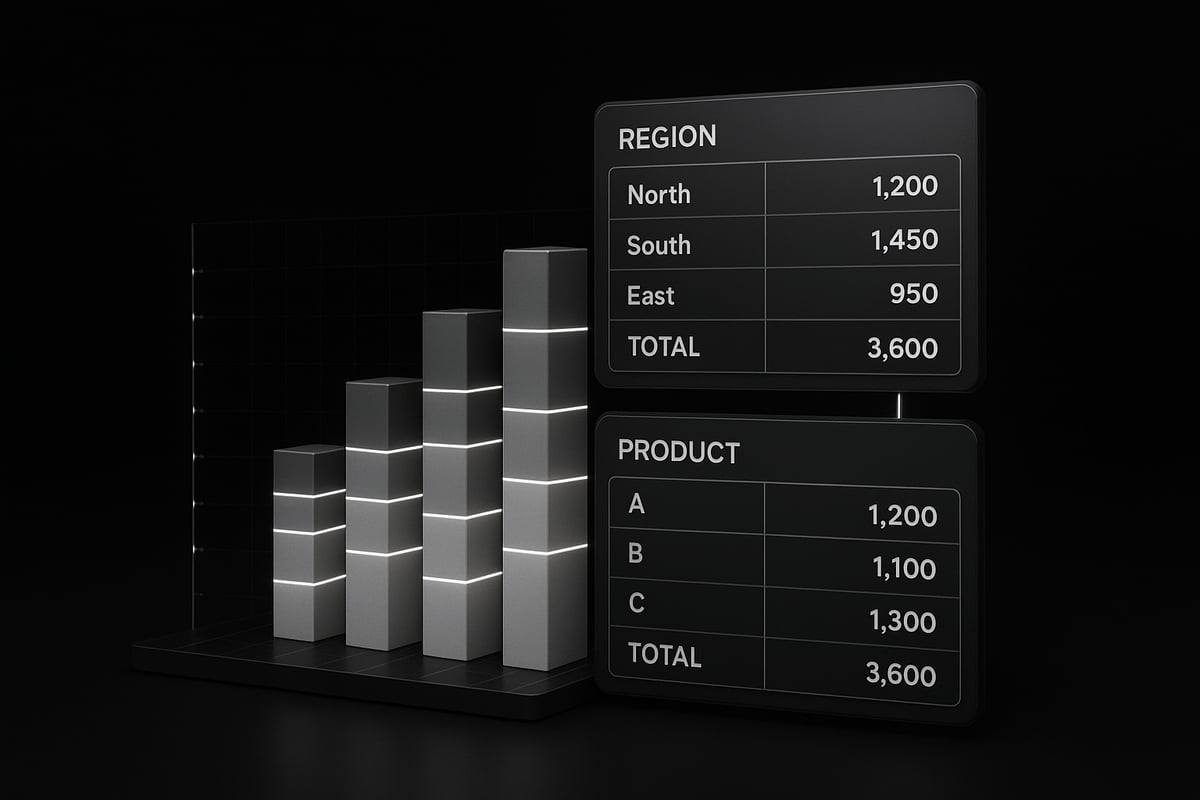
The term sum of sum refers to a multi-layered aggregation method, where you first sum data within groups, then sum those group totals for an overall result. This technique goes beyond a simple sum, allowing you to analyze data that is naturally organized in hierarchies or nested categories.
Let us distinguish sum of sum from other common aggregation methods:
| Method | Description | Example Output |
|---|---|---|
| Sum | Total of all values | Total sales for all stores |
| Average | Mean of all values | Average sales per store |
| Count | Number of data points | Number of transactions |
| Sum of Sum | Sum of grouped subtotals | Total of monthly sales sums |
Mathematically, sum of sum involves nested summation. For example, suppose you have monthly sales for each region. You first sum sales by region, then add up all regional totals for an annual figure. In code, it looks like:
annual_total = sum([sum(region_sales) for region_sales in all_regions])
This method is crucial in modern analytics because most business reports involve grouping data before final aggregation. According to industry reports, 80% of business reports use nested aggregations like sum of sum.
Common scenarios include:
- Summing sales by product within each region, then rolling up to national sales
- Multi-level financial summaries, such as department to division to company totals
- Academic data, like summing scores by class, then by grade
In essence, sum of sum enables clear insights from complex, grouped data that a simple sum cannot provide.
When and Why to Use Sum of Sum
Knowing when to apply sum of sum is just as important as understanding how it works. This method is ideal when your data is structured in layers, such as sales by store and category, or expenses by department and project.
Benefits of sum of sum include:
- Clarity in multi-dimensional analysis
- Accurate rollups for executive reporting
- Flexibility to handle nested groupings
Compared to alternatives, sum of sum offers more accurate aggregation when group sizes vary. For example, using sum of averages can lead to skewed results if groups are not equally sized.
A common pitfall is double-counting, which happens if groups overlap or if subtotals already include each other. Careful grouping and validation are essential to avoid mistakes.
Consider a retail chain analyzing sales across stores and product categories. To get a true company-wide sales figure, you first sum sales per category within each store, then sum all store-category totals. Tools like PivotTables make this process straightforward. If you want to learn more about setting up these calculations, check out this guide on how to create PivotTables in Excel.
In summary, sum of sum is the go-to method for accurate, multi-level data analysis, ensuring your reports truly reflect organizational performance.
Step-by-Step Guide: How to Calculate Sum of Sum
Unlocking the potential of the sum of sum method requires a systematic approach. This guide will walk you through five essential steps, ensuring you master every stage from data preparation to validation. Whether you are using spreadsheets or BI tools, following these steps will help you achieve accurate, actionable results with sum of sum calculations.

Step 1: Prepare Your Data
The foundation of any accurate sum of sum analysis is well-prepared data. Begin by ensuring your data is clean, free of duplicates, and consistently formatted. Check for missing values or inconsistent entries, as these can distort your results.
Organize your dataset into logical columns, such as date, region, product, and revenue. Properly grouping variables is crucial. For instance, if you want to sum sales by both region and product, these columns must be clearly defined. This structure enables you to aggregate data at multiple levels without confusion.
Select the right tools for your needs. Excel and Google Sheets are popular for smaller datasets, while BI platforms are better suited for larger or more complex data. Consider reviewing Creating Excel databases for analysis for expert tips on structuring and grouping data effectively.
Example Table:
| Region | Product | Revenue |
|---|---|---|
| North | Widget A | $1,200 |
| North | Widget B | $900 |
| South | Widget A | $1,500 |
Start every sum of sum calculation with a solid data foundation.
Step 2: Calculate Subtotals
Once your data is organized, the next step is to calculate subtotals. Subtotals are the building blocks for the sum of sum process. Group your data by the desired categories, such as products within each region.
There are several methods to achieve this. You can use manual calculations, but for efficiency and accuracy, built-in aggregation functions or pivot tables are recommended. In Excel, the SUBTOTAL or SUMIF functions are commonly used:
=SUMIF(A:A, "North", C:C)
This formula sums revenue for the North region. Pivot tables make this process even easier by allowing you to drag and drop fields to instantly view grouped subtotals. According to industry data, 90% of Excel users rely on pivot tables for multi-level aggregation.
Careful subtotaling ensures that your sum of sum calculations will be accurate and transparent.
Step 3: Aggregate Subtotals for Sum of Sum
With subtotals in hand, you are ready to perform the sum of sum calculation. This step involves aggregating the previously calculated subtotals to reach a grand total or another higher-level summary.
For example, if you have monthly sales subtotals for each region, you can sum these to get an annual total. In Excel, you might use a simple SUM function on the range containing your subtotals:
=SUM(D2:D13)
A key challenge is ensuring that your groups do not overlap, as this can lead to double-counting. Always confirm your grouping logic so each data point is counted only once. If your dataset includes non-exclusive groups, use careful filtering or formulas to avoid errors.
The sum of sum method is especially powerful when rolling up data from multiple levels, such as regional to national sales, or product to category summaries. This approach gives clarity and precision to your reports, making the sum of sum technique indispensable for modern analysts.
Step 4: Automating Sum of Sum Calculations
As datasets grow, automation becomes essential for efficiency. Automating the sum of sum process reduces manual effort and minimizes errors, especially in recurring reports or large-scale analyses.
Formulas are the first step toward automation. Use dynamic functions like Excel's SUMIFS for more complex conditions. For repetitive or large-scale tasks, consider scripting solutions such as VBA in Excel or Google Apps Script in Sheets. These allow you to automate multi-level rollups, update calculations with fresh data, and generate summary reports on demand.
Example VBA snippet to automate monthly-to-yearly sales rollups:
Sub AnnualSalesSum()
    Range("E2").Value = Application.WorksheetFunction.Sum(Range("D2:D13"))
End Sub
By automating your sum of sum workflow, you save time and ensure consistency across analyses. This approach is crucial for organizations handling vast amounts of data or frequent aggregation needs. Implementing these tools will elevate your sum of sum capabilities and streamline your reporting processes.
Step 5: Verifying and Validating Results
The final, critical step in any sum of sum workflow is verification and validation. Even with well-structured data and automation, errors can occur. It is vital to cross-check your results against original data sources.
Begin by performing sample calculations to confirm accuracy. Compare your final sum of sum totals with the sum of individual records or with previous reports. If discrepancies appear, use audit trails or calculation logs to trace the source of errors.
Common mistakes include misgrouped data, missed entries, or formula misapplication. Regular validation helps catch these issues before they impact decision-making. Troubleshooting tools and careful review are your best allies in maintaining data integrity.
By making verification a routine part of your sum of sum process, you ensure reliable insights and maintain stakeholder trust.
Practical Applications: Real-World Use Cases for Sum of Sum
Understanding where the sum of sum technique shines can transform how organizations and individuals analyze data. This section highlights practical applications, showing how sum of sum calculations empower smarter decisions and efficient workflows across industries.

Business Intelligence and Reporting
Business intelligence thrives on clear, multi-dimensional insights. The sum of sum method is essential for creating dashboards and executive summaries that reflect true business performance. For example, companies often need to sum quarterly sales by division, then aggregate those figures for a company-wide total.
- Roll up sales data by product and region.
- Aggregate customer activity across time periods.
- Generate executive summaries from detailed reports.
According to BI surveys, 75% of organizations use multi-level aggregation in quarterly reports. If you want to master these tasks, explore Advanced Excel aggregation techniques to enhance your sum of sum workflows.
Financial Analysis and Forecasting
Financial professionals rely on sum of sum calculations to manage budgets, analyze expenses, and forecast revenue. This approach allows clear rollups from granular entries to high-level summaries. For instance, you might sum monthly departmental expenses, then calculate the annual company spend.
- Aggregate budget items by month, then by year.
- Roll up revenue from product lines to overall profit.
- Summarize expenses across departments for annual reports.
Accuracy in sum of sum ensures sound financial planning and sharper forecasting, supporting strategic decisions.
Operations and Logistics
Efficient operations depend on precise aggregation of inventory, shipments, and supply chain data. The sum of sum technique enables teams to sum stock by warehouse, then aggregate by region for a holistic view.
- Track shipments by warehouse, then by region.
- Sum inventory across product lines and locations.
- Analyze supply chain bottlenecks using multi-level aggregation.
This clarity in operational data improves inventory management and helps optimize logistics for better resource allocation.
Education and Research
In education and research, sum of sum supports meaningful analysis of academic performance, survey results, and experimental data. For example, educators sum test scores by class, then aggregate by grade level to identify trends.
- Summarize student performance across subjects and grades.
- Aggregate survey responses by demographic and region.
- Roll up research data for comprehensive study results.
These techniques provide deeper insights into educational outcomes and research findings, guiding improved practices.
Marketing and Customer Analytics
Marketers use sum of sum to evaluate campaign performance and customer behavior across multiple channels. For instance, summing conversions by channel, then by campaign, reveals which strategies drive the best results.
- Aggregate conversions by marketing channel, then by campaign type.
- Sum customer interactions across segments and time periods.
- Analyze multi-level ROI for marketing investments.
This approach ensures marketing teams can make data-driven decisions, optimize spend, and increase engagement.
Advanced Techniques and Tools for Sum of Sum in 2025
Unlocking the full potential of the sum of sum technique means embracing new tools and methods designed for 2025. As data grows in size and complexity, advanced strategies are essential for staying accurate and efficient. This section explores cutting-edge approaches, from enhanced spreadsheets to cloud-based analytics, ensuring your sum of sum calculations remain reliable and scalable.

Leveraging Modern Spreadsheet Features
Excel and Google Sheets continue to evolve, offering robust features for sum of sum calculations. In Excel, dynamic arrays, LET, and LAMBDA functions streamline multi-level aggregation. Power Query automates data shaping and rollups, making complex tasks more approachable.
A key advancement is Power Pivot, which empowers users to create sophisticated data models and perform nested aggregations. For a step-by-step guide on this, see Aggregations in Power Pivot.
Google Sheets now supports advanced formulas and better integration with cloud data, making it easier for teams to collaborate on sum of sum projects. These enhancements ensure that even large datasets can be managed with ease.
| Feature | Excel (2025) | Google Sheets (2025) |
|---|---|---|
| Dynamic Arrays | Yes | Yes |
| LET/LAMBDA | Yes | Limited |
| Power Query | Yes | No |
| Power Pivot | Yes | No |
| Cloud Sync | Yes | Yes |
Business Intelligence Platforms
Business intelligence (BI) platforms such as Power BI, Tableau, and Looker are designed to handle sum of sum operations across multiple dimensions. These tools allow users to build interactive dashboards, where nested aggregations can be visualized and analyzed in real time.
Power BI’s DAX language makes it simple to define calculated fields for sum of sum metrics. Tableau offers level-of-detail calculations, letting analysts drill down and roll up results dynamically. Looker leverages LookML for reusable aggregation logic, supporting scalable analytics.
With BI, organizations can easily track sales across regions and product lines, or consolidate financials from various departments. These platforms are essential for sum of sum tasks in enterprise environments.
SQL and Database Approaches
For large datasets, SQL databases provide unmatched power for sum of sum calculations. Using GROUP BY and subqueries, analysts can aggregate data at multiple levels efficiently. Consider this SQL example for annual sales by region and product:
SELECT region, SUM(monthly_total) AS annual_total
FROM (
  SELECT region, product, SUM(sales) AS monthly_total
  FROM sales_data
  GROUP BY region, product, month
) AS subquery
GROUP BY region;
This approach makes the sum of sum method scalable for millions of records. Modern databases, such as Snowflake and BigQuery, further optimize these queries for speed. Mastering SQL is invaluable for anyone working with sum of sum in data warehouses.
Automation and Scripting
Automation takes sum of sum to the next level. Python’s pandas library, R scripts, and Excel VBA can automate multi-level aggregations, saving hours on routine reporting. For example, pandas allows you to group and sum dataframes with just a few lines of code.
Automating sum of sum calculations ensures consistency and reduces the risk of manual errors. Scripts can be scheduled to run on a regular basis, keeping reports up to date and freeing up analysts for higher-value tasks.
Handling Big Data and Cloud Platforms
Cloud platforms such as BigQuery and Snowflake are built for sum of sum analysis on massive datasets. These tools process billions of rows in seconds, making them ideal for e-commerce analytics or IoT data streams.
With built-in SQL support and seamless integration with BI tools, cloud platforms eliminate performance bottlenecks. Organizations can aggregate and analyze data from multiple sources, ensuring accurate sum of sum results at any scale.
Common Challenges and Solutions
Advanced sum of sum work comes with unique challenges. Missing data, duplicates, and outliers can distort results. Performance issues may arise with extremely large datasets.
To address these, consider the following:
- Always validate input data before aggregation.
- Use scripts or BI features to identify and handle duplicates.
- Leverage built-in data validation tools for quality control.
- Optimize queries and formulas for speed and efficiency.
- Document your calculation steps for transparency.
By adopting these best practices, you ensure that your sum of sum analysis remains accurate, efficient, and ready for the demands of 2025.
Common Mistakes, Troubleshooting, and Best Practices
Unlocking the full potential of sum of sum analysis requires more than just technical know-how. Even experienced analysts can fall into common traps that undermine accuracy and efficiency. This section highlights frequent mistakes, troubleshooting strategies, and best practices to help you master sum of sum calculations with confidence. By understanding these pitfalls and solutions, you can ensure your results are both reliable and actionable.
Frequent Errors in Sum of Sum Calculations
Mistakes in sum of sum analysis often originate from misunderstandings about data structure or aggregation logic. One of the most frequent errors is double-counting, especially when groups overlap or subtotals include other subtotals. For instance, when summing regional sales that already include city-level totals, you might inadvertently count some figures twice.
Another common pitfall is incorrect grouping or aggregation levels. If you group by the wrong variable or fail to establish exclusive categories, your sum of sum results can become skewed. Watch for hidden duplicates or rows that belong to multiple groups.
To summarize, the most prevalent errors are:
- Double-counting due to overlapping groupings
- Summing subtotals that already include other subtotals
- Incorrect or inconsistent grouping across your dataset
By being aware of these, you can avoid the most damaging mistakes in sum of sum projects.
Troubleshooting Techniques
When errors do occur in sum of sum calculations, systematic troubleshooting is essential. Start by verifying each step in your aggregation process. Break down calculations into smaller parts and cross-check subtotals with original data to spot inconsistencies.
Audit trails and calculation logs are invaluable. They allow you to trace each value back to its source, making it easier to identify where things went wrong. If you use Excel, built-in tools like "Trace Precedents" can help visualize dependencies.
For persistent issues, consult specialized resources such as Troubleshooting Excel calculation errors, which provides targeted advice for resolving sum of sum mistakes in multi-level aggregation.
Regularly reconciling your sum of sum results with expected totals is another effective strategy. This approach ensures that small discrepancies do not escalate into larger reporting errors.
Best Practices for Accurate Sum of Sum Analysis
Developing a disciplined workflow is fundamental to accurate sum of sum analysis. Document every calculation step clearly, so others can follow your logic and verify results. Consistent data formatting and clear labeling of groups reduce confusion and help maintain data integrity.
Use standardized naming conventions for grouped data. For example, prefixing subtotal columns with "Sub_" or clearly indicating aggregation levels in your headers. This minimizes the risk of misinterpretation during later analysis.
To enhance numerical accuracy, especially when dealing with floating-point numbers, consider advanced summation methods like the Kahan summation algorithm. While not always necessary for small datasets, such techniques can significantly reduce rounding errors in large-scale sum of sum tasks.
Following these best practices will set a strong foundation for reliable and efficient sum of sum calculations.
Data Integrity and Validation
Data integrity is the backbone of sum of sum analysis. Before performing any aggregation, validate your dataset for missing values, duplicate entries, and outliers. These issues can distort your final results and lead to faulty conclusions.
Utilize built-in validation tools in Excel or BI platforms to automate checks. For example, conditional formatting can highlight anomalies, while data validation rules can restrict input types or ranges.
After completing your sum of sum calculations, always compare aggregated totals with original data samples. This cross-verification helps ensure that no records were omitted or counted multiple times.
Maintaining thorough documentation of validation steps is also essential. It not only facilitates troubleshooting but also supports audit requirements and transparency.
Staying Updated with Evolving Tools
The landscape of sum of sum analysis is rapidly evolving as new features and tools emerge in Excel, Google Sheets, and BI platforms. Staying current is crucial for maintaining efficiency and accuracy in your workflow.
Explore new aggregation functions, such as dynamic arrays and the GROUPBY function, to streamline multi-level calculations. Regularly update your knowledge through official documentation, webinars, and community forums focused on sum of sum techniques.
Adopting new tools can significantly reduce manual effort and minimize errors. Make it a habit to test and implement updates that align with your reporting needs.
By proactively staying informed, you ensure your sum of sum analysis remains at the cutting edge.
Expert Tips for Efficiency and Accuracy
Efficiency in sum of sum analysis comes from a blend of automation, shortcuts, and expert strategies. Automate repetitive tasks using macros or scripting tools like VBA or Python, especially for large datasets.
Adopt time-saving shortcuts, such as keyboard commands for quick grouping or formula replication. Learn from leading analysts by following their recommended workflows and best practices.
Regular participation in professional communities and forums can also provide valuable insights and troubleshooting tips. Sharing your experiences and learning from others accelerates your mastery of sum of sum techniques.
By integrating these expert tips into your routine, you can achieve both speed and precision in every sum of sum project.
Resources and Further Learning
Unlocking the full potential of the sum of sum technique requires more than just theory. Access to high-quality resources and communities can transform your data analysis practice, helping you stay current and confident as the landscape evolves.
Recommended Books and Online Courses
Building expertise in sum of sum calculations starts with the right learning materials. Explore these authoritative resources:
- Data Analysis with Microsoft Excel by Wayne Winston: Covers advanced aggregation, including sum of sum.
- Power BI Cookbook by Brett Powell: Practical recipes for nested aggregations.
- Excel for Business Analytics on Coursera: Focuses on multi-level summaries and reporting.
- Advanced Data Modeling in SQL (LinkedIn Learning): Deep dive into aggregation logic.
- Business Intelligence Concepts, Tools, and Applications (Coursera): BI fundamentals relevant to sum of sum analytics.
These books and courses offer step-by-step guides, ensuring you can master sum of sum techniques for any scenario.
Community Forums and Support
Engaging with experienced analysts accelerates your journey with sum of sum challenges. Consider joining these vibrant communities:
- MrExcel Forum: Get real-world advice and Excel tips for sum of sum calculations.
- Reddit r/excel: Exchange ideas, troubleshoot aggregation issues, and share templates.
- Power BI Community: Discuss BI-specific sum of sum strategies and best practices.
- Stack Overflow: Ask technical questions about sum of sum logic in Python, R, or SQL.
Active participation in these forums helps you troubleshoot problems and discover new approaches to complex aggregations.
Templates and Tools
Ready-to-use templates can streamline your sum of sum workflows and save valuable time. Downloadable resources are available from:
- Microsoft’s official Excel template gallery, featuring multi-level sum of sum calculators.
- Google Sheets template library, with aggregation models for business and education.
- Power BI Template Marketplace, offering sum of sum dashboards for instant analysis.
Looking to move beyond PivotTables? Explore the GROUPBY function in Excel as an innovative alternative for grouping and aggregating data efficiently.
Latest Research and Industry Reports
Keeping up with cutting-edge research ensures your sum of sum skills remain sharp and relevant. Review these valuable sources:
- Journal of Data Science and Analytics: Regularly publishes studies on advanced aggregation methods.
- Industry whitepapers from Gartner and McKinsey on BI and multi-level reporting.
- Annual BI Trends Report (published by TDWI): Tracks adoption of sum of sum and related techniques.
- For those interested in computational accuracy, the Pairwise summation technique provides insight into reducing rounding errors during large sum of sum operations.
These publications highlight the latest developments and best practices in sum of sum analysis.
Staying Ahead: 2025 Trends in Data Aggregation
The future of sum of sum is shaped by rapid advances in technology and analytics. Key trends for 2025 include:
- AI-driven data aggregation that automates sum of sum calculations across multiple dimensions.
- Increased adoption of cloud-native BI platforms for massive, real-time sum of sum reporting.
- Enhanced data validation and error detection using machine learning.
- User-friendly visual interfaces empowering non-technical users to build sum of sum dashboards.
- Integration of sum of sum logic in natural language query tools, making advanced aggregation accessible to everyone.
By embracing these trends, you ensure your sum of sum expertise stays ahead of the curve in a dynamic data landscape.