Skip to content

Unlock the hidden power of your data by learning how to check duplicate values in excel, a crucial skill for any analyst or business professional. Duplicate entries can quietly undermine your reports and lead to costly mistakes if left unchecked.
This expert guide delivers the most accurate, up-to-date strategies for identifying and managing duplicates in Excel as of 2026. You will discover step-by-step techniques, advanced tools, troubleshooting tips, and automation strategies that work for beginners and seasoned pros alike.
Clean data drives confident decisions. Excel’s evolving features make duplicate management faster and easier than ever. Ready to streamline your workflow and master duplicate detection? Let’s get started.
Understanding Duplicate Values in Excel
Unlocking the full potential of your data begins with understanding how to check duplicate values in excel. Duplicates can quietly undermine your reports and insights, so recognizing their forms and causes is essential for anyone working in spreadsheets.
What are Duplicate Values?
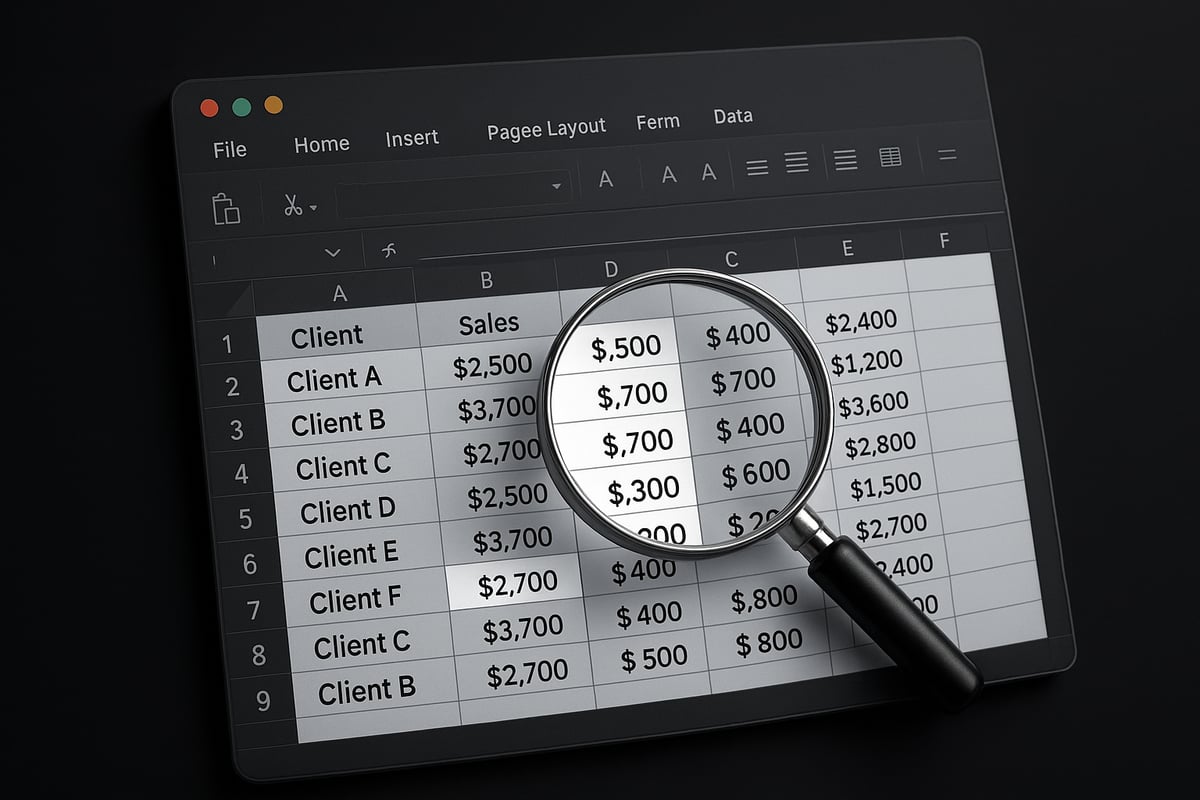
Duplicate values in Excel are entries that appear more than once within a dataset. For instance, you might see the same client name repeated in a list or identical sales transactions logged multiple times. Duplicates can be exact matches—like two rows with the same invoice number—or near-duplicates, such as "Jon Smith" and "John Smith." Most often, duplicates arise from manual data entry, copying and pasting, or importing information from various sources. Understanding how to check duplicate values in excel helps you maintain accurate reporting and avoid misleading results.
Why Detecting Duplicates Matters
Detecting duplicates is critical because data integrity directly impacts business decisions. Microsoft reports that up to 15% of business spreadsheets contain duplicate records, which can lead to incorrect financial summaries, compliance issues, or flawed analytics. For example, duplicate client entries can inflate sales figures or result in double billing. Many organizations have faced costly errors due to undetected duplicates. To prevent such issues, it is vital to know how to check duplicate values in excel and follow up by removing duplicate records in Excel when needed.
Types of Duplicates in Excel
Duplicates in Excel come in several forms. Single-column duplicates occur when the same value repeats within one column, such as duplicate product codes. Multi-column duplicates involve repeated rows across several fields, like identical customer details. Partial duplicates are cases where some, but not all, fields match—for example, the same name but different email addresses. Unique duplicates are values that should only appear once, while non-unique duplicates may be acceptable in some contexts. Recognizing these types helps you target how to check duplicate values in excel based on your specific data scenario.
| Type | Example | Use Case |
|---|---|---|
| Single-column | Duplicate invoice numbers | Sales records |
| Multi-column | Repeated full contact details | CRM databases |
| Partial | Same name, different phone | Survey responses |
| Unique | Employee ID appearing twice | Payroll lists |
Challenges in Identifying Duplicates
Identifying duplicates is not always straightforward. Manual reviews are prone to human error, especially in large datasets that can slow down Excel’s performance. Formatting inconsistencies—like extra spaces, mixed capitalization, or hidden characters—can mask true duplicates. Data imported from other systems may include subtle variations, complicating detection. Knowing how to check duplicate values in excel means understanding these challenges and applying the right tools or techniques to overcome them.
Best Practices for Data Preparation
Before you start any process on how to check duplicate values in excel, it is essential to prepare your data. Begin by cleaning your dataset: remove unnecessary blank spaces, standardize date and text formats, and ensure consistent capitalization. Use Excel functions like TRIM to eliminate extra spaces, and LOWER or UPPER for case consistency. Encourage team members to follow clear data entry guidelines. These steps lay the groundwork for accurate duplicate detection and prevent issues before they start with how to check duplicate values in excel.
Step-by-Step Methods to Check for Duplicates in Excel
Mastering how to check duplicate values in excel is crucial for maintaining clean, reliable data. Whether you are managing a small contact list or a massive inventory, Excel offers several built-in and advanced tools to help you identify duplicates quickly and accurately.
Below, you will discover step-by-step methods, from visual highlighting to formula-driven solutions, that fit every skill level and data scenario.
Using Conditional Formatting
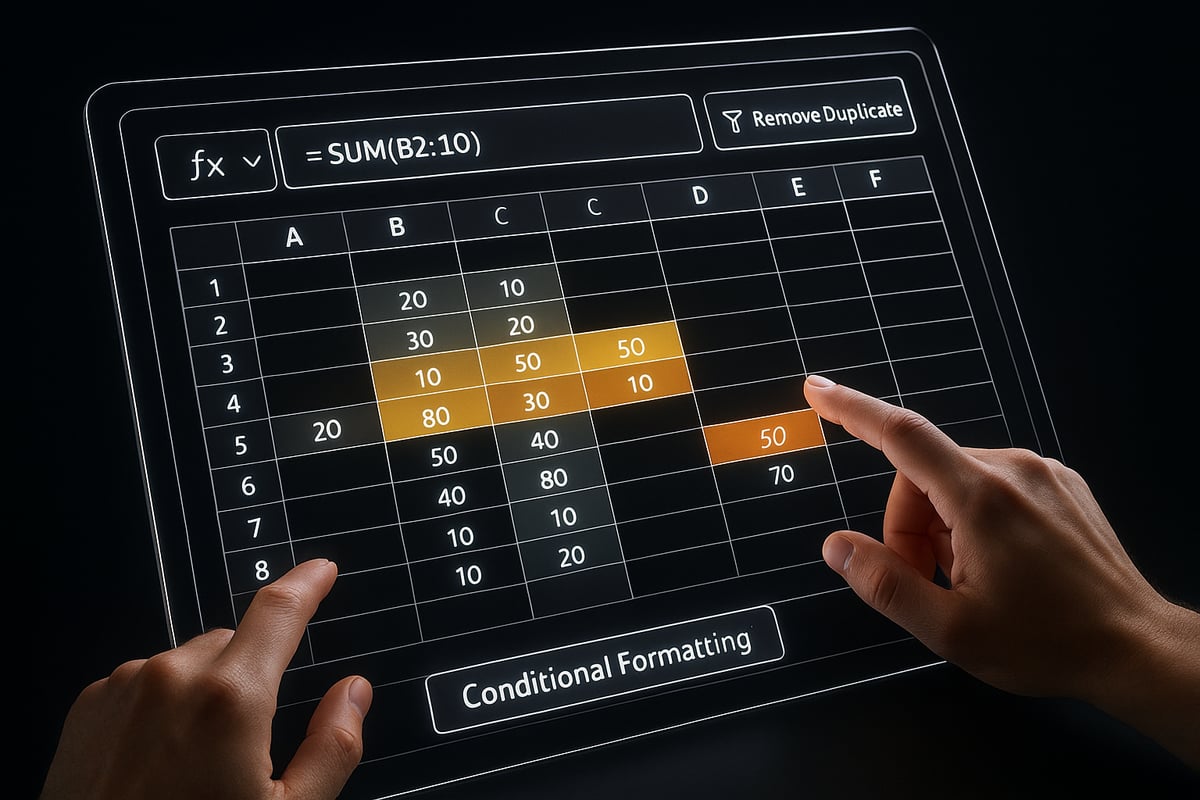
Conditional Formatting provides a fast, visual way to see duplicates in your data. If you are wondering how to check duplicate values in excel without altering your data, this is a great first choice.
Quick Steps:
- Select the range you want to check.
- Go to the Home tab, then click Conditional Formatting > Highlight Cells Rules > Duplicate Values.
- Choose a highlight color for easy visibility.
- Click OK. Duplicates instantly appear in your chosen color.
Example: In a sales sheet, highlight duplicate customer IDs to quickly spot repeat entries.
Pros & Cons Table:
| Pros | Cons |
|---|---|
| Easy to use | Cannot remove duplicates |
| Instantly visual | Highlights only, no action |
| Customizable colors | Manual for large datasets |
While Conditional Formatting is excellent for visual scanning, it does not remove duplicates. Remember, it is best for quick reviews or presentations, not for permanent data cleanup.
Leveraging the ‘Remove Duplicates’ Tool
For a more direct approach, the Remove Duplicates tool is purpose-built for how to check duplicate values in excel and clean your data in a single step.
How to Use:
- Select your data range or table.
- Go to the Data tab, then click Remove Duplicates.
- Choose the columns you want to check for duplicates.
- Click OK to remove duplicates. Excel confirms how many values were removed.
Best Practices:
- Always back up your data before using this tool, as the process cannot be undone.
- You can target specific columns or the entire table as needed.
Example: Remove duplicate entries from a contact list, ensuring each email appears only once.
For more detailed guidance, the NIH guide on removing duplicates in Excel provides a comprehensive step-by-step reference for this process.
Over 60% of users rely on this tool for one-time data cleaning, making it a favorite for quick, efficient duplicate removal.
Advanced Filtering Techniques
If you need more control over how to check duplicate values in excel, Advanced Filter offers flexibility for large or complex datasets.
Steps:
- Click on your data range.
- Go to the Data tab and select Advanced under the Sort & Filter group.
- Set your criteria range to define what counts as a duplicate.
- Choose to filter in place or copy unique records to a new location.
Example: Filter out duplicate invoice numbers with specific criteria, such as date or amount, for targeted analysis.
Advanced Filter is ideal for extracting unique records or analyzing duplicates without changing the original data. It is especially effective for multi-column checks and when you want to review results in a separate area.
This method makes it simple to analyze duplicates across thousands of records without slowing down your workflow.
Formulas for Duplicate Detection
Excel's formulas offer a dynamic way for how to check duplicate values in excel, especially for ongoing data updates.
Common Functions:
=COUNTIF(A:A, A2)>1flags duplicates in column A.=COUNTIFS(A:A, A2, B:B, B2)>1checks for multi-column duplicates.=UNIQUE(A:A)(Excel 365/2026) lists only unique values.
Example: Use =COUNTIF(B:B, B2)>1 to flag duplicate email addresses in a subscriber list.
Combine these formulas with Conditional Formatting for automatic, real-time highlighting as your data grows. This approach updates instantly, which is essential for dynamic datasets.
Formulas give you flexibility and precision, making them a top choice for advanced users who need ongoing duplicate monitoring.
Automating Duplicate Checks in Excel
Automating how to check duplicate values in excel can transform repetitive tasks into streamlined, reliable workflows. As your data grows, manual reviews become impractical, making automation essential for accuracy and efficiency.
Using Power Query for Duplicate Management
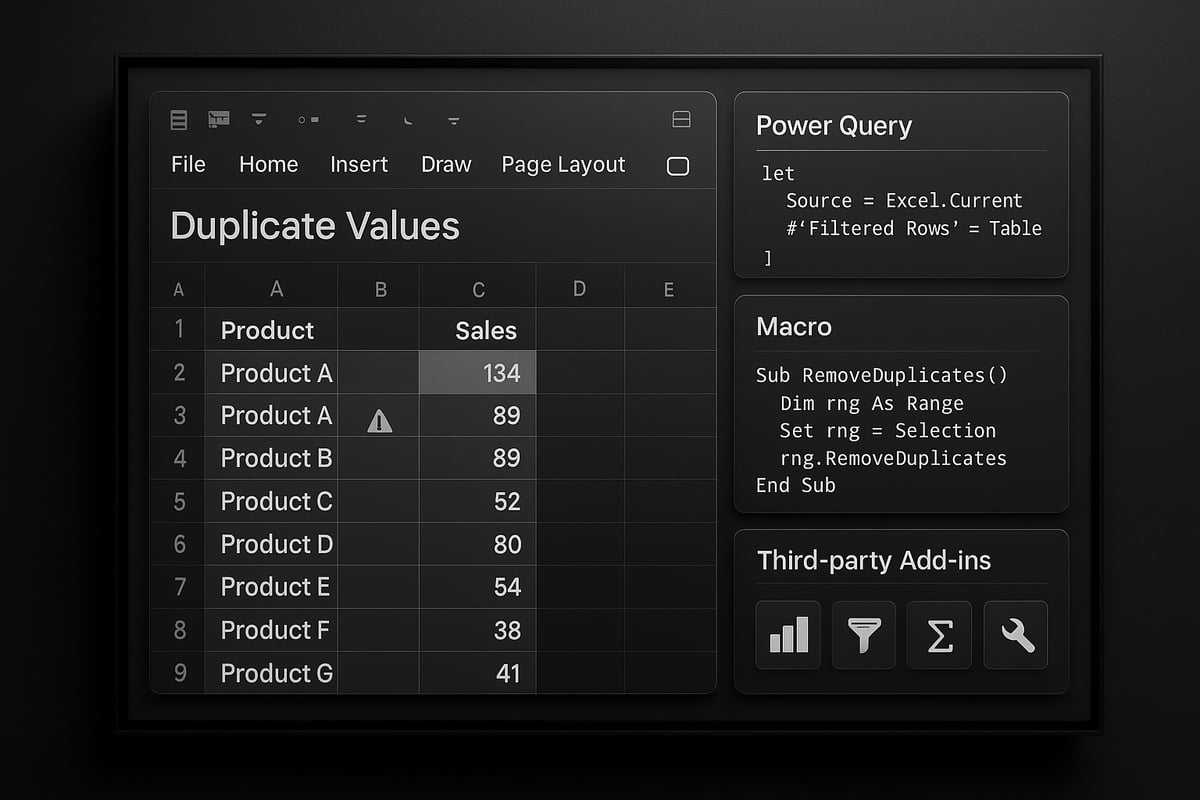
Power Query is a powerful tool built into Excel that simplifies how to check duplicate values in excel for large and complex datasets. Begin by importing your data into Power Query through the Data tab, then select “From Table/Range.” Once your data appears in the Power Query Editor, you can easily remove duplicates by selecting the relevant columns, right-clicking, and choosing “Remove Duplicates.”
With Power Query, you can automate the process so every time your data is updated or refreshed, duplicate checks are applied automatically. This is especially valuable for monthly reports or recurring data imports. To further streamline your workflow, consider setting up a scheduled data refresh, ensuring duplicate management is always up to date.
Advantages of Power Query include handling massive datasets efficiently, repeatable steps, and integration with other data sources. For example, a sales team can automate their monthly report, ensuring that duplicate transactions are identified and removed before analysis. This approach makes how to check duplicate values in excel both scalable and reliable for ongoing business needs.
Creating Macros to Identify Duplicates
For those seeking a more customized approach on how to check duplicate values in excel, macros provide automation through VBA programming. Macros can be written to highlight, flag, or even remove duplicate entries based on your specified criteria.
To create a simple macro, open the VBA editor, insert a new module, and paste code like:
Sub HighlightDuplicates()
    Dim rng As Range
    Set rng = Selection
    rng.FormatConditions.AddUniqueValues
    rng.FormatConditions(rng.FormatConditions.Count).SetFirstPriority
    rng.FormatConditions(1).DupeUnique = xlDuplicate
    rng.FormatConditions(1).Interior.Color = RGB(255, 199, 206)
End Sub
This script will highlight duplicate values in your selected range. Macros can be saved and reused, making routine duplicate checks quick and consistent. You can even automate weekly or daily checks, reducing the risk of human error.
Remember, enabling macros requires attention to security settings. Always verify the source of any macro before running it to protect your data and systems. Macros empower users to tailor how to check duplicate values in excel to their workflow, saving time across repeated tasks.
Exploring Third-Party Add-Ins
Third-party add-ins expand how to check duplicate values in excel beyond built-in tools, offering features like fuzzy matching, batch processing, and advanced reporting. Popular options include Ablebits and Kutools, which provide intuitive interfaces and robust duplicate management capabilities.
Key benefits of add-ins are the ability to handle near-duplicates, set custom matching rules, and process thousands of records at once. For instance, you might use an add-in to match “Jon Smith” with “John Smith” in a customer list, catching entries that would slip past standard Excel tools. Always check compatibility and security before installing any add-in to ensure it meets your organization’s standards.
If you need to identify duplicates across multiple files or compare lists, advanced guides such as Compare two Excel spreadsheets for duplicates can help you leverage automation for robust results.
By integrating these advanced tools, you can automate how to check duplicate values in excel, ensuring your data stays clean, accurate, and ready for analysis.
Troubleshooting Common Issues with Duplicate Detection
Ensuring accurate results when you learn how to check duplicate values in excel often means overcoming a range of common pitfalls. Even experienced users can run into unexpected problems during duplicate detection. Let us break down the most frequent challenges you might face and provide practical solutions for each.
Dealing with Formatting Inconsistencies
Formatting issues are a top cause of missed duplicates. Hidden characters, extra spaces, or inconsistent capitalization can prevent Excel from recognizing true matches. Before you check for duplicates, use built-in functions like TRIM to remove extra spaces, CLEAN to clear non-printing characters, and LOWER or UPPER to standardize text case.
For example, cleaning product codes with =TRIM(LOWER(A2)) ensures uniformity. Always preprocess your data to avoid missing matches when you learn how to check duplicate values in excel.
Handling Partial or Fuzzy Duplicates
Not all duplicates are exact matches. Typos, alternate spellings, or swapped words can result in near-duplicates that standard tools miss. For these, leverage Excel add-ins like Fuzzy Lookup, which allows you to set similarity thresholds for matching.
Manual review may still be needed for subtle cases, but automation can handle most. Matching customer names with slight variations is easier when you know how to check duplicate values in excel using fuzzy logic techniques.
Managing Large Data Sets Efficiently
Large spreadsheets can slow down or crash during duplicate checks. To improve performance, convert your data into Excel tables, use filters, or process data in smaller chunks with Power Query. Avoid applying complex formulas across entire columns on massive sheets.
For example, checking 100,000+ rows is manageable if you break the dataset into sections or leverage Power Query’s robust processing. Optimizing your workflow is essential when you are learning how to check duplicate values in excel at scale.
Preventing Data Loss During Duplicate Removal
One of the biggest risks when you check and remove duplicates is accidental data loss. Always create a backup of your file before making changes. Use Excel’s undo feature or version history for extra protection.
For additional strategies to safeguard your data, see this guide on Reduce spreadsheet errors in Excel. Reviewing duplicates before deletion is vital whenever you practice how to check duplicate values in excel.
Advanced Strategies for Duplicate Management in Excel
Unlocking advanced strategies for how to check duplicate values in excel ensures your data remains precise, trustworthy, and actionable. As data grows in complexity, using only basic tools is no longer enough. Mastering a combination of approaches, documentation, prevention, and automation will help you maintain data integrity at scale.
Combining Multiple Methods for Accuracy
When considering how to check duplicate values in excel, relying on a single method can lead to missed issues. Combining conditional formatting, formulas, and Power Query creates a multi-layered safety net. For example, start by highlighting duplicates with conditional formatting, then use the COUNTIF formula to flag recurring entries. Next, load your data into Power Query for deeper analysis and batch removal.
This blended approach is vital for complex datasets, like CRM exports where duplicates may span multiple columns. By cross-referencing results, you minimize false positives and catch partial matches. Referencing resources like Data cleaning for substantive analysis can further strengthen your workflow, ensuring your duplicate management process is both thorough and efficient.
Auditing and Documenting Duplicate Removal Processes
Transparency is essential when you want to show how to check duplicate values in excel has been performed accurately. Auditing and documenting every step means you always know what was changed and why. Use Excel’s Track Changes feature to record edits during duplicate removal. Adding comments to flagged cells provides context for future users or audits.
Maintaining a change log is especially important in regulated industries. For example, financial teams should document each duplicate removal as part of their reconciliation process. This audit trail not only supports compliance but also allows you to review or reverse changes if new information arises. Keeping a well-organized log also makes team collaboration smoother.
Preventing Duplicates with Data Validation
One of the smartest ways to reduce the need for how to check duplicate values in excel is to prevent issues before they happen. Excel’s data validation rules let you block duplicate entries at the source. Set up custom formulas, such as =COUNTIF($A$2:$A$100, A2)=1, to prevent users from entering the same value twice.
Here’s a checklist for setting up data validation:
- Select the range where duplicates should be blocked
- Go to Data > Data Validation
- Enter a custom formula for uniqueness
- Add an input message or error alert
For further details and enterprise-ready tips, explore Excel data validation rules and checks. Proactive validation keeps your lists clean and reduces manual cleanup efforts later.
Using Dynamic Arrays and New Excel 2026 Features
Excel 2026 introduces powerful dynamic array functions that transform how to check duplicate values in excel. Functions like UNIQUE, SORT, and FILTER allow real-time analysis and management of duplicates. For instance, use:
=UNIQUE(A2:A100)
to instantly extract unique values from a list. Combine with conditional formatting or COUNTIFS for live duplicate detection as data evolves.
These features streamline workflows for large datasets. Imagine instantly flagging duplicate entries in a 10,000-row table with a single formula. The new dynamic arrays also support spill ranges, updating automatically as you add or remove data. This ensures your duplicate checks remain accurate and up to date with minimal manual effort.
Integrating Excel with Other Data Tools
Modern data environments require more than just knowing how to check duplicate values in excel; integration is key. Export and import data between Excel and databases or cloud platforms to centralize duplicate management. Tools like Power Automate can schedule regular duplicate checks, sending automated reports to your team in Microsoft Teams.
For example, set up a Power Query process that refreshes nightly, then triggers an email summary of duplicate findings. This level of automation eliminates routine manual checks and enables proactive issue resolution. Seamless integration keeps your data ecosystem synchronized and your records consistently accurate.
Expert Tips, Resources, and Ongoing Learning
Mastering how to check duplicate values in excel is not just about tools—it is about working smarter. Excel experts rely on a blend of shortcuts, best practices, and community wisdom to maximize productivity. Whether you are handling massive datasets or fine-tuning daily reports, these strategies will save time and reduce errors.
Productivity Tips from Excel Experts
Efficiency is crucial when learning how to check duplicate values in excel. Experienced users recommend:
- Memorizing keyboard shortcuts like
Ctrl + Shift + Lto quickly filter data. - Using
Ctrl + Tto convert ranges to tables for faster sorting and duplicate checks. - Combining
Alt + H + Lto apply conditional formatting without mouse navigation.
Experts also suggest segmenting large data into manageable chunks. Engaging with the Excel community, such as user forums and webinars, uncovers new methods and keeps your workflow sharp. For those interested in broader data integrity issues, the Prevalence of duplicate publications in scientific fields highlights why tackling duplicates is essential in any discipline.
Recommended Templates and Tools
Selecting the right resources streamlines how to check duplicate values in excel. There are both free and premium templates designed for duplicate detection, such as pre-built checklists, dashboards, and audit logs. Many templates automate flagging and reporting, reducing manual work.
Popular add-ins like Ablebits and Kutools offer batch duplicate management, while tools like ExceLint: Detecting spreadsheet formula errors help spot issues in complex formulas. Explore Excel’s template gallery or trusted vendor sites for updated resources. Always verify compatibility with your Excel version before installing any tool.
Staying Updated with Excel Developments
New features regularly change how to check duplicate values in excel. Stay ahead by following Microsoft’s official Excel roadmap and subscribing to update notifications. Join Excel user groups, participate in forums, and attend online events to exchange insights with peers.
Webinars and community meetups offer practical demonstrations of the latest duplicate detection methods. Reviewing case studies and research, such as those on data integrity, can deepen your understanding of why robust duplicate checks matter. Continuous learning ensures you adapt quickly to Excel’s evolving capabilities.
Excel Training and Support from The Analytics Doctor
If you want to truly master how to check duplicate values in excel, personalized training can make a difference. The Analytics Doctor provides expert-led workshops, troubleshooting, and custom solutions for individuals and teams.

Their guidance covers automation, advanced duplicate management, and hands-on support tailored to your needs. With ongoing access to resources and professional advice, you can confidently manage duplicates and maintain data quality. Reach out to The Analytics Doctor for tailored Excel help, ensuring your data stays clean and your workflow efficient.