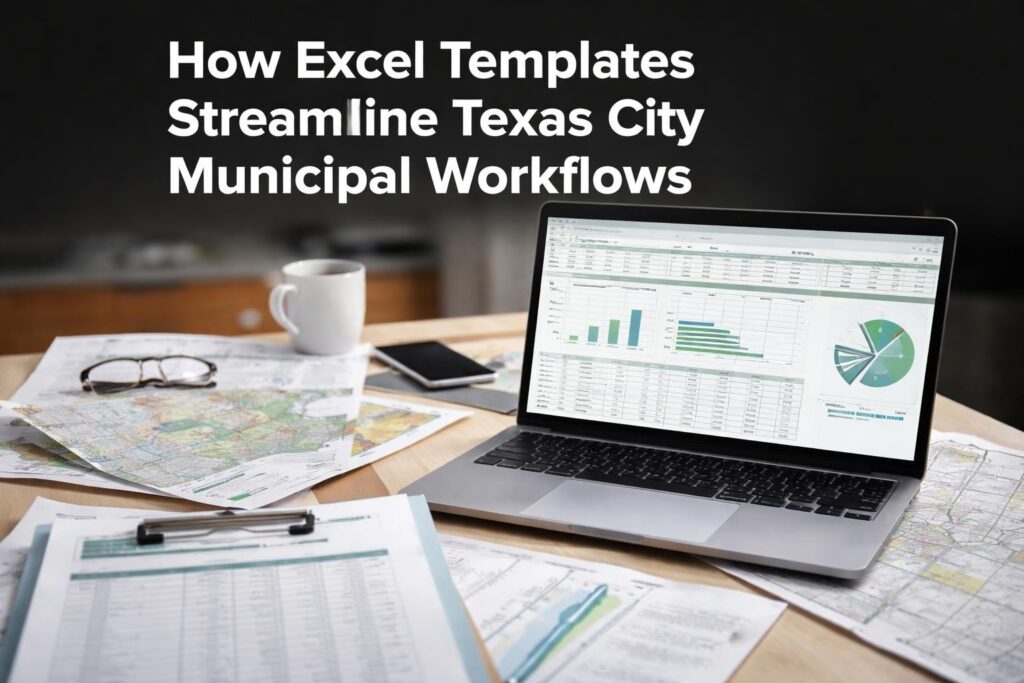
Businesses and professionals in Katy, Texas face increasingly complex data challenges that require sophisticated spreadsheet skills. Whether you're managing inventory for a growing retail business, tracking financial metrics for a corporate office, or analyzing sales data for strategic planning, Excel has become an indispensable tool. Finding reliable excel help katy services means connecting with experts who understand both the technical capabilities of the software and the practical business applications that drive results. The Analytics Doctor provides specialized support for Katy-area professionals who need to unlock Excel's full potential.
Why Katy Professionals Need Specialized Excel Support
The Greater Houston area, including Katy, hosts diverse industries from energy and healthcare to education and retail. Each sector generates massive amounts of data requiring effective management and analysis.
Many professionals learn Excel basics but struggle when requirements become more complex. You might know how to create simple formulas but feel lost when building dynamic dashboards or automating repetitive tasks. This knowledge gap costs businesses valuable time and creates frustration among team members who recognize problems but lack solutions.
Common Excel challenges facing Katy businesses include:
- Broken or circular reference errors that halt reporting processes
- Inefficient manual data entry consuming hours each week
- Inability to create meaningful visualizations from raw data
- Difficulty collaborating across teams with different skill levels
- Legacy spreadsheets with undocumented formulas nobody understands
Professional excel help katy services address these pain points directly. Rather than spending hours watching generic tutorials or reading through dense documentation, you receive personalized guidance tailored to your specific industry and business needs.

Types of Excel Help Available in Katy
One-on-One Training Sessions
Personalized training represents the most effective way to build Excel competency quickly. Unlike classroom settings where instruction moves at a fixed pace, individual sessions adapt to your current skill level and learning style.
During these sessions, trainers work directly with your actual business data and spreadsheets. This practical approach means you're not just learning abstract concepts but immediately applying techniques to real-world scenarios. You might start a session with a messy workbook and end with a clean, automated solution ready for deployment.
Sessions typically cover foundation skills before advancing to specialized topics. New users master cell references, basic formulas, and data formatting. Intermediate users explore VLOOKUP, pivot tables, and conditional formatting. Advanced participants dive into array formulas, Power Query, and VBA automation.
Corporate Team Training Programs
Many Katy businesses recognize that improving Excel proficiency across entire teams creates compounding benefits. When everyone shares a baseline competency, collaboration becomes smoother and quality improves organization-wide.
Excel training for corporate teams in Katy brings consistency to how your organization manages data. Teams learn standardized approaches to common tasks, reducing errors and miscommunication. These programs can be customized based on department-specific needs, whether you're training finance teams on financial modeling or operations teams on inventory tracking.
Group sessions also foster knowledge sharing. Participants learn from each other's questions and challenges, often discovering applications they hadn't considered. This collaborative environment accelerates learning and builds internal expertise.
Spreadsheet Troubleshooting and Repair
Sometimes you don't need training but immediate problem resolution. Your monthly report suddenly shows #REF! errors, or a critical formula returns incorrect calculations affecting business decisions.
Troubleshooting services diagnose and fix these issues quickly. Experts examine your workbook structure, identify the root cause of problems, and implement solutions while explaining what went wrong. This combination of fixing and teaching prevents similar issues from recurring.
| Service Type | Best For | Typical Duration | Outcome |
|---|---|---|---|
| One-on-One Training | Building foundational or advanced skills | 1-4 hours per session | Increased competency and confidence |
| Corporate Programs | Standardizing team capabilities | Half-day to multi-day | Consistent organizational practices |
| Troubleshooting | Urgent problem resolution | 30 minutes to 2 hours | Immediate fix plus prevention knowledge |
| Consulting Projects | Complex automation or custom solutions | Varies by scope | Tailored systems and tools |
Finding the Right Excel Help Katy Provider
Not all Excel support services deliver equal value. The difference between adequate and exceptional help often determines whether you simply solve immediate problems or develop lasting capabilities.
Evaluating Expertise and Experience
Look for providers who demonstrate deep technical knowledge combined with business acumen. The best Excel experts understand that spreadsheets serve business objectives rather than existing as ends in themselves. They ask about your goals, workflows, and challenges before proposing solutions.
Experience across multiple industries proves particularly valuable. An expert who has worked with energy companies, healthcare providers, retail operations, and professional services brings diverse problem-solving approaches to your situation. They recognize patterns and can adapt successful solutions from one context to another.
Credentials like Microsoft Office Specialist certification validate technical proficiency, but practical experience often matters more. Someone who has built hundreds of custom solutions understands nuances that certification alone doesn't teach.
Assessing Teaching Ability
Technical expertise doesn't automatically translate to effective teaching. The most knowledgeable Excel users sometimes struggle to explain concepts clearly to others. When seeking excel help katy services, prioritize providers who excel at communication.
Effective teachers adapt explanations to different learning styles. Some people grasp concepts through visual demonstrations, others through hands-on practice, and still others through written documentation. Quality instruction incorporates all three approaches.
Patient, encouraging guidance makes the learning process less intimidating. Many professionals feel embarrassed about gaps in their Excel knowledge, particularly if they've used the program for years without mastering advanced features. The right instructor creates a judgment-free environment where questions are welcomed.
Reviewing Service Flexibility
Your schedule and business needs require flexible service delivery. Some situations demand immediate on-site assistance, while others work better through remote sessions or self-paced resources.
Remote Excel support has become increasingly sophisticated with screen sharing and collaborative editing tools. You can receive expert help regardless of physical location, which proves especially convenient for busy professionals who can't easily travel during business hours.
On-site sessions benefit teams who prefer in-person interaction or need help with locally-stored systems and data. This approach also facilitates hands-on collaboration with multiple team members simultaneously.

Essential Excel Skills for Katy Business Professionals
Certain Excel capabilities deliver disproportionate value regardless of industry. Focusing on these high-impact skills provides the greatest return on your training investment.
Data Organization and Validation
Clean, well-structured data forms the foundation for all advanced Excel work. Many spreadsheet problems trace back to inconsistent data entry, duplicate records, or formatting issues that corrupt calculations.
Data validation in Excel prevents errors before they occur. By restricting what users can enter into specific cells, you ensure consistency and accuracy. Drop-down lists standardize category entries, date restrictions prevent impossible values, and custom rules enforce business logic.
Proper table structure follows database principles even in spreadsheets. Each column represents a single variable, each row contains one record, and headers clearly identify contents. This organization enables sorting, filtering, and analysis that messy data makes impossible.
Formula Mastery and Troubleshooting
Formulas transform static data into dynamic insights. Understanding how to construct, audit, and debug formulas separates Excel power users from casual users.
Core formula skills include:
- Absolute vs. relative cell references for copying formulas correctly
- Logical functions (IF, AND, OR) for conditional calculations
- Lookup functions (VLOOKUP, XLOOKUP) for matching data across tables
- Text functions for cleaning and standardizing string data
- Date and time calculations for tracking deadlines and durations
- Statistical functions for analyzing trends and distributions
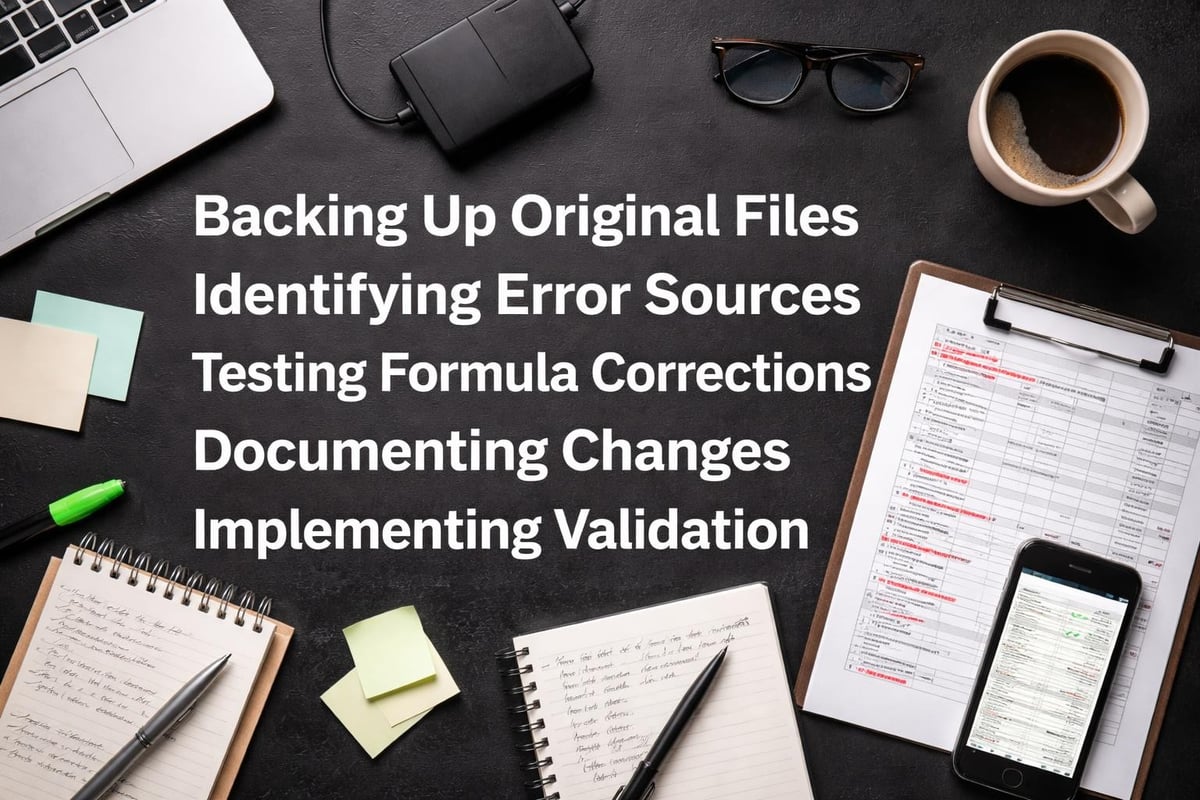
When formulas break, systematic troubleshooting identifies issues efficiently. Excel's formula auditing tools trace precedents and dependents, showing exactly which cells feed into calculations. Error messages like #VALUE!, #REF!, and #N/A each indicate specific problem types with corresponding solutions.
Dashboard Creation and Data Visualization
Raw numbers rarely communicate insights effectively. Well-designed dashboards present information visually, highlighting key metrics and trends that drive decision-making.
Learning how to create dashboards in Excel transforms your reporting capabilities. Interactive dashboards combine charts, tables, and conditional formatting to tell compelling data stories. Slicers and filters allow users to explore information from different angles without modifying underlying data.
Effective visualizations match chart types to data relationships. Column charts compare values across categories, line charts show trends over time, scatter plots reveal correlations, and heat maps highlight patterns in large datasets. Poor chart choices confuse rather than clarify.
Automation Through Macros and Power Query
Repetitive tasks consume enormous amounts of productive time. Automating these processes through macros and Power Query eliminates tedious work while reducing human error.
Macros record sequences of actions that can be replayed with a single click. Monthly report generation, data formatting, or file consolidation that normally requires dozens of manual steps becomes automated. Even basic macro recording without VBA programming knowledge delivers significant efficiency gains.
Power Query handles data transformation and consolidation with remarkable flexibility. Import data from multiple sources, clean and reshape it according to defined rules, and refresh everything automatically when source data updates. This capability proves particularly valuable when combining information from different systems or departments.
Local Resources for Excel Training in Katy
Beyond specialized services like those offered by The Analytics Doctor, Katy professionals can access various educational resources to build Excel skills.
TechRadar’s comparison of Excel online courses highlights options ranging from beginner-friendly introductions to advanced specializations. Self-paced online learning works well for motivated individuals who prefer learning at their own speed.
Universities and educational institutions provide structured programs combining theoretical understanding with practical application. Carnegie Mellon’s Excel training program exemplifies how academic institutions approach spreadsheet education with rigor and depth.
Professional development platforms offer curated resources for specific career paths. The Corporate Finance Institute’s Excel resources cater specifically to finance professionals who need modeling, analysis, and reporting skills.
However, self-directed learning presents challenges. Without personalized feedback, you might develop inefficient habits or misunderstand key concepts. Generic courses can't address your specific business context or answer questions about your unique data situations.
This explains why many professionals ultimately seek local excel help katy experts who combine educational resources with personalized guidance. The hybrid approach maximizes learning efficiency while ensuring skills directly apply to your work requirements.
Advanced Excel Projects That Transform Business Operations
Once you've mastered fundamentals, Excel becomes a platform for sophisticated business solutions that many organizations don't realize are possible without expensive specialized software.
Financial Modeling and Forecasting
Excel's calculation engine handles complex financial models that project future performance based on various scenarios and assumptions. These models help businesses evaluate potential investments, plan budgets, and stress-test strategies against different market conditions.
Sensitivity analysis examines how changing input variables affects outcomes. What happens to profitability if material costs increase by 10% or sales volume drops 15%? Building models that answer these questions informs strategic planning.
Dynamic forecasting systems combine historical data analysis with adjustable assumptions. Rather than creating static projections that quickly become outdated, these tools update automatically as new actual results become available.
Inventory and Resource Management Systems
Retail, manufacturing, and service businesses face constant inventory optimization challenges. Excel-based inventory systems track stock levels, automate reorder points, and analyze turnover rates without requiring expensive dedicated software.
These systems integrate with point-of-sale data or manual entry to maintain real-time visibility. Conditional formatting highlights items approaching reorder thresholds, formulas calculate optimal order quantities based on demand patterns, and dashboards show inventory value by category.
Resource allocation models extend beyond physical inventory to workforce scheduling, equipment utilization, and project assignments. Optimization techniques help distribute limited resources to maximize productivity and minimize costs.
Customer and Sales Analytics
Understanding customer behavior drives revenue growth and retention. Excel analytics reveal purchasing patterns, identify high-value customer segments, and track sales performance across products, regions, and time periods.
Cohort analysis groups customers by acquisition period and tracks their behavior over time. This reveals whether newer customers generate more lifetime value than historical cohorts or if retention rates are improving.
Sales pipeline dashboards monitor opportunities from lead generation through closing. Conversion rates at each stage identify bottlenecks, while forecasting models project likely revenue based on current pipeline composition.
| Project Type | Business Impact | Complexity Level | Key Features |
|---|---|---|---|
| Financial Models | Strategic planning and investment decisions | Advanced | Scenario analysis, sensitivity testing, forecasting |
| Inventory Systems | Cost reduction and stock optimization | Intermediate | Automated reordering, turnover analysis, valuation |
| Sales Analytics | Revenue growth and customer insights | Intermediate to Advanced | Pipeline tracking, cohort analysis, performance metrics |
| Automated Reporting | Time savings and accuracy improvement | Intermediate | Template standardization, data refresh automation |
Working on advanced Excel projects often requires expert guidance. While you can learn individual techniques through tutorials, designing complete systems that integrate multiple functions demands experience and strategic thinking.
Common Excel Problems and Solutions
Even experienced users encounter frustrating issues that halt productivity. Understanding common problems and their solutions builds confidence and reduces downtime.
Password Protection Issues
Forgotten passwords on critical Excel files create urgent problems. Organizations sometimes inherit workbooks from former employees without documentation of protection credentials.
Learning how to remove password protection in Excel requires understanding different protection types. Worksheet protection differs from workbook protection, and both differ from file encryption. Each requires different removal approaches.
Some protection types serve legitimate security purposes and shouldn't be removed casually. Properly managing password-protected Excel files means balancing accessibility with data security based on content sensitivity and compliance requirements.
Performance and File Size Problems
Large workbooks become sluggish, taking minutes to calculate or save. This frustration often stems from inefficient formula construction, excessive formatting, or embedded objects.
Volatile functions like INDIRECT, OFFSET, and TODAY recalculate constantly, slowing performance in large spreadsheets. Replacing them with more efficient alternatives improves responsiveness. Array formulas processing thousands of rows might need conversion to helper columns that calculate incrementally.
File size bloat often hides in seemingly empty cells containing invisible formatting or in embedded objects you didn't realize existed. Cleaning these artifacts dramatically reduces file size and improves performance.
Data Import and Integration Challenges
Modern businesses pull data from multiple sources including databases, web services, and other applications. Getting this diverse information into Excel cleanly requires understanding import options and data transformation techniques.
Power Query solves many integration challenges by providing a consistent interface for connecting to various sources and transforming data before loading it into worksheets. Unlike manual copying and pasting, Power Query connections refresh with updated source data while maintaining all transformations.
Text-to-columns, Flash Fill, and other built-in tools handle common formatting issues when importing data. Understanding when to use each tool saves hours of manual cleanup work.
Measuring Excel Training ROI
Investing in excel help katy services delivers quantifiable returns that justify the expense and time commitment.
Time Savings Calculation
Track how long current processes take before training or consulting, then measure again after implementing improvements. If monthly reporting that previously consumed eight hours now takes two hours, you've gained six hours monthly. Multiply this by your hourly rate to calculate monthly savings.
Automation projects often deliver dramatic time reductions. Tasks requiring 30 minutes daily become instant with proper automation, saving 2.5 hours weekly or approximately 120 hours annually per person.
Error Reduction Benefits
Spreadsheet errors can cost businesses significantly through incorrect decisions based on faulty data. While harder to quantify than time savings, reducing errors through better validation, formulas, and processes protects against these costly mistakes.
Improved accuracy also builds confidence in reporting. When stakeholders trust the numbers, strategic discussions focus on insights rather than questioning data quality.
Expanded Capabilities Value
Some ROI comes from doing things previously impossible without expensive specialized software or outside consultants. Building custom dashboards, automating complex analyses, or creating sophisticated models in-house rather than outsourcing generates ongoing value.
These capabilities also increase organizational agility. When you can quickly analyze new questions as they arise rather than waiting for external resources, you respond faster to opportunities and challenges.
Choosing Between DIY Learning and Professional Excel Help
Self-study through online resources works for some situations while professional assistance makes sense for others. Understanding when each approach fits optimizes both learning efficiency and budget allocation.
DIY learning works best when:
- You have ample time to experiment and research solutions
- Problems are straightforward with well-documented solutions online
- You enjoy technical troubleshooting and learning through trial and error
- Budget constraints prohibit professional services
- You're building general knowledge rather than solving urgent specific issues
Professional excel help katy services make sense when:
- Time pressure requires quick problem resolution
- Complex issues benefit from expert diagnosis
- You need customized solutions for unique business requirements
- Training multiple team members simultaneously improves organizational capability
- Previous self-study attempts haven't achieved desired results
Many professionals find that combining approaches works best. Use free Excel resources and shortcuts for general skill building while engaging experts for complex projects, urgent troubleshooting, or customized training addressing specific business needs.
The Analytics Doctor offers flexible engagement models supporting both one-time problem solving and ongoing skill development, allowing you to find the right balance for your situation.
Industry-Specific Excel Applications in Katy
Different industries leverage Excel in specialized ways reflecting their unique operational requirements and analytical needs.
Energy Sector Applications
Houston's position as an energy hub means many Katy professionals work in oil, gas, and renewable energy industries. Excel supports production tracking, reserve calculations, pricing analysis, and regulatory reporting.
Decline curve analysis, which projects future production from existing wells, relies heavily on Excel's statistical and charting capabilities. Commodity price modeling helps companies hedge against market volatility while budget versus actual tracking monitors project economics.
Healthcare and Life Sciences
Medical offices, research facilities, and healthcare administrators use Excel for patient scheduling, billing analysis, clinical trial data management, and quality metrics reporting.
HIPAA compliance considerations require careful attention to file security and access controls. Understanding Excel's protection features ensures sensitive patient information remains confidential while remaining accessible to authorized users.
Retail and E-commerce
Inventory management, sales analysis, pricing optimization, and vendor performance tracking represent common retail applications. Point-of-sale systems often export transaction data to Excel for detailed analysis not available in the POS software.
Product mix analysis identifies which items drive profitability versus simply generating revenue. Markdown optimization models help clear seasonal inventory while maximizing recovery value.
Professional Services
Consulting firms, legal practices, accounting offices, and other professional services rely on Excel for project tracking, resource allocation, client billing, and financial analysis.
Time tracking and billing systems often integrate with Excel for customized reporting. Profitability analysis by client, project, or service line informs strategic decisions about which engagements to pursue.
Regardless of industry, Excel help services in Katy should understand your specific sector challenges and opportunities. Generic training that doesn't connect to your actual work context delivers limited practical value.
Building an Excel Knowledge Base Within Your Organization
Individual training creates pockets of expertise, but organizations benefit more from systematically building institutional Excel knowledge.
Documentation Standards
Documenting spreadsheet logic, assumptions, and procedures ensures knowledge persists beyond individual employees. When the person who built a critical workbook leaves the organization, proper documentation prevents that knowledge from leaving with them.
Comments, named ranges with descriptive labels, and separate documentation tabs explaining worksheet purposes all contribute to maintainability. Complex formulas benefit from written explanations of their logic in plain language.
Internal Training Programs
After team members receive professional training, creating internal knowledge sharing reinforces learning. Lunch-and-learn sessions where employees demonstrate useful techniques to colleagues spread expertise efficiently.
Building a library of templates and examples specific to your business provides starting points for common tasks. Rather than recreating standard reports from scratch, employees adapt proven templates to new situations.
Establishing Best Practices
Consistency across the organization improves collaboration and reduces errors. Establishing standards for file naming, folder organization, formula construction, and formatting creates predictability.
Regular audits of critical spreadsheets identify issues before they cause problems. Reviewing important workbooks quarterly or annually catches formula errors, updates outdated assumptions, and improves efficiency as new Excel features become available.
Mastering Excel transforms how you work with data, turning frustration into confidence and manual drudgery into automated efficiency. Whether you need immediate troubleshooting, comprehensive training, or ongoing support, finding the right excel help katy partner makes all the difference. The Analytics Doctor specializes in diagnosing spreadsheet problems and delivering clear, practical solutions tailored to your specific needs, from fixing broken formulas to building sophisticated automation systems. Ready to make your Excel work smarter? Connect with The Analytics Doctor today.