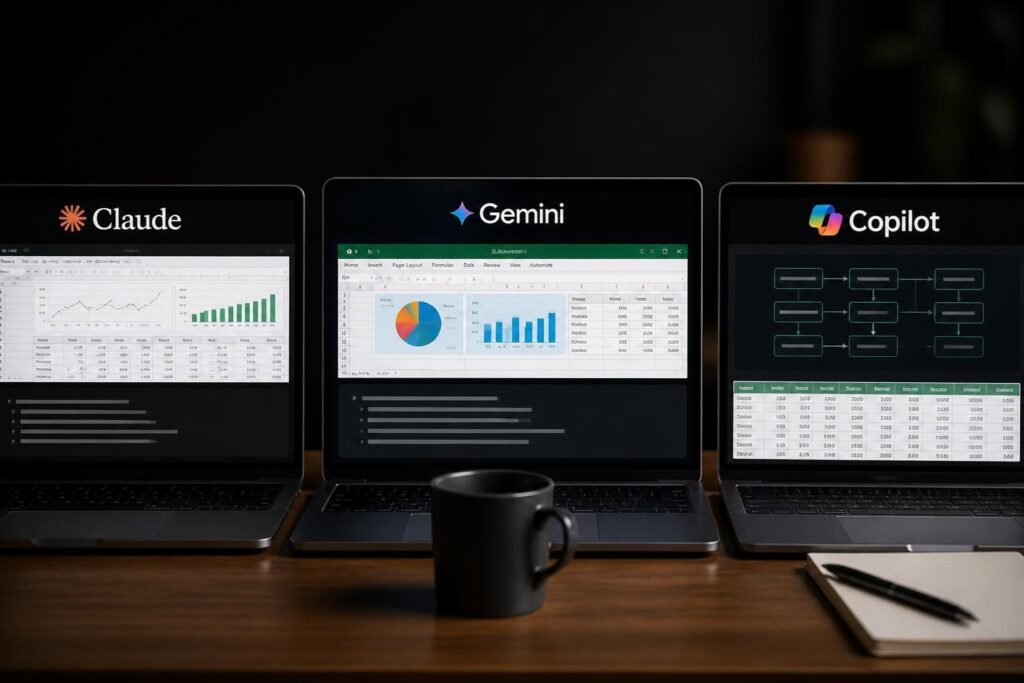
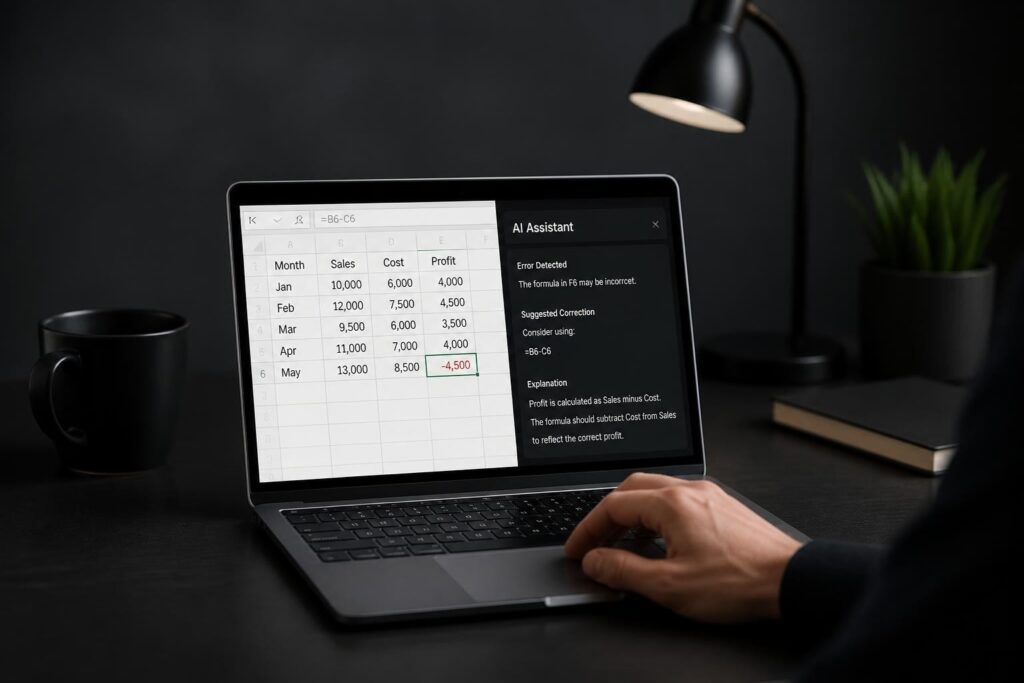
The intersection of artificial intelligence and spreadsheet technology has fundamentally changed how businesses analyze data. Excel business analytics with AI represents a paradigm shift from manual data crunching to intelligent, automated insights that save time and reduce errors. As organizations across all industries wrestle with growing datasets and increasingly complex analytical demands, AI-powered Excel tools have emerged as essential solutions for professionals who need accurate results without sacrificing the familiar spreadsheet environment they already know.
The Evolution of Excel as an Analytics Platform
Excel has transcended its origins as a simple calculation tool to become a sophisticated analytics environment. Research shows that Excel has evolved into an Integrated Development Environment for analytics, supporting complex workflows that extend far beyond basic formulas and pivot tables.
This transformation mirrors the growing expectations businesses have for their data tools. Today's Excel users need capabilities that match enterprise-grade analytics platforms while maintaining the accessibility and flexibility that made spreadsheets popular in the first place.
Why AI Integration Makes Sense for Excel Users
The marriage of AI and Excel addresses several pain points that have plagued spreadsheet users for decades:
- Formula errors that cascade through entire workbooks
- Time-consuming data cleaning and preparation tasks
- Pattern recognition that human analysts might miss
- Inconsistent reporting across departments and teams
- Limited forecasting accuracy with traditional methods
When you combine excel business analytics with AI capabilities, these challenges become manageable. AI doesn't replace the analyst's judgment but rather amplifies their ability to work efficiently and accurately.
AI-Powered Features Transforming Excel Analytics
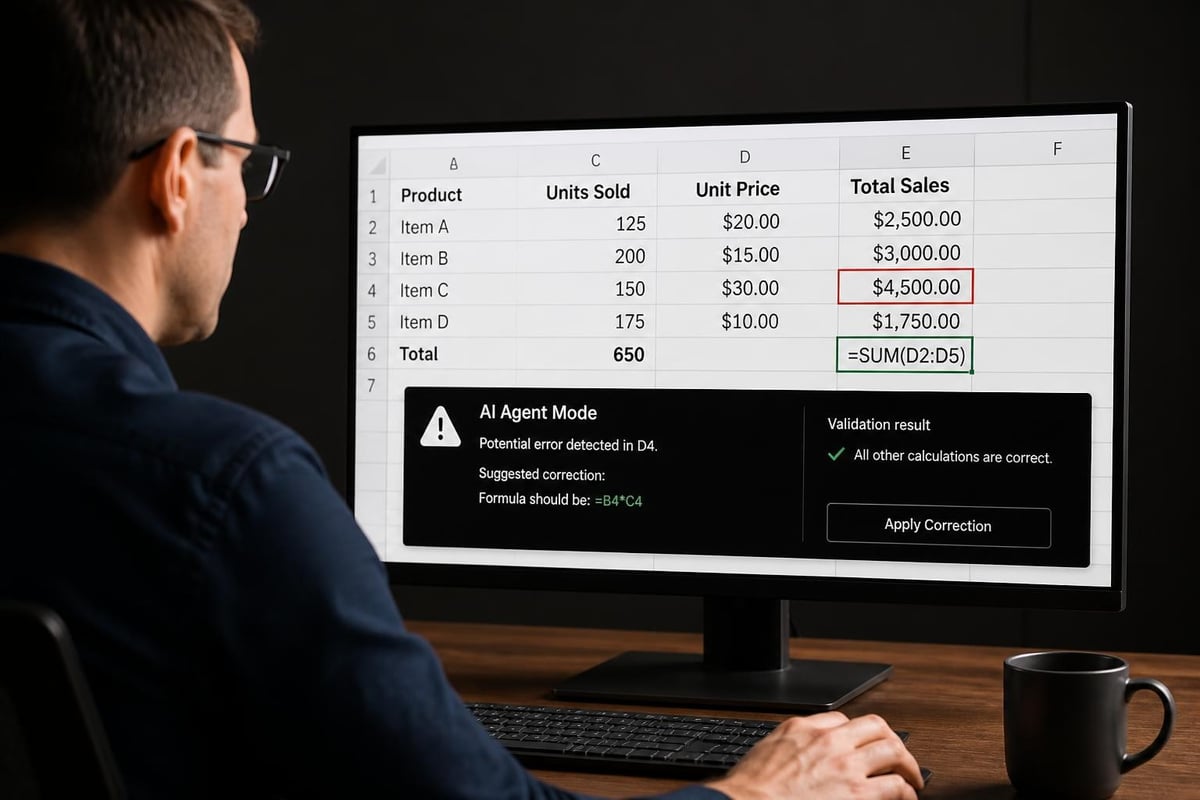
Microsoft has introduced several AI-driven capabilities that fundamentally change how users interact with their data. Excel’s new Agent Mode can fix broken formulas, demonstrating how AI assistance can diagnose and resolve issues that previously required extensive troubleshooting.
Natural Language Query Processing
One of the most powerful advances in excel business analytics with AI is the ability to ask questions in plain English. Instead of memorizing complex formula syntax, users can type queries like "show me total sales by region for Q2" and receive instant results.
This capability relies on sophisticated natural language processing that understands context, data relationships, and analytical intent. Research into conversational business analytics and accuracy validation demonstrates how AI systems interpret user queries while maintaining data integrity.
| Feature | Traditional Excel | AI-Enhanced Excel |
|---|---|---|
| Formula Creation | Manual syntax required | Natural language input |
| Error Detection | User identifies issues | Automatic identification |
| Data Insights | Manual exploration | Automated pattern discovery |
| Forecast Generation | Basic trend functions | Advanced predictive models |
Automated Data Cleaning and Preparation
Data preparation typically consumes 60-80% of an analyst's time. AI tools within Excel now automate many of these tedious tasks:
- Detecting and removing duplicates with intelligent matching that goes beyond exact matches
- Standardizing formats across columns with inconsistent data entry
- Filling missing values using contextual analysis and pattern recognition
- Identifying outliers that might indicate errors or important exceptions
- Transforming data structures to optimize them for specific analyses
If you're struggling with identifying duplicate entries in your spreadsheets, AI-powered tools can handle complex matching scenarios that traditional methods miss.
Practical Applications for Business Analytics
Finance teams are among the earliest adopters of excel business analytics with AI solutions. Microsoft 365 Copilot in Excel is proving valuable for finance workers by automating financial modeling, variance analysis, and reporting tasks that previously required hours of manual work.
Financial Forecasting and Planning
Traditional forecasting methods in Excel rely on historical trends and basic statistical functions. AI-enhanced forecasting incorporates multiple variables, external factors, and machine learning algorithms to generate more accurate predictions.
Tools like ForesightXL demonstrate how AI can combine historical data with natural-language business context to create explainable forecasts that finance teams can trust and defend.
Key benefits for financial analytics:
- Revenue projections that adjust for seasonal patterns and market conditions
- Cash flow forecasting with early warning systems for potential shortfalls
- Budget variance analysis that highlights meaningful deviations
- Scenario modeling that tests multiple assumptions simultaneously
Sales and Marketing Analytics
Sales teams generate massive amounts of data from CRM systems, email campaigns, and customer interactions. Excel business analytics with AI helps transform this raw data into actionable insights.
Pipeline analysis becomes more predictive when AI identifies patterns in deal progression, customer engagement, and seasonal trends. Marketing attribution models that once required specialized software can now run within Excel using AI-powered analysis.

Operational Efficiency and Process Optimization
Operations managers use Excel to track everything from inventory levels to employee scheduling. AI enhancements make these operational spreadsheets smarter and more responsive.
For example, when managing complex workbooks with macros and automation, AI can suggest optimizations that reduce calculation time and improve reliability. The system learns from how the workbook is used and recommends structural improvements.
Implementing AI Tools in Your Excel Workflow
Starting with excel business analytics with AI doesn't require abandoning your existing spreadsheets or learning entirely new systems. The implementation path should be gradual and focused on solving specific problems.
Choosing the Right AI Tools
Several categories of AI tools integrate with Excel:
| Tool Type | Best For | Example Use Case |
|---|---|---|
| Built-in AI Features | General users | Formula suggestions, insights |
| Add-in Solutions | Specialized needs | Financial forecasting, audit automation |
| API Integrations | Custom applications | Connecting external AI models |
| Analytics Platforms | Enterprise reporting | Dashboard creation from Excel data |
When evaluating tools, consider your team's skill level, the complexity of your analytical needs, and integration requirements with existing systems.
Best Practices for AI-Enhanced Analytics
Success with excel business analytics with AI requires thoughtful implementation:
- Start with high-impact, low-complexity tasks where AI can deliver immediate value
- Validate AI-generated results against known benchmarks before trusting them completely
- Document AI-assisted processes so team members understand how insights are generated
- Train users gradually rather than overwhelming them with all features at once
- Maintain data quality because AI tools are only as good as the data they analyze
Research on integrating deep learning into business analytics highlights the importance of understanding both the capabilities and limitations of AI systems in practical business contexts.
Addressing Common Concerns and Challenges
The integration of AI into Excel analytics raises legitimate questions about accuracy, security, and control. Understanding these concerns helps organizations implement AI tools responsibly.
Data Security and Privacy
When using AI features in Excel, data may be processed through cloud services. Organizations handling sensitive information need to understand:
- Where data is stored and processed
- What information AI systems retain for training
- How to implement password protection and access controls
- Compliance with industry regulations like GDPR or HIPAA
Many AI tools offer on-premises or private cloud deployments for organizations with strict data governance requirements.
Accuracy and Validation
AI systems can make mistakes, especially when working with unusual data patterns or edge cases. Implementing validation protocols ensures reliability:
- Cross-reference AI-generated insights with traditional analysis methods
- Use test datasets with known outcomes to verify AI accuracy
- Establish review processes for critical decisions based on AI recommendations
- Monitor AI performance over time to identify degradation or drift
For financial auditors, specialized tools like Moby Analytics provide AI automation while maintaining the rigorous validation standards required in audit work.
Skill Development and Training
Transitioning to excel business analytics with AI requires users to develop new competencies while maintaining their existing Excel skills. The learning curve varies based on the tools and features being adopted.
Essential skills for AI-enhanced Excel work:
- Understanding how to frame analytical questions for AI systems
- Interpreting AI-generated insights within business context
- Recognizing when AI recommendations need human judgment
- Troubleshooting integration issues between Excel and AI tools
Professional Excel consulting and training can accelerate this learning process by providing hands-on guidance tailored to your specific use cases.
Advanced Techniques for Power Users
Experienced Excel users can leverage AI in sophisticated ways that go beyond built-in features. These advanced applications demonstrate the full potential of excel business analytics with AI.
Custom AI Model Integration
Power users can integrate custom machine learning models into Excel through various methods:
- Python integration using Excel's native Python support (available in Microsoft 365)
- REST API calls to cloud-based AI services
- Custom add-ins that wrap AI functionality in Excel-friendly interfaces
- Power Query transformations that incorporate AI processing steps
These integrations allow analysts to use specialized models for industry-specific tasks while keeping the final analysis within the familiar Excel environment.
Benchmarking and Performance Evaluation
As AI tools become more prevalent in analytics workflows, evaluating their performance becomes critical. The UniDataBench benchmark for data analytics agents provides frameworks for assessing how well AI tools handle both structured and unstructured data.
Organizations can apply similar benchmarking approaches to their excel business analytics with AI implementations, measuring improvements in:
- Time savings on routine analytical tasks
- Accuracy of forecasts and predictions
- Error reduction in financial reporting
- User adoption and satisfaction rates
Combining Traditional and AI-Powered Methods
The most effective analytics workflows don't rely exclusively on AI but rather combine traditional Excel capabilities with AI enhancements strategically. For example:
- Use AI for initial pattern detection, then validate with traditional statistical methods
- Apply conventional formulas for standard calculations, reserve AI for complex predictions
- Leverage AI for data preparation, maintain human control over interpretation and decisions
- Employ traditional Excel features for correlation analysis, use AI to identify which correlations warrant deeper investigation
Future Trends in Excel and AI Analytics
The evolution of excel business analytics with AI continues to accelerate as both Excel and AI technologies advance. Understanding emerging trends helps organizations prepare for coming changes.
Agent-Based Analytics
AI agents that can autonomously complete analytical tasks represent the next frontier. These agents go beyond answering single queries to managing entire analytical workflows, from data collection through insight delivery.
Real-Time Collaborative Intelligence
Future Excel versions will likely feature AI that learns from multiple users simultaneously, creating organizational knowledge that improves analytical accuracy across teams. This collective intelligence approach means the AI becomes more valuable as more team members use it.
Enhanced Visualization and Storytelling
AI will increasingly help users create compelling data narratives by automatically generating appropriate visualizations, identifying key insights, and suggesting presentation structures that communicate findings effectively.
Integration with Enterprise Systems
The boundaries between Excel and enterprise data platforms will continue to blur. AI will facilitate seamless connections between spreadsheets and databases, ERPs, and analytics platforms, allowing users to work in Excel while accessing enterprise-scale data resources.
Measuring ROI from AI-Enhanced Excel Analytics
Justifying investment in excel business analytics with AI requires demonstrating tangible returns. Organizations should track metrics that reflect both efficiency gains and quality improvements.
Quantifiable Benefits
| Metric Category | What to Measure | Typical Improvement |
|---|---|---|
| Time Savings | Hours spent on routine analysis | 30-50% reduction |
| Error Reduction | Mistakes in reports and forecasts | 40-60% decrease |
| Forecast Accuracy | Variance between predicted and actual | 15-25% improvement |
| User Productivity | Analysis completed per analyst | 25-40% increase |
Qualitative Improvements
Beyond numbers, excel business analytics with AI delivers benefits that are harder to quantify but equally valuable:
- Reduced frustration and improved job satisfaction for analysts
- Greater confidence in data-driven decisions
- Faster response to changing business conditions
- Enhanced ability to explore "what-if" scenarios
- Democratization of analytics capabilities across the organization
Building an AI-Ready Analytics Infrastructure
Successfully implementing excel business analytics with AI requires more than just adopting new tools. Organizations need supporting infrastructure and practices that enable AI to deliver its full value.
Data Governance Foundations
AI systems require clean, well-organized data to function effectively. Establishing data governance practices ensures consistency:
- Standardize naming conventions across all spreadsheets and data sources
- Define data ownership so someone is responsible for each dataset's accuracy
- Implement version control to track changes and enable rollback when needed
- Document data lineage so users understand where information originates
- Establish quality metrics that trigger alerts when data integrity issues arise
Creating a Center of Excellence
Organizations achieving the most value from excel business analytics with AI often establish a center of excellence that:
- Evaluates and recommends AI tools for different use cases
- Develops best practices and templates for common analytical tasks
- Provides training and support to users at all skill levels
- Manages relationships with AI vendors and service providers
- Monitors AI performance and coordinates continuous improvement efforts
Fostering a Data-Driven Culture
Technology alone doesn't transform analytics capability. Organizations need cultural changes that encourage data-driven decision making, experimentation with new approaches, and continuous learning. Leadership support is essential for creating an environment where AI-enhanced analytics can flourish.
Excel business analytics with AI has evolved from experimental technology to practical necessity, offering tangible benefits for organizations of all sizes. By combining familiar spreadsheet capabilities with intelligent automation, businesses can analyze data faster, more accurately, and with greater insight than ever before. Whether you're struggling with broken formulas, seeking to automate repetitive tasks, or looking to extract deeper insights from your data, The Analytics Doctor provides expert guidance to help you leverage AI-enhanced Excel capabilities effectively. From personalized training that builds your team's AI analytics skills to hands-on support that solves immediate spreadsheet challenges, you'll get practical solutions that transform how your organization works with data.