Skip to content

Missed payments and financial confusion are more common than ever in our fast-paced digital world. Managing a growing list of monthly expenses can feel overwhelming, but bill calendars offer a simple solution for staying organized and at ease.
This article reviews and compares the 10 best bill calendars for 2026, guiding you toward tools that help streamline your finances and prevent late payments. We will explore different types of bill calendars, essential selection criteria, and provide detailed reviews of the top options available.
Ready to simplify your finances and gain peace of mind? Discover which bill calendars are right for you.
Why Use a Bill Calendar?
In today's fast-paced world, keeping track of bills can feel overwhelming. With so many payments to manage, it's easy to lose sight of due dates or forget an important expense. Bill calendars provide a clear, organized system to help you stay on top of your finances and avoid costly mistakes.
The Rising Complexity of Personal Finances
Personal finances are more complicated than ever. Households now juggle payments for utilities, subscriptions, rent or mortgage, insurance, and student loans. According to Average U.S. Household Bill Statistics, the average American home manages over 10 monthly bills. Missing a bill can lead to late fees, damage your credit score, and increase stress.
Traditional methods like sticky notes or mental reminders often fall short. Bill calendars give you a visual map of upcoming payments, making it easier to spot what's due and when. By centralizing this information, you are far less likely to overlook a critical payment.
Key Benefits of Bill Calendars
Bill calendars offer a wealth of advantages beyond simple reminders. They provide a central hub to view all your expenses in one place, reducing the mental effort needed to keep track of everything. Most digital options include automated alerts so you never miss a due date.
With bill calendars, budgeting becomes more accurate since you can anticipate cash flow and avoid surprises. This transparency fosters greater financial control and reduces anxiety. For example, users often report improved payment histories and a newfound sense of confidence in managing their bills.
Who Needs a Bill Calendar?
Bill calendars are invaluable for anyone managing several accounts or shared expenses. Families can coordinate household bills efficiently, while busy professionals can ensure nothing slips through the cracks. Freelancers and small business owners benefit from tracking irregular payments, and students can better manage their loans.
There are options for every preference—from printable templates to mobile apps and integrated digital solutions. This accessibility ensures bill calendars are useful for people at all stages of life and with varying levels of tech comfort.
How to Choose the Best Bill Calendar for 2026
Selecting the right bill calendars can transform the way you manage your finances. With so many options available, it is important to know what features matter most, which formats fit your lifestyle, and how to get the best value for your needs.
Essential Features to Look For
When considering bill calendars, prioritize customization and usability. Look for tools that allow you to categorize bills, set up recurring payments, and color code due dates. Integration is also key. The best bill calendars sync with digital calendars, banking apps, or budgeting software, providing a seamless experience.
Security and data privacy are non-negotiable, especially for digital options. Make sure the platform uses encryption and allows you to control what information is stored. Mobile accessibility is another must-have, letting you check your calendar or receive reminders from any device. The user interface should be clear, intuitive, and visually appealing, so tracking bills never feels overwhelming.
Types of Bill Calendars Available
Bill calendars come in several formats, each with unique strengths. Printable templates (PDF, Excel, Word) offer simplicity for those who prefer offline tracking. Digital spreadsheets, like Google Sheets or Excel, provide flexibility and real-time collaboration for households or business teams.
Mobile apps deliver notifications and easy access on the go. All-in-one finance platforms combine budgeting, bill calendars, and payment tracking in one dashboard. Consider the pros and cons:
| Type | Pros | Cons |
|---|---|---|
| Printable Templates | Simple, no tech needed | No automation or reminders |
| Digital Spreadsheets | Customizable, collaborative | Requires spreadsheet skills |
| Mobile Apps | Automated alerts, mobile access | May need paid upgrade |
| All-in-One Platforms | Comprehensive, sync features | Higher cost, learning curve |
If you use spreadsheets for bill calendars, accuracy is crucial. To minimize mistakes, see this guide on how to reduce spreadsheet errors in Excel.
Evaluating Value and Pricing
Bill calendars range from free templates to premium apps and platforms. Free options are ideal for basic needs, but paid versions often include automation, support, and regular updates. Weigh the cost of monthly or annual subscriptions against one-time purchases.
Consider whether ongoing support or new template releases are important to you. Look for free resources that meet your requirements, but do not overlook premium features like automatic syncing and detailed analytics if your finances are complex. Choosing the right bill calendars ensures your investment translates to peace of mind and financial clarity.
10 Best Bill Calendars to Simplify Your Finances in 2026
Managing your bills has never been more critical, especially as the cost of living continues to climb. According to recent reports, U.S. households now spend nearly $26,000 annually on essential bills, making organization a top priority. Bill calendars are no longer optional—they are essential for gaining control, reducing stress, and preventing costly mistakes. Below, explore the 10 best bill calendars for 2026, each uniquely designed to streamline your finances and keep you ahead of due dates.
Bill Calendar Template by TemplateLab
If you prefer a straightforward, printable approach, the Bill Calendar Template by TemplateLab stands out among bill calendars. This free resource offers downloadable templates in PDF, Word, and Excel formats, making it easy to tailor to your specific needs.
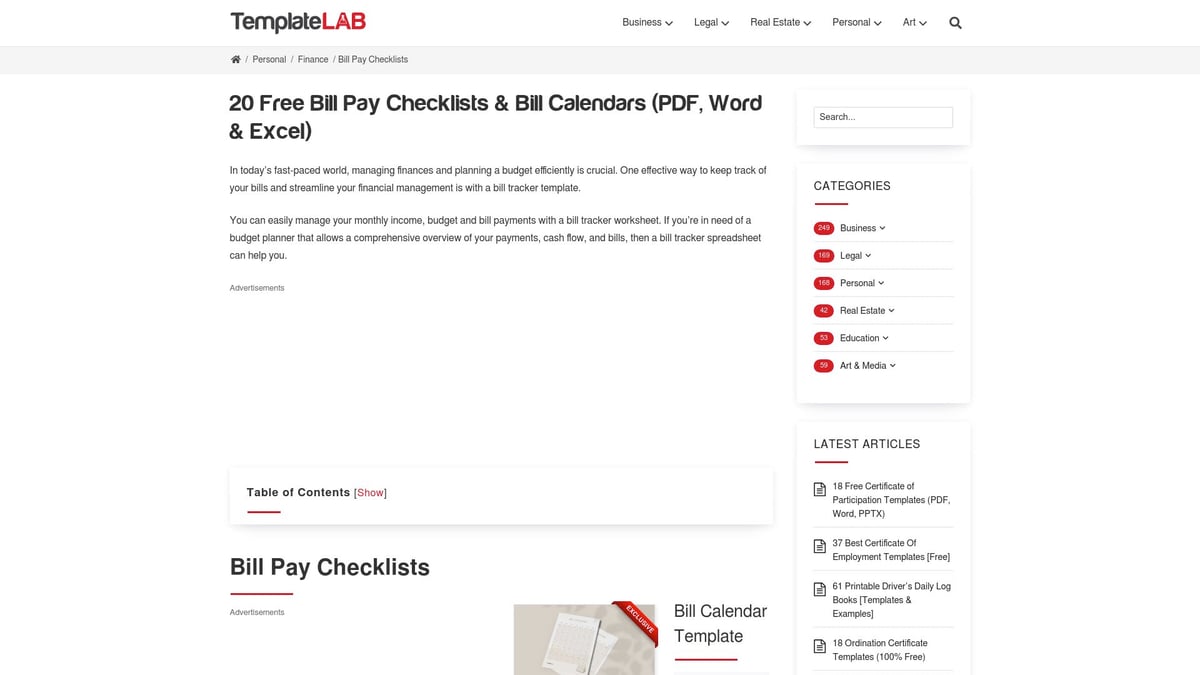
Each sheet includes customizable fields for bill name, due date, amount, and payment status. The simple monthly layout allows you to visualize your upcoming bills at a glance, helping you avoid late payments and track your progress.
Pros:
- No cost to download or use
- Multiple formats (PDF, Word, Excel)
- User-friendly and easy to customize
Cons:
- Lacks digital reminders and automation
- Manual entry required
Best For:
Paper planners, Excel fans, and anyone who prefers a physical record of their bill calendars.
Using this template can help you develop a consistent routine, which is especially important as financial obligations become more complex. With bill calendars like this, you gain peace of mind and a clear overview of your monthly commitments.
Prism Bills & Money Tracker App
For those who love automation, the Prism Bills & Money Tracker App is a top contender in the world of bill calendars. Available for both iOS and Android, Prism syncs automatically with thousands of billers and banks, pulling in your due dates and payment details in real time.

With a vibrant, intuitive dashboard, you can view all your bills on a calendar, receive timely reminders, and even pay directly from the app. Prism’s automation reduces the risk of missed bills and helps you stay on top of your finances with minimal effort.
Pros:
- Automatic syncing with banks and billers
- Real-time notifications and reminders
- All-in-one dashboard for bill calendars
Cons:
- Some users report occasional syncing issues
- Requires linking financial accounts
Best For:
Busy professionals, tech-savvy users, and frequent travelers who need their bill calendars accessible on the go.
Prism transforms bill calendars into a dynamic, stress-free experience, ensuring you never overlook a payment.
Bill Organizer Template by Vertex42
Excel enthusiasts will appreciate the Bill Organizer Template by Vertex42, one of the most flexible bill calendars available. This free template works with Excel and Google Sheets, offering both monthly and yearly overviews.
You can track payment status, due dates, and amounts while leveraging built-in formulas to calculate totals and flag overdue bills. Its adaptable design is perfect for both personal and business use, and you can easily customize categories or add extra columns as needed.
Pros:
- Highly flexible and customizable
- Free to download and use
- Analytical tools for tracking trends
Cons:
- Basic spreadsheet knowledge required
- No built-in notifications
Best For:
Excel power users, small business owners, and anyone who loves detailed bill calendars.
If you want to create or customize your own bill calendars, check out these Excel templates for reports to enhance your tracking and reporting capabilities.
YNAB (You Need a Budget) Bill Calendar
YNAB’s bill calendar is part of a robust subscription-based budgeting platform. It integrates bill scheduling with proactive financial planning, allowing you to set goals, track due dates, and receive automatic reminders.

The platform syncs across devices, so your bill calendars are always up to date, whether you’re on your phone or desktop. YNAB’s focus on cash flow projections helps users plan ahead and avoid financial surprises.
Pros:
- Comprehensive budgeting tools
- Automatic reminders and alerts
- Cross-device syncing
Cons:
- Monthly or annual subscription required
- Learning curve for new users
Best For:
Dedicated budgeters, families, and those with complex finances who need advanced bill calendars.
YNAB’s proactive approach makes it easier to stay ahead of bills and align your payments with your financial goals.
Google Sheets Monthly Bill Payment Tracker
The Google Sheets Monthly Bill Payment Tracker is a free, cloud-based solution ideal for collaborative bill calendars. You can share your tracker with family or roommates, making it easy to manage shared expenses and keep everyone on the same page.
The customizable columns and categories mean you can tailor your bill calendars to match your needs. Real-time updates ensure accuracy, and the flexibility of Google Sheets allows you to access your tracker from any device.
Pros:
- Free and accessible anywhere
- Collaborative for households or teams
- Customizable for different bill calendars
Cons:
- No built-in notifications unless you use add-ons
- Internet connection required
Best For:
Roommates, couples, and anyone seeking a free, digital approach to bill calendars.
With Google Sheets, you can keep your bill calendars organized and transparent for everyone involved in managing household expenses.
Mint Bill Reminder
Mint’s Bill Reminder feature brings together budgeting and bill calendars in one user-friendly app. By linking your accounts, Mint automatically imports your bills and due dates, then sends personalized reminders via notifications and email.

The visual dashboard offers a clear overview of upcoming payments and your budget status. Mint is especially helpful for those new to digital budgeting, as it combines bill calendars with spending tracking and goal setting.
Pros:
- Integrates with overall budgeting tools
- Personalized reminders and alerts
- Free to use
Cons:
- Ads and upselling in the app
- Limited biller support in certain regions
Best For:
Mint users, beginners, and anyone exploring digital bill calendars for the first time.
Mint’s bill calendars make it easier to avoid missed payments and see how your bills fit into your overall financial picture.
Excel Bill Tracker by The Spreadsheet Guru
The Excel Bill Tracker by The Spreadsheet Guru is designed for users who demand more from their bill calendars. This downloadable template features automation, conditional formatting, and robust tracking for recurring and variable bills.
Visual cues highlight upcoming or overdue bills, while printable options make it easy to keep a hard copy. With full customization, you can adapt this tool to any billing cycle or payment method.
Pros:
- Advanced Excel features and automation
- Printable and customizable
- Visual alerts for critical bills
Cons:
- Requires Excel software
- Not optimized for mobile devices
Best For:
Excel enthusiasts, freelancers, and those who want highly detailed bill calendars.
For best results, keep your bill calendars accurate and up to date by following this guide on how to update spreadsheet in Excel.
PocketGuard Bill Organizer
PocketGuard offers both free and premium versions of its bill organizer, making it a popular choice for mobile-first users. The app automatically detects bills, integrates them into your calendar, and provides timely notifications about upcoming due dates and low balances.
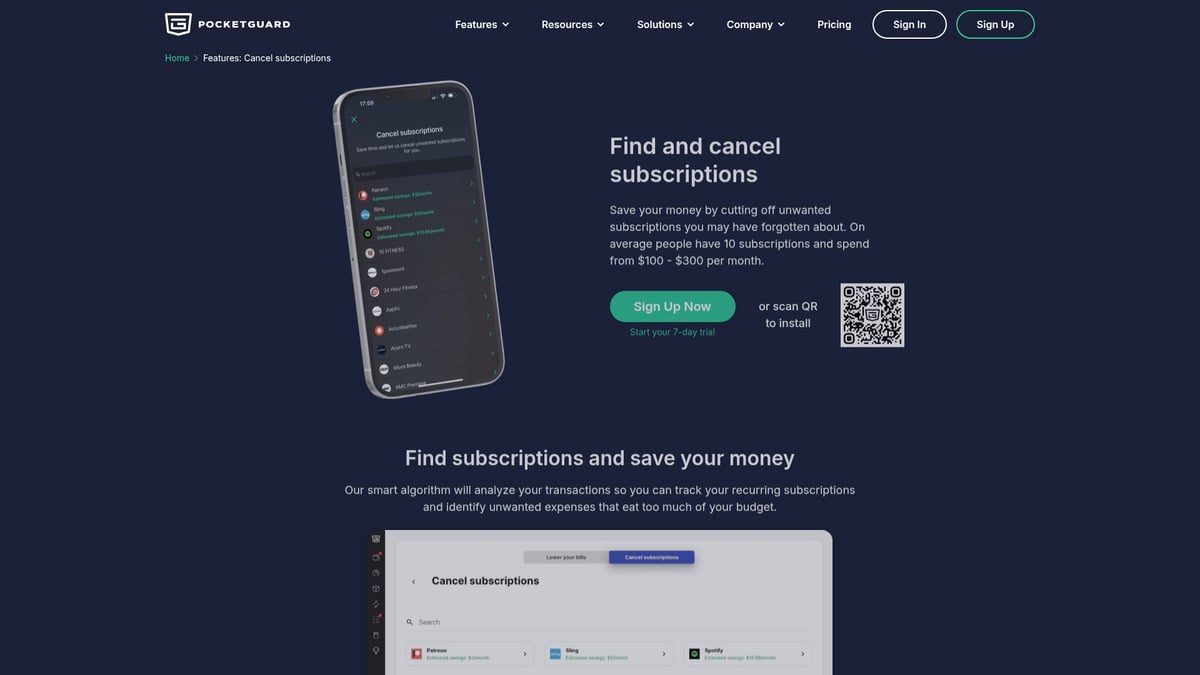
PocketGuard’s “In My Pocket” feature calculates your available spending after bills are paid, giving you a real-time snapshot of your finances. The user-friendly interface makes bill calendars accessible to everyone, regardless of experience.
Pros:
- Automated bill detection and notifications
- Spending insights after bills
- Mobile-friendly design
Cons:
- Limited customization in the free version
- Premium features require a subscription
Best For:
Millennials, mobile users, and anyone seeking a holistic view of their bill calendars.
With the cost of living on the rise, as detailed in this Cost of Living in the U.S. Grows 4% Year over Year report, using effective bill calendars like PocketGuard can help you stay financially resilient.
Bill Payment Log by SampleTemplates
For those who prefer a low-tech, straightforward approach, the Bill Payment Log by SampleTemplates is a reliable option among bill calendars. Available in printable PDF and Excel formats, this template features a simple log for recording bill names, due dates, and payment status.
No registration or software installation is required. The physical format makes it ideal for archiving payments for tax or audit purposes, and it’s easy to reference throughout the year.
Pros:
- Simple, printable, and easy to use
- No tech barriers or account setup
- Great for archiving and referencing
Cons:
- Manual updates required
- No digital reminders
Best For:
Seniors, low-tech users, and anyone needing hard copies of their bill calendars.
Bill calendars like this keep things simple, providing a dependable way to track payments without digital distractions.
EveryDollar Bill Tracking Calendar
EveryDollar’s Bill Tracking Calendar integrates seamlessly with Dave Ramsey’s zero-based budgeting method. You can schedule and track bills, drag and drop due dates, and sync with your bank accounts for automatic updates (premium version).
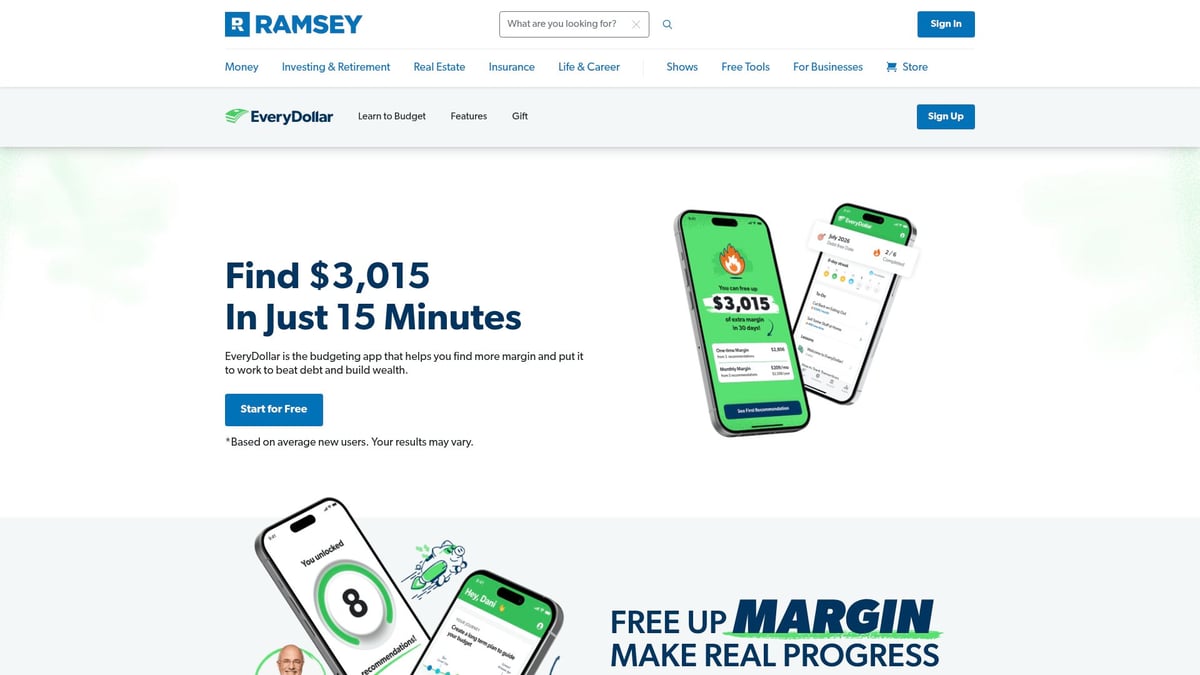
The clean, drag-and-drop interface makes managing bill calendars easy for families and individuals alike. While the free version covers the basics, upgrading unlocks automation and bank syncing for a smoother experience.
Pros:
- Integrates with zero-based budgeting
- Intuitive drag-and-drop calendar
- Trusted by Ramsey followers
Cons:
- Limited automation in the free version
- Paid upgrade needed for advanced features
Best For:
Ramsey followers, families, and anyone seeking simplicity in their bill calendars.
EveryDollar helps you align your bill calendars with your broader financial goals, making it easier to stay organized and on track.
Tips for Maximizing Your Bill Calendar
Effectively using bill calendars can transform how you manage your finances, reduce stress, and help you stay on top of every payment. By building strong habits and leveraging the right tools, you can make financial organization second nature. Below are actionable tips to help you get the most from your bill calendars.
Setting Up for Success
Start by gathering every recurring and one-time bill, from utilities to subscriptions. List each due date and payment amount in your bill calendars. Color-code by category, such as loans, streaming, or household expenses, to quickly spot priorities. Digital bill calendars offer automated reminders, but even printable versions work well if you set regular review times. For more practical advice on building routines, see Living On Your Own and ‘Bill Time’. Whether you prefer bi-weekly or monthly reminders, consistency is key to success.
Maintaining Accuracy and Consistency
To keep your bill calendars reliable, review and update them at least once a month. Compare your calendar with recent bank statements to catch any missed or unexpected charges. If you use spreadsheets, learn how to compare Excel spreadsheets for accuracy. Sync calendars with household members if you share expenses, and automate entries whenever possible. Consistent upkeep ensures your bill calendars remain a trusted resource.
Integrating with Your Budget and Financial Goals
Align your bill calendars with your budgeting tools for a complete view of your finances. Use insights from your calendar to spot trends, such as recurring charges or seasonal bill spikes. This allows you to identify savings opportunities, like canceling unused subscriptions. Tracking payment patterns through bill calendars helps you negotiate better rates and stay proactive. By integrating calendars with your financial goals, you create a powerful system for long-term success.
Troubleshooting Common Issues
If you miss a payment, use your bill calendars to set late alerts and contact billers promptly. For irregular bills, such as utilities or credit cards, note variable amounts and adjust your calendar as needed. Back up digital calendars regularly to prevent data loss, and print copies for extra security. If you encounter template or syncing issues, seek help from customer support or online communities. A proactive approach keeps your bill calendars running smoothly.
Staying Motivated and Accountable
Celebrate on-time payment streaks and track your progress within your bill calendars. Share your achievements with a partner or financial advisor to stay accountable. Schedule annual reviews to assess your habits and set new goals. For example, use your calendar to monitor improvements in your credit score or overall savings. Staying engaged with your bill calendars ensures ongoing motivation and financial control.