Messy spreadsheet data costs businesses thousands of hours annually in manual cleanup work, errors, and delayed decision-making. Whether you're dealing with duplicate entries, inconsistent formatting, missing values, or data validation errors, the traditional approach of manual data cleaning is inefficient and prone to human error. Understanding how to use AI to clean spreadsheet data has become essential for professionals who want to transform chaotic datasets into analysis-ready information without spending days on tedious manual tasks.
The Critical Need for AI-Powered Data Cleaning
Data quality directly impacts business outcomes. When spreadsheets contain errors, inconsistencies, or duplicates, every analysis built on that foundation becomes unreliable. Traditional manual cleaning methods require hours of sorting through rows, applying find-and-replace operations, and validating entries one by one.
AI technology fundamentally changes this workflow by automating pattern recognition, error detection, and data standardization. Modern AI tools can identify anomalies that human reviewers might miss while processing thousands of rows in seconds. This transformation allows analysts and business professionals to focus on insights rather than data preparation.
Common Spreadsheet Data Problems AI Solves
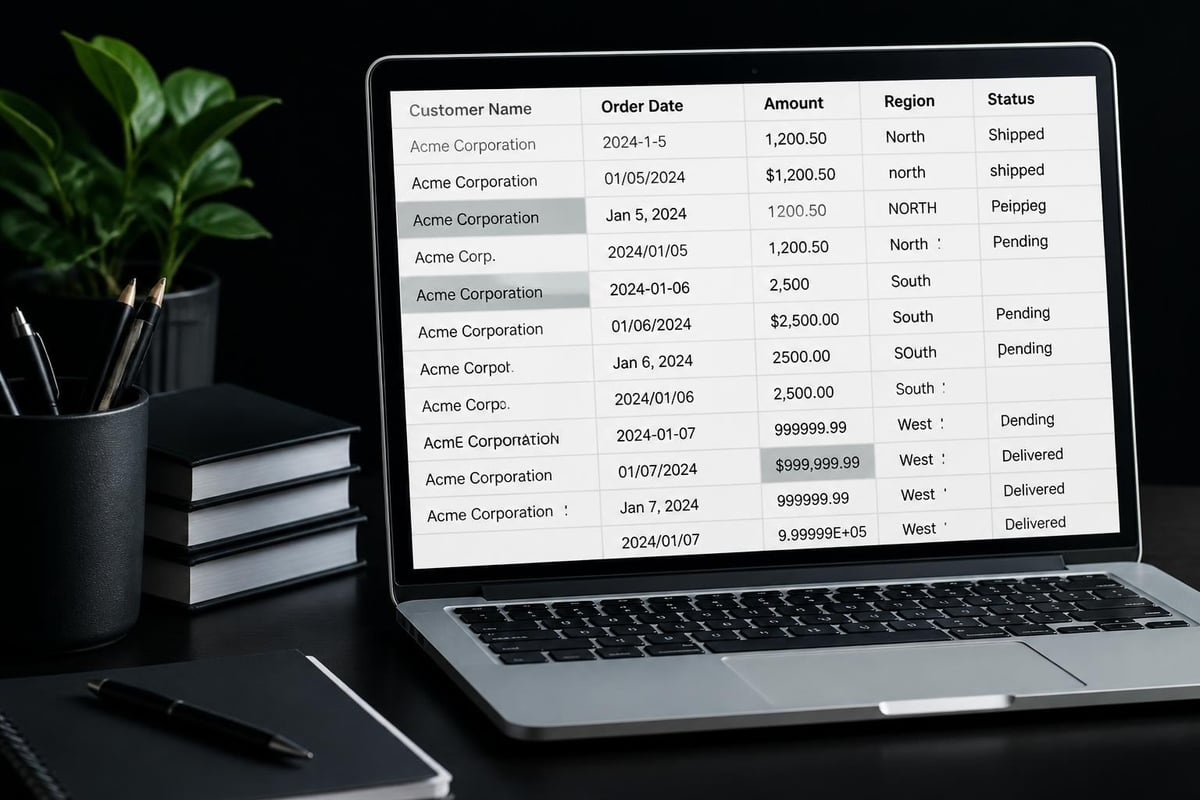
AI-powered cleaning tools excel at addressing specific categories of data quality issues:
- Duplicate entries scattered across different rows with slight variations
- Inconsistent formatting such as mixed date formats, capitalization differences, or number formats
- Missing values that require intelligent imputation or flagging
- Whitespace errors including leading/trailing spaces or extra spaces between words
- Data type mismatches where numbers are stored as text or dates appear incorrectly
- Outliers and anomalies that indicate data entry errors or system glitches
Each of these problems traditionally required separate manual processes. AI consolidates detection and correction into unified workflows.
Essential AI Tools for Spreadsheet Data Cleaning
The landscape of AI cleaning tools has expanded significantly in 2026, offering solutions for different skill levels and requirements. VizMint’s AI Data Cleaning Tool provides comprehensive detection and fixing capabilities for common spreadsheet problems such as duplicate rows, missing values, and inconsistent formats. For users who need instant results without sign-up barriers, CleanMyExcel.io provides a free online AI tool that automatically fixes formats, types, and duplicates.
Natural Language Command Interfaces
One of the most significant advances involves tools that accept plain-English instructions. Grist’s AI-powered data cleaning tool enables users to transform messy data using natural language commands, eliminating the need for coding knowledge or formula expertise. Similarly, hiData’s AI Sheets offers AI-driven data cleaning through natural-language prompts that make advanced data processing accessible to non-technical users.
These interfaces represent a paradigm shift from traditional formula-based cleaning. Instead of writing complex nested IF statements or VLOOKUP combinations, users simply describe what they want accomplished.
Specialized Platforms for Different Needs
| Tool Type | Best For | Key Capabilities |
|---|---|---|
| Natural Language Tools | Non-technical users | Plain-English commands, no coding required |
| Automated Platforms | High-volume processing | Batch operations, API integration |
| Excel Add-ins | Existing workflow integration | Works within familiar Excel environment |
| Web-based Cleaners | Quick one-off tasks | No installation, immediate results |
DataSort utilizes AI to clean, sort, and merge messy Excel or CSV files with features like duplicate removal, format unification, and intelligent merging. For organizations needing automated solutions that integrate into existing workflows, ExcelDashboard AI offers streamlined data preparation that identifies duplicates, missing values, and formatting issues.
Step-by-Step Process: How to Use AI to Clean Spreadsheet Data
Learning how to use AI to clean spreadsheet data effectively requires understanding a systematic approach that maximizes accuracy while minimizing manual intervention.
Step 1: Assess Your Data Quality Issues
Before applying AI tools, conduct a preliminary assessment to identify specific problems:
- Review column headers for consistency and clarity
- Scan for obvious duplicates by sorting on key columns
- Check data types to ensure numbers aren't stored as text
- Identify missing value patterns to determine if they're systematic
- Look for formatting inconsistencies within columns that should be uniform
This diagnostic phase helps you select appropriate AI tools and configure them correctly. The best AI tool for Excel automation depends on the specific issues you've identified.
Step 2: Choose Your AI Cleaning Approach
Different situations call for different tools. For comprehensive automated cleaning, platforms like CleansData provide AI-powered solutions that automatically address issues like duplicates, formatting errors, and missing values in CSV and Excel files.
When you need free access without registration, Kuse AI Tools offers instant duplicate removal, formatting error fixes, and dataset standardization without coding requirements.

Step 3: Configure Cleaning Parameters
AI tools work best when properly configured for your specific dataset:
- Define which columns contain unique identifiers for duplicate detection
- Specify acceptable value ranges for numeric data
- Set rules for handling missing values (imputation, deletion, or flagging)
- Establish formatting standards for dates, currency, and text fields
- Determine tolerance levels for fuzzy matching of similar entries
Professional Excel data cleaning with AI requires this thoughtful configuration to avoid overcorrection or missed issues.
Step 4: Execute and Validate Results
Never trust AI cleaning results blindly. After processing, validate the output:
- Compare row counts before and after to understand what was removed
- Spot-check corrected values to ensure accuracy
- Review any flagged anomalies that AI couldn't automatically resolve
- Test calculations on cleaned data to verify integrity
- Document changes made for audit trails and reproducibility
Advanced tools like Energent.ai’s spreadsheet error detection automatically identify and fix errors while providing transparency about changes made.
Advanced Techniques for Complex Data Cleaning
Beyond basic cleaning, AI enables sophisticated data transformation that was previously extremely difficult to achieve.
Intelligent Duplicate Detection
Standard duplicate detection only catches exact matches. AI-powered fuzzy matching identifies near-duplicates where entries differ slightly due to typos, abbreviations, or formatting variations. For example, "John Smith", "J. Smith", and "Smith, John" might represent the same person.
Machine learning algorithms analyze patterns across your dataset to determine which variations likely represent duplicates based on context and probability. This capability proves invaluable for customer databases, contact lists, and inventory management where slight variations are common.
Predictive Missing Value Imputation
Rather than simply removing rows with missing values or filling them with averages, modern AI can predict appropriate values based on patterns in complete records. This technique, explored in research like DataAssist: A Machine Learning Approach to Data Cleaning, uses ML-informed methods to enhance dataset quality.
The algorithm examines relationships between variables to estimate missing values that maintain statistical consistency with the rest of your data. This approach preserves more records while maintaining analytical validity.
Automated Format Standardization
AI recognizes and converts various input formats into consistent standards:
| Data Type | Common Variations | AI Standardization |
|---|---|---|
| Dates | 01/15/2026, Jan 15 2026, 15-01-26 | 2026-01-15 |
| Phone Numbers | (555) 123-4567, 555.123.4567, +1-555-123-4567 | +15551234567 |
| Currency | $1,000.00, 1000 USD, 1K | 1000.00 |
| Names | JOHN SMITH, smith, john, Smith, J. | John Smith |
This standardization happens automatically based on detected patterns, eliminating hours of manual find-and-replace operations. When working on Excel productivity tips using AI, format standardization delivers immediate time savings.
Integrating AI Data Cleaning into Your Workflow
Understanding how to use AI to clean spreadsheet data extends beyond one-time cleaning projects. The most powerful implementations integrate AI into regular workflows for continuous data quality maintenance.
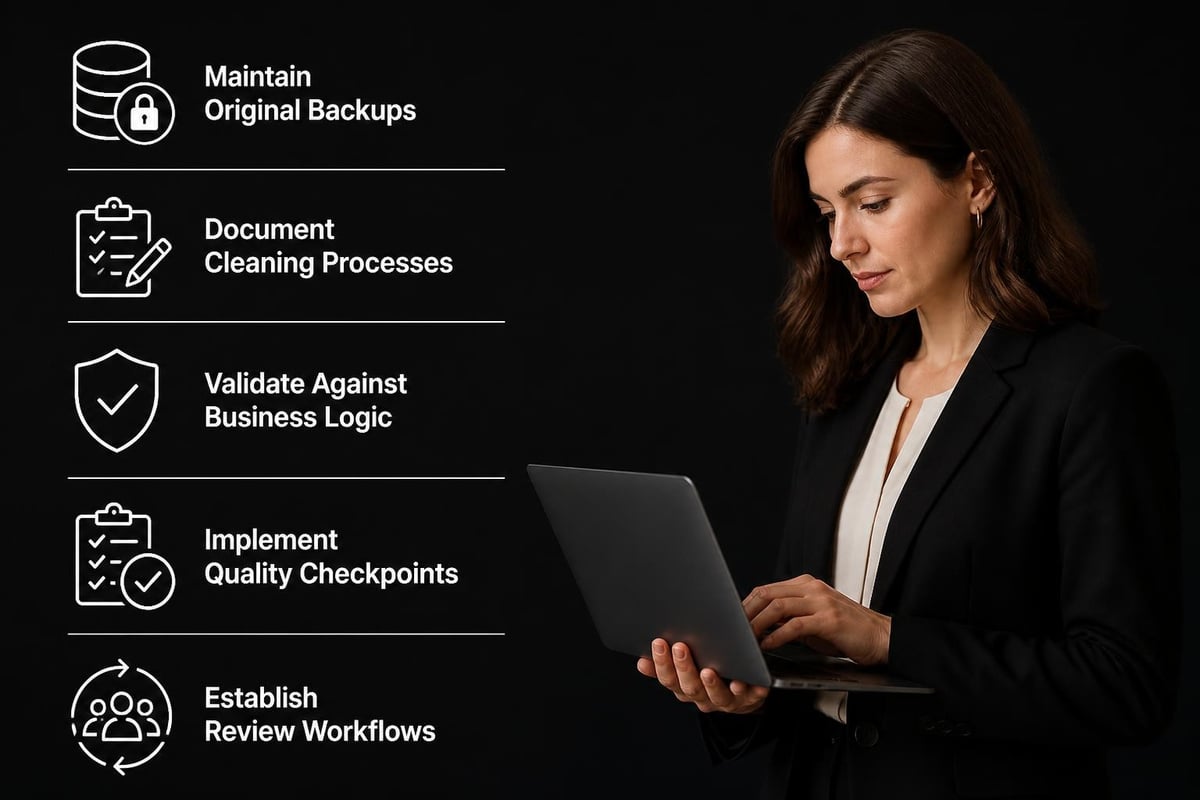
Establishing Data Quality Checkpoints
Implement AI validation at key workflow stages:
- Upon data import from external sources or systems
- Before monthly reporting to ensure accuracy
- After data merging when combining multiple spreadsheets
- Prior to analysis for any business-critical decisions
These checkpoints prevent dirty data from propagating through your organization. Incorporating Excel workflow automation with AI into standard operating procedures ensures consistency.
Building Reusable Cleaning Templates
Once you've configured AI cleaning for a specific dataset type, save those parameters as templates. Most advanced tools allow you to:
- Save cleaning rule sets for recurring data formats
- Apply saved templates to new files with similar structures
- Share templates across teams for standardized processes
- Version control templates as data requirements evolve
This template approach transforms AI cleaning from a one-time task into a scalable, repeatable process.
Combining AI with Human Oversight
The optimal approach balances automation with expert review. AI handles high-volume, pattern-based cleaning while humans address edge cases and validate results. This hybrid model ensures both efficiency and accuracy.
For complex business scenarios, Microsoft Excel consulting services can design custom workflows that optimize this balance for your specific requirements.
Best Practices for AI Spreadsheet Cleaning
Maximizing the benefits of AI data cleaning requires following established best practices that prevent common pitfalls.
Always Maintain Original Data Backups
Before applying any AI cleaning process, create a backup of your original data. This safety net allows you to:
- Compare before and after states
- Revert if cleaning introduces unexpected issues
- Test different cleaning approaches
- Maintain audit trails for compliance
Store backups with clear version numbers and timestamps to avoid confusion.
Document Your Cleaning Process
Record which AI tools you used, what parameters you set, and what changes were made. This documentation proves essential for:
- Reproducibility when processing similar datasets in the future
- Compliance with data governance requirements
- Team collaboration so others understand your methodology
- Troubleshooting when unexpected results occur
Create a simple log that captures tool name, date, settings, and results summary.
Validate Against Business Logic
AI can identify statistical anomalies but may not understand your business context. Always validate cleaned data against business rules:
- Do date ranges align with operational periods?
- Are geographic codes valid for your service areas?
- Do product codes match your current catalog?
- Are financial totals within expected ranges?
This business-level validation catches errors that purely technical cleaning might miss. When working with AI tools for business analysts using Excel, combining technical accuracy with business knowledge delivers superior results.
Start with Small Test Batches
When using a new AI cleaning tool or approach, test on a small subset of your data first:
- Select 100-500 representative rows
- Apply AI cleaning with your chosen parameters
- Manually review results for accuracy
- Adjust parameters based on findings
- Scale to full dataset only after validation
This incremental approach prevents large-scale errors from affecting your entire dataset.
Measuring AI Cleaning Effectiveness
Track metrics to quantify the value AI cleaning delivers to your organization.
Time Savings Calculation
Compare manual cleaning time against AI-automated processes:
- Manual baseline: Hours spent on previous similar cleaning tasks
- AI processing time: Actual time for AI tool execution plus validation
- Net savings: Difference between baseline and AI approach
- Scaling factor: Time saved multiplied by frequency of task
For recurring monthly reports, even saving 30 minutes per dataset compounds to significant annual time savings.
Data Quality Improvement Metrics
| Metric | Before AI | After AI | Improvement |
|---|---|---|---|
| Duplicate Rate | 15% | 0.5% | 96.7% reduction |
| Missing Values | 12% | 2% | 83.3% reduction |
| Format Errors | 25% | 1% | 96% reduction |
| Processing Time | 4 hours | 20 minutes | 91.7% faster |
Quantifying these improvements demonstrates ROI and justifies investment in AI cleaning tools. Organizations that implement how to automate Excel reporting with AI see compounding benefits as clean data accelerates downstream analysis.
Error Reduction in Downstream Analysis
Monitor how AI cleaning affects analytical accuracy:
- Fewer formula errors due to data type issues
- More reliable pivot table results
- Reduced need for manual data corrections during analysis
- Improved confidence in business decisions
These qualitative improvements often matter more than raw time savings.
Common Challenges and Solutions
Even with powerful AI tools, data cleaning presents challenges that require strategic solutions.
Challenge: Over-Correction of Valid Outliers
Problem: AI flags legitimate unusual values as errors and removes or changes them.
Solution: Configure tolerance ranges based on domain knowledge rather than pure statistical thresholds. Review flagged outliers before accepting AI suggestions. Maintain a whitelist of known valid unusual values.
Challenge: Inconsistent AI Interpretation
Problem: The same AI tool produces different results on similar datasets due to context sensitivity.
Solution: Create detailed parameter templates for each dataset type. Document expected behavior and test against known good samples before production use.
Challenge: Integration with Existing Systems
Problem: AI cleaning tools exist as separate platforms disconnected from current workflows.
Solution: Look for tools with API access or Excel add-in capabilities. Alternatively, export to AI platforms, clean, then reimport. Consider custom solutions through Excel consulting services for seamless integration.
Challenge: Team Adoption and Training
Problem: Team members resist new AI tools or lack skills to use them effectively.
Solution: Start with simple, high-value use cases that demonstrate clear benefits. Provide hands-on training focused on practical workflows. Create templates and documentation that simplify adoption.
Future Trends in AI Spreadsheet Cleaning
The field continues evolving rapidly with emerging capabilities worth monitoring.
Context-Aware Cleaning
Next-generation AI will better understand business context, recognizing that "duplicate" customer records might represent legitimate multiple locations or family members. This semantic understanding reduces false positives and improves accuracy.
Automated Learning from User Corrections
As users review and adjust AI cleaning suggestions, advanced systems will learn organization-specific preferences and improve over time. This personalization adapts tools to your unique data patterns and business rules.
Real-Time Cleaning in Collaborative Environments
Cloud-based spreadsheet platforms will incorporate real-time AI validation that prevents dirty data entry rather than cleaning after the fact. This proactive approach maintains quality from the source.
Enhanced Image and Visual Data Processing
For organizations working with visual content alongside spreadsheet data, services like removit demonstrate how AI automation extends beyond text and numbers to manage photo workflows with professional background removal and optimization. As businesses increasingly combine various data types, integrated solutions that handle multiple formats become more valuable.
Similarly, digital transformation agencies like SpaceWeb leverage AI and automation across their service offerings, from SEO to web development, showing how AI capabilities integrate into comprehensive business solutions beyond just spreadsheet management.
Mastering how to use AI to clean spreadsheet data transforms what was once a time-consuming burden into an automated, efficient process that delivers cleaner data faster than manual methods ever could. Whether you're dealing with simple duplicate removal or complex multi-source data standardization, AI tools provide the speed, accuracy, and scalability modern businesses require. If you're struggling with messy spreadsheets, broken formulas, or data that just doesn't make sense, The Analytics Doctor provides expert Excel help and training tailored to your specific needs, delivering practical solutions that make your data work for you.