Business analysts spend countless hours manipulating data in Excel, creating models, building reports, and generating insights that drive decision-making. The integration of artificial intelligence into spreadsheet workflows represents a transformative shift that's changing how analysts work. The best ai tools for business analysts using excel now automate repetitive tasks, suggest sophisticated formulas, clean messy datasets, and even generate narratives from complex data patterns. These innovations don't replace the analyst's expertise but amplify their capabilities, allowing them to focus on strategic thinking rather than manual data manipulation.
Understanding AI-Enhanced Excel Workflows
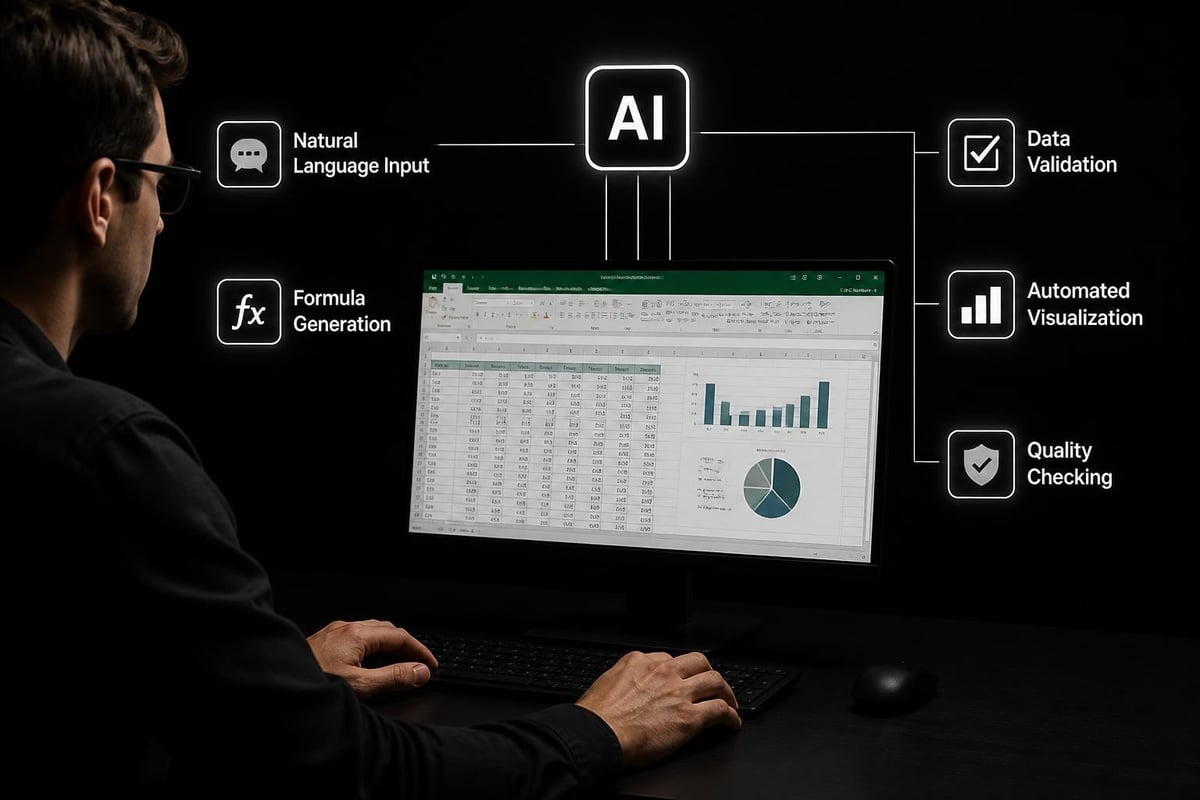
Modern business analysts face increasing pressure to deliver faster insights from larger datasets. Traditional Excel skills remain essential, but AI augmentation creates new possibilities for efficiency and accuracy. These tools work alongside existing spreadsheet knowledge, interpreting natural language requests and translating them into functional formulas, pivot tables, and visualizations.
How AI Integration Changes Analysis
The fundamental workflow for business analysts has evolved significantly. Where analysts once spent hours debugging complex nested formulas, AI-powered assistants now generate these formulas from simple descriptions. Microsoft’s Copilot AI function in Excel represents this shift, though it comes with important caveats about accuracy and reproducibility that analysts must understand.
The transformation extends beyond formula creation:
- Data cleaning operations that once required multiple steps now happen through conversational commands
- Pattern recognition identifies anomalies and trends that might escape manual review
- Report generation automatically formats and structures data into presentation-ready formats
- Predictive modeling applies statistical techniques without requiring deep statistical expertise
Business analysts can now prototype solutions rapidly, testing multiple analytical approaches in the time it previously took to build one. Understanding how to automate Excel tasks with AI becomes a competitive advantage in fast-paced business environments.
Microsoft Copilot for Business Analysis
Microsoft Copilot stands as the most integrated solution for ai tools for business analysts using excel, working directly within the familiar Excel environment. This native integration means analysts don't need to export data or switch between applications, maintaining data security and workflow continuity.
Core Capabilities for Analysts
Copilot transforms how business analysts interact with their spreadsheets through several key features:
| Feature | Capability | Analyst Benefit |
|---|---|---|
| Formula Assistance | Generates complex formulas from descriptions | Reduces syntax errors and development time |
| Data Insights | Identifies trends and patterns automatically | Surfaces hidden relationships in datasets |
| Column Addition | Creates calculated fields based on instructions | Accelerates data enrichment workflows |
| Conditional Formatting | Applies visual rules through natural language | Improves data presentation quality |
The Microsoft Copilot for Excel tutorial provides comprehensive guidance on leveraging these features effectively. Business analysts working with financial data particularly benefit from specialized AI tools that reduce modeling time significantly.
Practical Implementation Strategies
Success with Copilot requires understanding its strengths and limitations. For routine analytical tasks like calculating growth rates, generating summary statistics, or creating standard visualizations, Copilot excels. However, business-critical calculations requiring absolute precision should still undergo manual verification.
Best practices include:
- Start with simple requests to understand how Copilot interprets your instructions
- Review generated formulas to learn techniques and improve your own Excel knowledge
- Build verification steps into your workflow to catch potential AI errors
- Use Copilot for exploration and prototyping, then refine for production use
Microsoft’s recent updates for finance workers demonstrate the platform's evolution toward specialized analytical capabilities.
Specialized AI Excel Assistants
Beyond Microsoft's native solution, several third-party ai tools for business analysts using excel offer unique capabilities that address specific analytical needs.
RowSpeak for Data Privacy and Analysis
RowSpeak distinguishes itself through its focus on data privacy and collaborative analysis. Business analysts working with sensitive customer data, financial records, or confidential business metrics appreciate RowSpeak's approach to AI-assisted spreadsheet analysis that emphasizes human oversight.
The platform excels at:
- Automated data cleaning workflows that handle inconsistent formatting
- Analysis pipelines that connect multiple spreadsheets
- Report generation that maintains brand-consistent formatting
- Collaborative features that let teams share analytical approaches
RowSpeak's strength lies in handling repetitive analytical tasks while keeping the analyst in control. Rather than black-box automation, it provides transparent workflows that analysts can modify and improve.
Energent.ai for Real-Time Analytics
Energent.ai’s AI Data Analyst brings real-time capabilities to Excel analysis, particularly valuable for business analysts monitoring operational metrics or market conditions. The tool operates directly within Excel, eliminating the context-switching that slows analysis.
Key differentiators include:
- Continuous learning that adapts to your specific analytical patterns
- Automated formula suggestions based on dataset structure
- Intelligent pivot table creation that identifies optimal dimensions
- Chart generation that selects appropriate visualization types
For business analysts managing dashboards or regular reporting cycles, Energent.ai reduces the manual effort required to update analyses with new data. The platform's ability to recognize patterns in how you structure analyses means it becomes more helpful over time.

Datapad for Dashboard Automation
Dashboard creation represents one of the most time-consuming tasks for business analysts. Datapad’s Excel integration specifically addresses this pain point, transforming raw spreadsheets into polished, interactive dashboards with minimal manual effort.
The platform works by:
- Analyzing your existing Excel structure and data relationships
- Suggesting relevant visualizations based on data types and patterns
- Generating automated refresh workflows for recurring reports
- Creating mobile-responsive views that work across devices
This automation proves particularly valuable for analysts supporting multiple stakeholders with different reporting needs. Instead of maintaining separate Excel files for each audience, Datapad creates dynamic views from a single source dataset. Understanding Excel dashboard creation with AI helps analysts maximize these capabilities.
Selecting the Right AI Tool for Your Workflow
Not all ai tools for business analysts using excel serve the same purpose, and the optimal choice depends on your specific analytical requirements, data sensitivity, and technical environment.
Decision Framework for Tool Selection
| Consideration | Microsoft Copilot | Third-Party Specialists | Hybrid Approach |
|---|---|---|---|
| Data Security | Highest (stays in M365 ecosystem) | Varies by provider | Requires careful management |
| Integration Depth | Native Excel functionality | May require exports/imports | Some tools offer Excel add-ins |
| Specialized Features | General-purpose capabilities | Focused on specific workflows | Combine strengths of multiple tools |
| Cost Structure | Included in M365 licenses | Separate subscription typically | Higher total cost |
| Learning Curve | Familiar Excel interface | Additional platform to learn | More complex to master |
Business analysts should evaluate AI plugins systematically, testing them with representative datasets and workflows before committing to enterprise deployment.
Matching Tools to Analytical Tasks
Different analytical scenarios benefit from specific AI capabilities:
For ad-hoc analysis and exploration: Tools like Copilot that respond quickly to natural language queries help analysts rapidly test hypotheses and explore data relationships without building permanent structures.
For recurring reports and dashboards: Platforms like Datapad that automate refresh cycles and visualization updates minimize the repetitive work that consumes analyst time each reporting period.
For complex data transformation: Specialized tools offering AI-driven cleanup and modeling handle the intricate data preparation that precedes most serious analysis.
For collaborative analysis: Solutions emphasizing workflow documentation and knowledge sharing help teams standardize approaches and reduce redundant analytical work.
The best AI tool for Excel automation ultimately depends on measuring how much time the tool saves against your specific bottlenecks.

Maximizing AI Tool Effectiveness
Simply adopting ai tools for business analysts using excel doesn't guarantee improved productivity. Strategic implementation and skill development determine whether these tools deliver genuine value or create new complications.
Building AI-Enhanced Analytical Skills
Business analysts need to develop new competencies alongside traditional Excel expertise:
- Prompt engineering for AI tools requires learning how to phrase requests clearly and specifically
- Output validation becomes critical since AI-generated formulas may contain subtle errors
- Workflow design shifts from manual steps to orchestrating AI-assisted processes
- Quality assurance expands to include checking AI logic, not just numerical accuracy
The most effective analysts treat AI tools as collaborative partners rather than automated replacements. They invest time understanding what AI does well (pattern recognition, repetitive tasks, syntax generation) and what still requires human judgment (business context, strategic decisions, stakeholder communication).
Common Implementation Challenges
Organizations deploying AI Excel tools frequently encounter predictable obstacles:
- Inconsistent data quality confuses AI tools that expect structured inputs
- Overly complex legacy spreadsheets resist automated analysis and improvement
- Lack of documentation makes it difficult for AI to understand analytical intent
- Security policies may restrict cloud-based AI tools from accessing sensitive data
- Change resistance from analysts comfortable with existing manual processes
Addressing these challenges proactively through data governance improvements, spreadsheet cleanup projects, and gradual adoption strategies increases success rates. Resources on Copilot for Excel data analysis help teams navigate the transition systematically.
Future Developments in AI-Powered Analysis
The trajectory of ai tools for business analysts using excel points toward increasingly sophisticated capabilities that will reshape analytical work further.
Emerging Capabilities
Several trends are currently moving from experimental to practical implementation:
Automated insight generation goes beyond descriptive statistics to proactively identify meaningful patterns and anomalies. Rather than analysts searching for insights, AI surfaces potential findings that warrant investigation.
Natural language reporting translates numerical findings into narrative explanations, helping analysts communicate results to non-technical stakeholders more effectively.
Predictive modeling accessibility brings forecasting and scenario planning capabilities to analysts without advanced statistical training, democratizing sophisticated techniques.
Cross-spreadsheet intelligence helps AI understand relationships between multiple workbooks, enabling more comprehensive analysis across organizational data silos.
These developments don't eliminate the need for analytical judgment but shift where analysts spend their cognitive energy. Time previously devoted to data manipulation and calculation moves toward interpretation, strategic thinking, and stakeholder engagement.
Preparing for AI Evolution
Business analysts can position themselves for these changes by:
- Maintaining strong foundational Excel skills that help them understand and validate AI outputs
- Developing business acumen that AI cannot replicate
- Building communication abilities that translate technical findings into actionable recommendations
- Staying informed about emerging AI capabilities relevant to analytical workflows
- Experimenting with new tools in low-risk scenarios before production deployment
The analysts who thrive will combine traditional spreadsheet expertise with AI fluency, knowing when to leverage automation and when human expertise remains irreplaceable.
Integration Best Practices
Successfully incorporating ai tools for business analysts using excel into existing workflows requires thoughtful change management and technical preparation.
Technical Prerequisites
Before deploying AI tools broadly, ensure your analytical environment supports them effectively:
- Clean, structured data with consistent formatting and naming conventions
- Documented processes that explain analytical logic and business rules
- Version control practices that track changes to critical spreadsheets
- Security protocols that protect sensitive data while allowing AI access where appropriate
- Performance benchmarks that measure whether AI tools actually improve productivity
Many organizations discover that preparing their data and processes for AI adoption delivers immediate benefits even before AI tools are fully implemented. The discipline required for effective AI usage represents analytical best practices that improve work quality regardless of technology.
Training and Adoption Strategies
Rolling out AI tools successfully involves more than technical installation:
Pilot programs with enthusiastic early adopters generate success stories and identify issues before organization-wide deployment. Choose pilots that address clear pain points where AI can demonstrate rapid value.
Skill-based training teaches not just tool mechanics but when and how to apply AI capabilities effectively. Comparing approaches like Claude vs Copilot for Excel helps analysts understand tool strengths and appropriate use cases.
Ongoing support through internal champions, vendor resources, and communities of practice helps analysts overcome obstacles and share effective techniques as they gain experience.
Metrics-driven evaluation tracks time savings, error reduction, and insight quality to justify continued investment and identify improvement opportunities.
Organizations that treat AI adoption as a strategic initiative with proper change management see significantly better results than those deploying tools without supporting infrastructure.
Ethical Considerations and Quality Control
As ai tools for business analysts using excel become more powerful, maintaining analytical integrity and ethical standards grows increasingly important.
Validation and Verification
AI-generated analysis requires systematic checking:
- Formula review ensures AI-created calculations implement correct business logic
- Sample testing verifies outputs against known correct results
- Edge case analysis checks how AI handles unusual data situations
- Audit trails document AI's role in creating analytical outputs for compliance purposes
Business analysts bear ultimate responsibility for the accuracy of their work, regardless of whether AI assisted in its creation. Understanding best AI for Excel formulas includes knowing how to validate AI suggestions effectively.
Bias and Fairness Awareness
AI tools can perpetuate or amplify biases present in training data or analytical approaches. Business analysts should:
- Question whether AI suggestions reflect genuine patterns or historical biases
- Test analytical outputs across different data segments to identify disparate impacts
- Maintain transparency about AI's role when presenting findings to stakeholders
- Retain human oversight for decisions with significant consequences
The goal is not to avoid AI tools due to potential issues but to use them responsibly with appropriate safeguards and critical thinking.
The integration of AI into Excel workflows represents a significant evolution in how business analysts operate, combining the familiarity of spreadsheets with powerful automation and intelligence capabilities. Success requires selecting appropriate tools, developing new skills, implementing quality controls, and maintaining the analytical judgment that distinguishes insight from mere calculation. Whether you're struggling with complex formulas, drowning in repetitive reporting tasks, or seeking to elevate your analytical capabilities, The Analytics Doctor provides expert guidance on leveraging AI tools effectively while maintaining spreadsheet excellence. From diagnosing AI implementation challenges to training teams on best practices, you'll get practical solutions that make your analytical work smarter and more impactful.