Spreadsheet users waste countless hours building complex formulas, debugging errors, and translating data requirements into Excel syntax. An ai formula generator for excel spreadsheets solves this challenge by converting natural language instructions into working formulas instantly. These AI-powered tools have transformed how professionals interact with Excel, eliminating the need to memorize hundreds of functions and nested formula structures. Whether you're a financial analyst building variance reports or a project manager tracking team performance, AI formula generators accelerate your workflow while reducing errors.
Understanding AI Formula Generation Technology
Modern AI formula generators leverage advanced language models trained on millions of spreadsheet examples. These systems understand both natural language and Excel's formula syntax, creating a bridge between what you want to accomplish and how to code it properly.
The technology works by analyzing your plain-English description and mapping it to appropriate Excel functions. When you type "calculate the average of sales excluding zeros," the ai formula generator for excel spreadsheets recognizes this requires AVERAGEIF rather than a simple AVERAGE function. The system considers your data structure, identifies relevant cell ranges, and constructs syntactically correct formulas.

Recent research on NL2Formula benchmarks demonstrates how these systems achieve high accuracy rates when converting natural language to executable spreadsheet formulas. The technology continues improving as models learn from more diverse spreadsheet scenarios.
Key Capabilities of Modern AI Formula Tools
Current AI formula generators offer several powerful features:
- Natural language input that accepts conversational descriptions
- Context awareness understanding your spreadsheet structure and data types
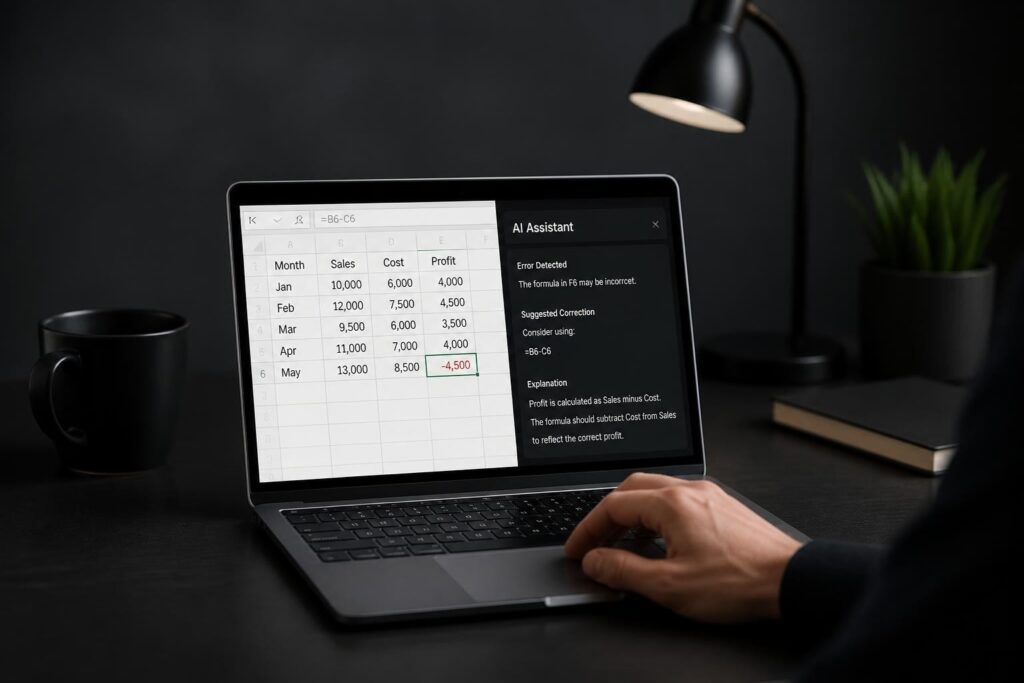
- Error detection identifying syntax issues before formulas execute
- Formula explanation breaking down complex calculations into understandable steps
- Multi-step logic handling nested IF statements and combined functions automatically
These capabilities make an ai formula generator for excel spreadsheets valuable for users at all skill levels. Beginners gain access to advanced functionality without extensive training, while experienced users accelerate complex formula development.
Popular AI Formula Generator Options
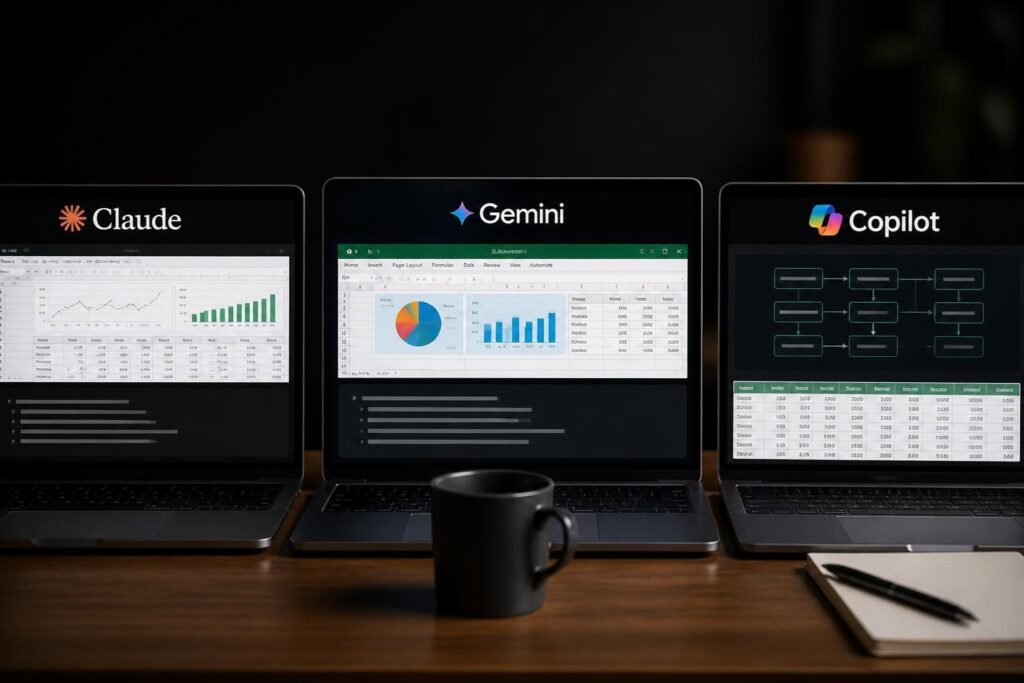
Microsoft has integrated AI directly into Excel through Copilot features. Microsoft’s Copilot function in Excel allows users to generate formulas by describing their needs in plain language within spreadsheet cells. This native integration eliminates the need for third-party tools.
Google Sheets users benefit from Gemini integration. Gemini in Google Sheets can now explain and fix broken formulas, providing real-time assistance for formula troubleshooting and creation. The tool analyzes existing formulas and suggests corrections when errors occur.
Comparing AI Formula Generation Platforms
| Platform | Integration Type | Formula Explanation | Error Detection | Cost |
|---|---|---|---|---|
| Microsoft Copilot | Native Excel | Yes | Yes | Subscription required |
| Google Gemini | Native Sheets | Yes | Yes | Free tier available |
| Third-party Add-ins | Excel Extension | Varies | Varies | Free to Premium |
| Claude/ChatGPT | External Interface | Yes | Limited | Free to Premium |
Third-party add-ins provide additional flexibility for users needing specialized formula assistance. Many AI tools for Excel automation work alongside existing Microsoft installations, offering features beyond native Copilot capabilities.
Practical Applications for Formula Automation
Financial professionals use AI formula generators to build complex financial models quickly. Instead of manually coding NPV calculations with multiple cash flow scenarios, you can describe the analysis required and receive complete formulas instantly.
Data cleaning tasks become significantly faster with AI assistance. When you need to extract first names from full name columns, standardize date formats, or remove duplicates based on specific criteria, an ai formula generator for excel spreadsheets produces the appropriate combination of TEXT, LEFT, RIGHT, and other manipulation functions.
Business Intelligence Reporting
Creating dynamic reports requires numerous formulas working together:
- Data aggregation formulas using SUMIFS, COUNTIFS, and AVERAGEIFS with multiple criteria
- Lookup functions connecting data across multiple sheets with XLOOKUP or INDEX MATCH combinations
- Conditional formatting formulas highlighting exceptions and trends automatically
- Time-based calculations comparing current performance against historical baselines
AI generators handle these interconnected formula systems efficiently. Rather than building each formula individually, you describe the complete reporting requirement and receive a coordinated set of formulas working together.
For users interested in comprehensive automation, exploring how to automate Excel tasks with AI provides additional context for workflow optimization beyond formula generation.
Accuracy Considerations and Limitations
While AI formula generators offer impressive capabilities, Microsoft’s own guidance cautions users against relying on AI-generated formulas for accuracy-critical tasks without verification. The technology occasionally produces formulas that appear syntactically correct but contain logical errors.
Research examining ChatGPT for spreadsheet formula generation reveals specific scenarios where AI systems struggle:
- Complex nested logic with multiple edge cases
- Formulas requiring deep domain knowledge
- Calculations involving obscure Excel functions
- Array formulas with unconventional syntax
Users should always test AI-generated formulas with sample data before applying them to production spreadsheets. Verify that results match expected outcomes across different scenarios, including edge cases your data might encounter.

Building Trust in AI-Generated Formulas
Research on trust in generative AI for spreadsheets emphasizes the importance of transparency. Understanding how an ai formula generator for excel spreadsheets arrived at its solution helps you evaluate correctness and maintain confidence in your models.
Best practices for validating AI formulas include:
- Cross-checking results against known calculations or manual verification
- Testing boundary conditions with extreme values and empty cells
- Reviewing formula logic to ensure it matches your business requirements
- Documenting assumptions about how formulas handle different data scenarios
- Maintaining audit trails showing when and why formulas changed
Advanced Formula Scenarios
Array formulas and dynamic arrays represent challenging territory for manual formula writing. An ai formula generator for excel spreadsheets excels at creating these complex structures by understanding spill behavior and dynamic range references.
When working with large datasets, you might need formulas that automatically expand as new data arrives. AI generators create formulas using FILTER, SORT, UNIQUE, and other dynamic array functions that traditional formula builders find intimidating.
Error Detection and Formula Repair
Microsoft's Agent Mode in Excel can fix broken formulas automatically, representing a significant advancement in spreadsheet error management. The system identifies common issues like circular references, #REF! errors, and #VALUE! problems, then suggests corrections.
Static analysis tools complement AI generators. ExceLint research demonstrates how automated error detection identifies formula mistakes before they cause downstream problems. Combining AI formula generation with automated error checking creates a robust quality control system.
| Error Type | Common Cause | AI Detection Capability | Fix Complexity |
|---|---|---|---|
| #REF! | Deleted cells | Excellent | Low |
| #VALUE! | Type mismatch | Good | Medium |
| Circular Reference | Formula loops | Excellent | High |
| #N/A | Lookup failures | Good | Medium |
| Logic Errors | Incorrect conditions | Limited | High |
Implementing AI Formula Tools in Your Workflow
Starting with AI formula generation requires minimal setup. Most cloud-based solutions integrate directly with existing Excel installations through add-ins or browser extensions. For Microsoft 365 users, understanding how to use Copilot in Excel provides the fastest path to AI-assisted formula creation.
Effective prompt engineering significantly impacts results quality. Instead of vague requests like "calculate totals," provide specific context: "sum sales column D for all rows where region column B equals 'West' and date column A falls within the current month."
Training Your Team on AI Formula Tools
Successfully deploying an ai formula generator for excel spreadsheets across your organization involves more than technical installation:
- Establish clear use cases where AI assistance provides maximum value
- Create validation protocols ensuring formula accuracy before deployment
- Document common prompts that produce reliable results for recurring tasks
- Set review requirements for formulas used in critical business processes
- Monitor performance tracking time savings and error reduction
Organizations looking to expand beyond formula generation should explore Excel dashboard creation with AI for comprehensive business intelligence automation.
Integration with Existing Spreadsheet Workflows
AI formula generators work best as part of a broader analytical toolkit. They complement rather than replace traditional Excel skills. Understanding basic formula logic helps you craft better prompts and verify AI-generated results more effectively.
The technology integrates seamlessly with existing data validation rules, conditional formatting, and pivot table structures. You can use AI to generate the complex formulas powering these features while manually configuring their visual presentation and user interaction elements.
Combining Manual and AI-Generated Formulas
Professional spreadsheet developers typically adopt a hybrid approach:
- Use AI for initial formula drafts and complex nested structures
- Apply manual refinement for optimization and edge case handling
- Leverage AI for formula documentation and explanation
- Employ traditional methods for simple calculations where AI adds unnecessary complexity
This balanced strategy maximizes productivity while maintaining quality control. An ai formula generator for excel spreadsheets accelerates development without compromising spreadsheet integrity.

Performance and Scalability Considerations
Large workbooks with thousands of AI-generated formulas require careful performance management. While the formulas themselves execute normally, the generation process benefits from thoughtful organization:
Template creation using AI-generated formulas once, then copying them across similar data structures, proves more efficient than repeatedly generating identical formulas. Save frequently used formula patterns as named templates within your AI tool.
Calculation optimization remains important regardless of how formulas originate. AI generators sometimes create functionally correct but computationally inefficient formulas. Review generated formulas for opportunities to reduce volatile functions, minimize array operations on large ranges, and leverage Excel's calculation engine effectively.
Memory-intensive formulas generated by AI tools require the same optimization attention as manually created formulas. Convert complex array formulas to helper columns when appropriate, and consider whether calculated columns might serve better than formula-driven approaches for very large datasets.
Future Developments in AI Formula Technology
The evolution of AI formula generators continues rapidly. Emerging capabilities include contextual learning where systems remember your preferred formula patterns and suggest consistent approaches across similar scenarios. These tools increasingly understand industry-specific terminology and standard business calculations.
Natural language processing improvements enable more conversational interaction. Rather than crafting precise technical descriptions, future ai formula generator for excel spreadsheets will handle ambiguous requests by asking clarifying questions before generating formulas.
Integration with broader workflow automation represents another development frontier. AI systems that generate formulas while simultaneously creating data validation rules, formatting specifications, and documentation produce complete analytical solutions rather than isolated calculations.
Multi-step reasoning capabilities allow AI to tackle complex analytical challenges requiring several interconnected formulas. Describe a complete reporting requirement, and the system generates the full formula infrastructure needed to produce that report automatically.
AI formula generators have fundamentally changed how we build and maintain Excel spreadsheets, making complex calculations accessible to users at every skill level. Whether you're struggling with broken formulas, need to automate repetitive calculations, or want to build more sophisticated data models, The Analytics Doctor provides personalized Excel training and expert support to help you master both AI-powered tools and traditional spreadsheet techniques. Get clear, practical solutions that make your data work harder for your business.