Excel formulas can transform raw data into actionable insights, but writing complex functions from scratch remains one of the most challenging aspects of spreadsheet work. Whether you're struggling with nested IF statements, searching for the right combination of SUMIFS and INDEX-MATCH, or debugging a formula that returns errors, artificial intelligence has revolutionized how we approach these tasks. The best AI for Excel formulas can instantly translate your requirements into working functions, explain existing formulas in plain English, and even identify and fix errors automatically. This guide examines the leading AI-powered tools that are making Excel formula creation faster, more accurate, and accessible to users at every skill level.
How AI Formula Assistants Work
Modern AI tools designed for Excel formulas operate on sophisticated language models trained specifically on spreadsheet functions and syntax. These systems understand both natural language descriptions and the technical requirements of Excel's formula structure.
When you describe what you need in plain English, the AI analyzes your request and generates the appropriate formula. The best implementations consider context, data types, and common Excel patterns to produce accurate results. Some tools go beyond simple generation to offer formula explanation, error debugging, and optimization suggestions.
The technology behind these assistants has advanced significantly since 2023. Recent developments in Excel AI capabilities demonstrate how these tools can now handle complex workflows, automatically fix broken formulas, and adapt to your specific spreadsheet structure.
Key Features to Evaluate
- Accuracy: Does the tool generate formulas that work correctly on the first try?
- Explanation capability: Can it break down existing formulas into understandable language?
- Error detection: Does it identify and suggest fixes for broken formulas?
- Formula complexity: Can it handle advanced functions like LAMBDA, LET, and array formulas?
- Integration options: Does it work directly in Excel or require copying between applications?
- Learning curve: How quickly can new users become productive with the tool?

Microsoft Copilot for Excel
Microsoft's native AI integration represents the most seamless option for Excel users. Copilot works directly within Excel 2026, allowing you to generate formulas, analyze data, and create visualizations without leaving your spreadsheet.
The tool excels at understanding context from your existing workbook. When you ask Copilot to create a formula, it analyzes your column headers, data types, and table structure to generate relevant solutions. This contextual awareness makes it particularly powerful for complex workbooks where generic formula generators might miss important nuances.
Strengths of Microsoft Copilot:
- Native integration eliminates copying and pasting between applications
- Contextual understanding of your specific workbook structure
- Agent Mode can autonomously fix formula errors and optimize calculations
- Data analysis capabilities beyond just formula generation
- Regular updates as part of Microsoft 365 subscription
Limitations to Consider:
- Requires Microsoft 365 subscription with Copilot license
- Performance varies based on formula complexity
- Limited availability in some Excel versions
- May require internet connection for full functionality
Microsoft’s expanding AI toolkit for finance professionals demonstrates the platform's commitment to enhancing Excel with specialized AI capabilities, particularly for advanced use cases.
FormulaWiz: Natural Language to Formula Conversion
FormulaWiz specializes in converting conversational requests into precise Excel formulas. The tool focuses specifically on formula generation rather than broader spreadsheet analysis, making it streamlined and efficient for this particular task.
Users describe their requirements in plain language, and FormulaWiz generates the corresponding Excel formula. The interface supports Excel, Google Sheets, and Airtable, making it versatile for teams using different spreadsheet platforms.
FormulaWiz Performance Metrics
| Feature | Rating | Notes |
|---|---|---|
| Formula Accuracy | Excellent | High success rate with standard functions |
| Complex Formula Support | Good | Handles nested functions well |
| User Interface | Excellent | Clean, intuitive design |
| Response Speed | Very Good | Quick generation times |
| Price Value | Excellent | Free tier available |
The tool particularly shines with lookup functions, conditional logic, and date calculations. Users working with data validation, dynamic ranges, or text manipulation will find FormulaWiz especially helpful.
Formula Bot: Conversational Excel Assistant
Formula Bot takes a different approach by offering a conversational interface where you can iteratively refine your formulas. Rather than generating a single result, Formula Bot allows back-and-forth dialogue to perfect your formula requirements.
This conversational model works particularly well when you're not entirely sure how to express your needs. You can start with a general request, see the initial formula, then ask for modifications or clarifications. The system remembers context throughout the conversation, making refinements natural and efficient.
Advanced Capabilities:
- Data analysis and chart creation through natural language
- Formula explanation for existing complex functions
- Support for Excel, Google Sheets, and SQL
- Add-in available for direct Excel integration
- Template library for common business scenarios
The platform offers different pricing tiers based on usage volume, with a free tier suitable for occasional users and professional plans for heavy formula creators.

Formulr: Generation, Explanation, and Debugging
Formulr positions itself as a comprehensive formula assistant with three primary functions: generating new formulas, explaining existing ones, and debugging problematic calculations. This three-pronged approach makes it one of the best AI for Excel formulas when you need versatility.
The explanation feature deserves special attention. When you paste a complex formula into Formulr, it breaks down each component, explains what each function does, and describes how the pieces work together. This educational aspect helps users understand formulas rather than just copying AI-generated code blindly.
When to Use Each Formulr Feature
- Generate: When starting from scratch with clear requirements
- Explain: When inheriting workbooks or reviewing colleague's formulas
- Debug: When formulas return errors or unexpected results
- Optimize: When formulas work but run slowly
The debugging capability analyzes formula errors, identifies the problem area, and suggests specific corrections. This diagnostic approach aligns perfectly with how The Analytics Doctor approaches spreadsheet troubleshooting.
Formula Genius: Verified Formulas with Test Cases
Formula Genius differentiates itself through formula verification. Each generated formula comes with test cases demonstrating how it handles different scenarios. This testing approach reduces the risk of formulas that work in simple cases but fail with edge cases.
The tool generates formulas for Excel, Google Sheets, SQL queries, and even custom scripts. The breadth of coverage makes it valuable for analysts working across multiple platforms.
Unique Features:
- Verified formulas with multiple test scenarios
- Comprehensive coverage of Excel functions including newer dynamic arrays
- SQL query generation for database analysts
- Script generation for automation tasks
- Documentation export for formula libraries
Organizations building formula libraries or maintaining documentation will appreciate Formula Genius's ability to export formula explanations and examples. This documentation capability supports knowledge sharing across teams.
Comparing AI Formula Tools: Feature Matrix
| Tool | Best For | Pricing | Excel Integration | Formula Complexity | Explanation Features |
|---|---|---|---|---|---|
| Microsoft Copilot | Microsoft 365 users | Subscription add-on | Native | Advanced | Excellent |
| FormulaWiz | Quick conversions | Free/Premium | External | Good | Basic |
| Formula Bot | Iterative refinement | Tiered | Add-in available | Advanced | Very Good |
| Formulr | Comprehensive needs | Tiered | External | Advanced | Excellent |
| Formula Genius | Verified accuracy | Premium | External | Advanced | Very Good |
Specialized AI Tools and Emerging Options
Beyond the major players, several specialized tools target specific formula challenges. These AI tools reviewed for Excel and Google Sheets include options optimized for financial modeling, data cleaning, and statistical analysis.
Sheet+ focuses specifically on Google Sheets users who need AI assistance. While not Excel-native, many users work across both platforms and benefit from tools that handle both environments consistently.
For users interested in exploring how different AI models perform with Excel tasks, comparing Claude’s approach to Excel formulas against other platforms reveals interesting differences in how various AI systems interpret spreadsheet requirements.
Advanced Features in Modern Formula AI
The best AI for Excel formulas in 2026 goes far beyond simple function generation. Modern tools incorporate several sophisticated capabilities that expand their utility.
Array formula optimization helps users leverage Excel's dynamic array functions. These newer functions like FILTER, SORT, and UNIQUE require different thinking than traditional formulas, and AI assistants trained on these modern patterns provide significant value.
Cross-reference detection identifies when formulas reference other sheets or workbooks. This capability proves essential when troubleshooting complex workbooks where formulas span multiple data sources.
Performance analysis evaluates formula efficiency and suggests optimizations. Volatile functions like INDIRECT or OFFSET can slow down large workbooks, and AI tools can identify these bottlenecks and recommend alternatives.
Integration with Broader Spreadsheet Workflows
Leading AI formula assistants now integrate with complete spreadsheet workflows. Users working with spreadsheet automation can combine formula generation with data import, formatting, and reporting tasks.
The ability to generate formulas as part of automated processes transforms how organizations handle repetitive spreadsheet tasks. Rather than manually creating similar formulas across multiple workbooks, AI assistants can replicate patterns with variations based on specific requirements.
Choosing the Right AI Formula Assistant
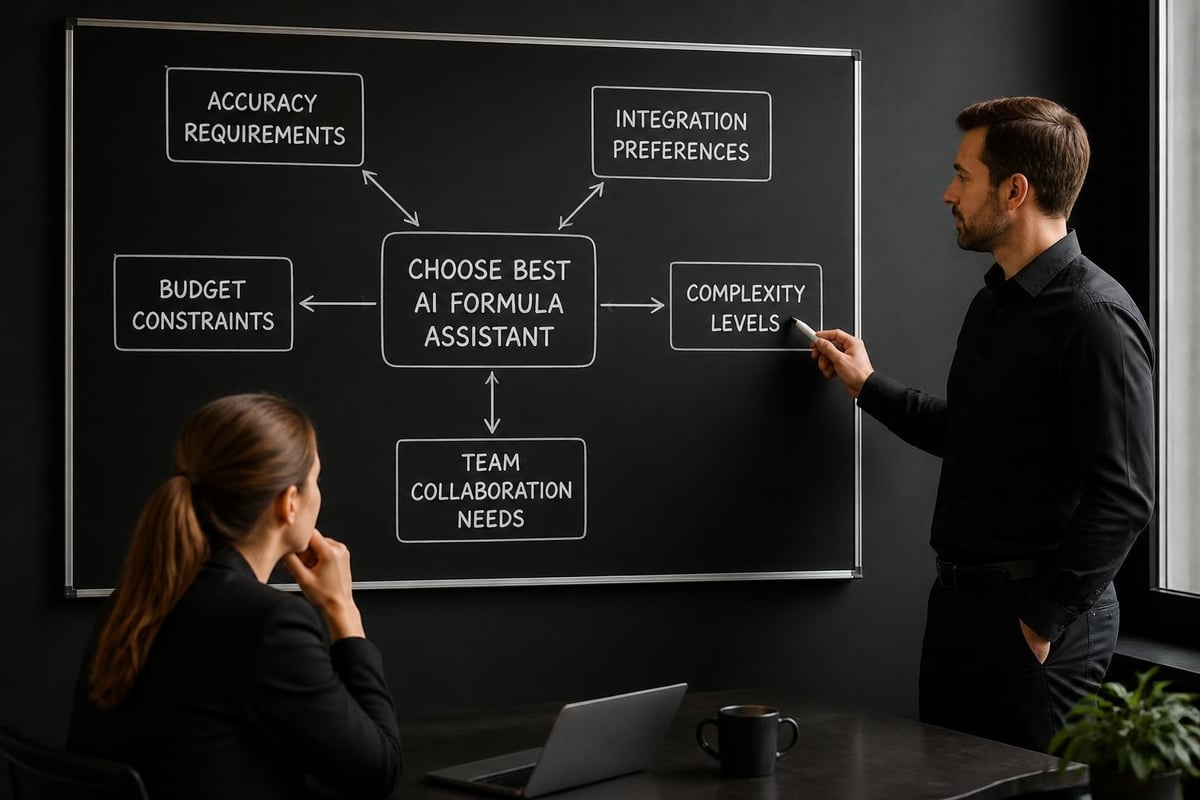
Selecting the best AI for Excel formulas depends on your specific situation and requirements. Consider these decision factors when evaluating options.
Microsoft 365 users benefit most from Copilot's native integration. The seamless experience and contextual awareness justify the additional subscription cost for users who work extensively in Excel. The tool's ability to understand your specific workbook structure provides value that external tools cannot match.
Budget-conscious users should explore free tiers from FormulaWiz or Formula Bot. These options provide substantial capability without financial commitment, making them ideal for individuals or small businesses managing costs carefully.
Teams requiring documentation gravitate toward Formula Genius or Formulr. The explanation and verification features support knowledge transfer and help new team members understand complex spreadsheets.
Users debugging legacy workbooks need strong explanation capabilities. When inheriting complex spreadsheets from predecessors, tools that break down existing formulas into understandable components prove invaluable.
For professionals exploring different AI platforms, understanding how various AI assistants compare for Excel tasks provides insight into which tools align best with different working styles.
Implementation Best Practices
Successfully incorporating AI formula assistants into your workflow requires thoughtful implementation. Start with simpler formulas to build confidence in the tool's accuracy before relying on it for mission-critical calculations.
Always validate AI-generated formulas with test data before deploying them in production workbooks. While accuracy has improved dramatically, edge cases and unusual data scenarios can still produce unexpected results.
Create a formula library documenting successful AI-generated formulas for reuse. This repository becomes increasingly valuable as your team encounters similar requirements across different projects.
Learn from the formulas AI tools generate rather than treating them as black boxes. Understanding why a particular formula works improves your Excel skills and helps you spot potential issues.
Consider how AI-generated formulas fit within your organization's spreadsheet standards. Some companies maintain specific conventions for formula structure, error handling, or calculation methods that may require adapting AI outputs.
Training and Skill Development
Using AI formula assistants doesn't eliminate the need for Excel knowledge. The most effective users combine AI capabilities with fundamental spreadsheet understanding.
Formula literacy remains important even when AI generates the code. Understanding basic function categories, data types, and Excel's calculation model helps you write better prompts and validate AI outputs more effectively.
Tools that explain formulas serve double duty as learning resources. Rather than just copying generated formulas, study the explanations to build your own formula-writing capabilities. Over time, you'll need AI assistance less frequently for routine tasks while still leveraging it for complex challenges.
For users seeking to deepen their Excel expertise, exploring resources like gemini excel formulas tutorials complements AI tool usage by building foundational knowledge.
Security and Privacy Considerations
When using AI formula assistants, especially cloud-based tools, consider data security implications. Avoid uploading sensitive or confidential data to external AI platforms.
Microsoft Copilot benefits from running within your organization's Microsoft 365 environment, inheriting existing security controls and data governance policies. External tools require more careful evaluation of their data handling practices.
Review each tool's privacy policy to understand how it stores and processes your formula requests. Some tools retain queries for model improvement while others promise not to store user data.
For highly sensitive workbooks, consider using AI tools that operate locally or within your network rather than cloud-based services. The trade-off involves potentially reduced accuracy or feature sets compared to cloud-powered options.
Future Developments in Formula AI
The landscape of AI for Excel formulas continues evolving rapidly. Research into specialized language models for Excel demonstrates academic interest in creating AI specifically trained on spreadsheet functions rather than general-purpose models.
Expect increasing contextual intelligence where AI assistants understand not just individual formulas but entire workbook logic. This holistic understanding will enable more sophisticated assistance with formula ecosystems rather than isolated functions.
Multi-modal capabilities will allow AI tools to analyze screenshots, verbal descriptions, or even hand-drawn diagrams to generate appropriate formulas. This expansion beyond text-based interaction makes formula creation more intuitive.
Integration with business intelligence platforms will blur the line between spreadsheet formulas and more sophisticated analytics. AI assistants may suggest when a requirement exceeds Excel's capabilities and recommend alternative tools.
AI-powered formula assistants have transformed Excel from a tool requiring extensive technical knowledge into an accessible platform for users at all skill levels. Whether you choose Microsoft Copilot's native integration, FormulaWiz's streamlined conversion, or Formula Bot's conversational refinement, the right tool can dramatically accelerate your spreadsheet work. When you encounter formula challenges that need expert diagnosis, or when you want to learn more efficient approaches to spreadsheet problem-solving, The Analytics Doctor provides personalized Excel training and support tailored to your specific needs, helping you build skills while solving immediate challenges.