Are you tired of sifting through endless rows in Excel, only to find repeated entries causing confusion? Duplicate data can quickly undermine your work and lead to costly mistakes. If you want to know how to find the duplicate values in excel, you are in the right place.
This expert guide reveals the most effective, up-to-date strategies for duplicate detection in Excel as of 2026. Whether you are a beginner or a seasoned analyst, you will discover step-by-step instructions, automation tips, and advanced methods tailored for every skill level.
By mastering these techniques, you can ensure cleaner data, make smarter decisions, and boost your productivity. Ready to take control of your spreadsheets? Let’s get started.
Understanding Duplicate Values in Excel
Working with large amounts of data can quickly become complicated, especially when you need to know how to find the duplicate values in excel. Duplicates can hide in plain sight, skewing your analysis and making it tough to trust your results. Understanding what duplicates are, why they matter, and how to prepare your data is the first step toward maintaining a reliable, clean spreadsheet.
What Are Duplicate Values?
Duplicate values in Excel are entries that appear more than once within a dataset, either in a single column or across multiple columns. These may be exact matches, like two rows with the same email address, or near-matches caused by minor differences in formatting or spelling.
It is important to distinguish between duplicates and unique data. Unique entries only appear once, while duplicates repeat, sometimes unintentionally. For instance, a customer list might include the same client twice, or a product inventory could have repeated item codes.
Common scenarios include duplicate email addresses in mailing lists, repeated invoice numbers in financial records, or overlapping product SKUs. Recognizing these patterns is foundational if you want to learn how to find the duplicate values in excel and keep your data accurate.
Why Duplicates Matter: Risks and Impacts
Duplicates undermine data integrity and can lead to costly mistakes in business decision-making. If you do not know how to find the duplicate values in excel, you risk misreporting, double-counting, or introducing errors into financial summaries.
Real-world impacts include overbilling clients, shipping multiple orders to the same address, or failing audits due to inconsistent records. According to the Experian Data Quality Report, up to 30 percent of business data is estimated to be inaccurate because of duplicate entries and related issues.
Compliance and audit requirements also demand that organizations maintain clean, deduplicated records. Failing to manage duplicates increases the risk of regulatory penalties and damages trust in your reporting.
Types of Duplicates in Excel
Not all duplicates are created equal. When you explore how to find the duplicate values in excel, you will encounter several types:
| Type | Description | Example |
|---|---|---|
| Exact Duplicates | Identical values across all columns | Same customer name, address, ID |
| Partial/Conditional | Match on selected fields, not all | Same name, different email |
| Row-Level | Entire row is repeated | Duplicate sales transaction |
| Cell-Level | Only a single cell matches | Same phone number, different row |
Case sensitivity and formatting also play a role. For example, "John Smith" and "john smith" may look similar but are treated differently unless standardized. Date formats and extra spaces can result in hidden duplicates, making detection more challenging.
Preparing Your Data for Duplicate Detection
Preparation is critical before you start learning how to find the duplicate values in excel. Data cleaning ensures that duplicate detection tools and formulas work as intended.
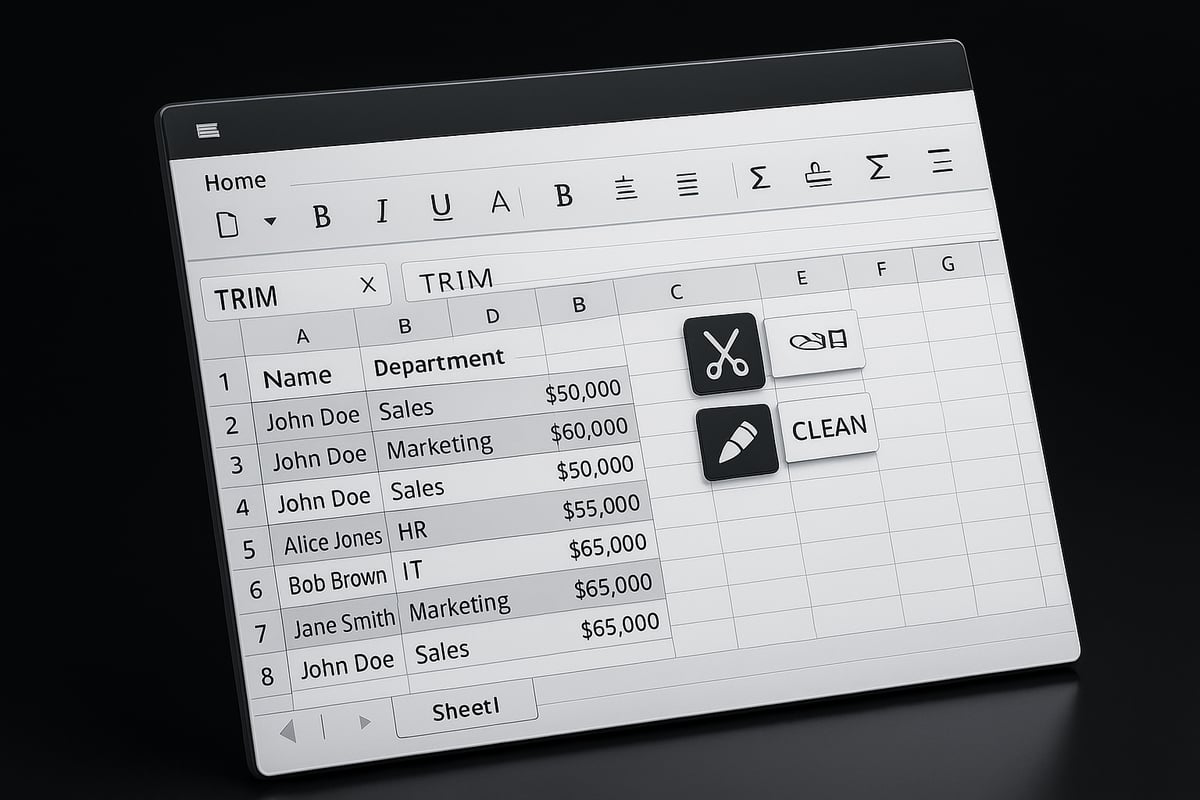
Begin by removing blank rows and standardizing your data formats. Use Excel’s built-in TRIM function to remove extra spaces and the CLEAN function to eliminate non-printable characters. This step helps reveal hidden duplicates that may otherwise escape notice.
Always back up your data before making changes. This precaution protects your information if you need to undo any duplicate removals or corrections, ensuring your workflow remains safe and efficient.
Basic Methods to Find Duplicate Values in Excel
When you need to know how to find the duplicate values in excel, starting with the right tools makes all the difference. Excel offers several built-in methods that are both accessible and effective, whether you are cleaning up a short list or managing a large dataset. Let’s break down the most reliable basic techniques so you can keep your data accurate and organized.
Using Conditional Formatting
Conditional Formatting is a visual powerhouse for anyone wondering how to find the duplicate values in excel. This feature lets you instantly spot duplicates by coloring cells that match certain criteria.
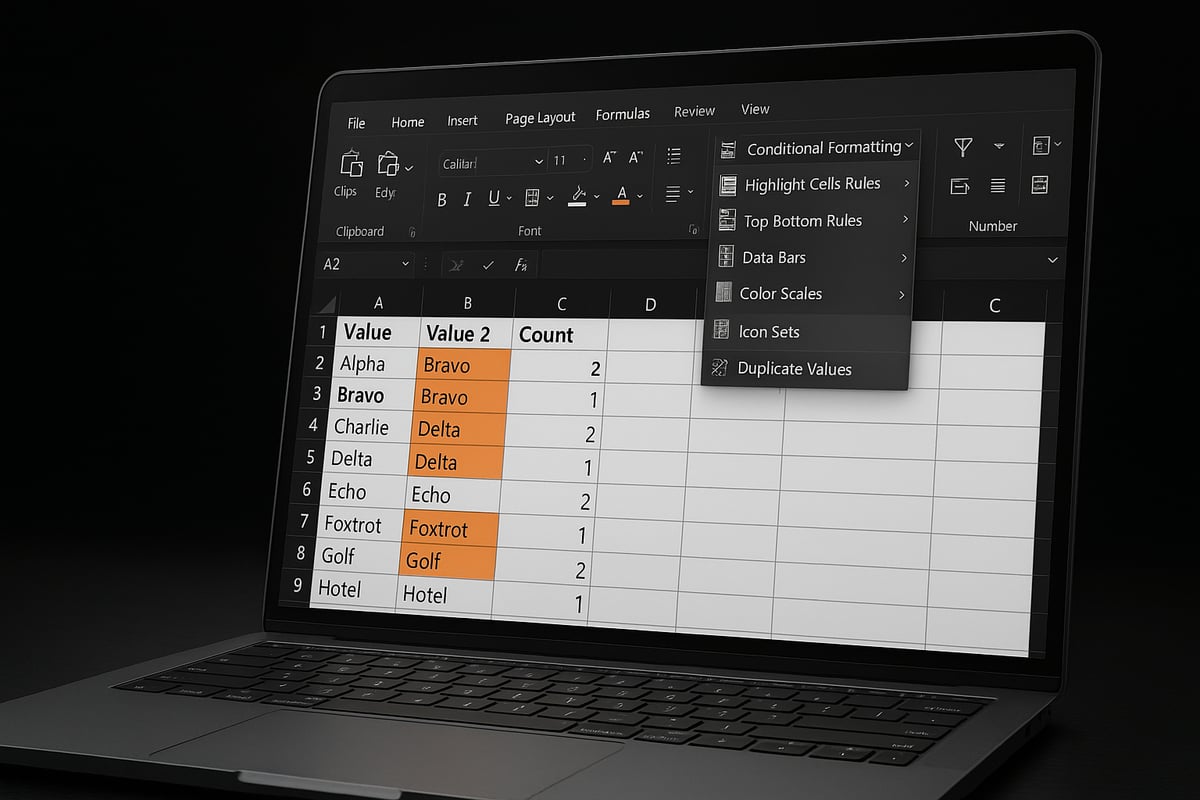
To use it, select your data range, go to the Home tab, and click Conditional Formatting. Choose Highlight Cells Rules and then Duplicate Values. Pick a formatting style, such as a red fill or bold text, to make duplicates stand out.
For example, if you have a list of email addresses and want to highlight any repeats, Conditional Formatting will quickly show you where those duplicates are. You can also customize the rule to use icons or different colors for even more clarity.
Here’s a quick comparison of visual options:
| Formatting Style | Use Case |
|---|---|
| Red Fill | Obvious duplicates |
| Yellow Fill | Less critical values |
| Icon Sets | Priority grouping |
Keep in mind, Conditional Formatting only highlights duplicates, it does not remove them. This method is ideal for quick visual checks before taking further action.
Filtering for Duplicates with Excel’s Filter Feature
Another straightforward approach for how to find the duplicate values in excel is through Excel’s built-in Filter feature. This method is especially useful when you need to isolate and review duplicate rows in a large table.
First, select your data and activate the Filter (Data tab > Filter). Click the dropdown arrow in the relevant column, then use Text Filters or Number Filters to set your criteria. For instance, to spot repeated invoice numbers, you could filter for values that appear more than once.
This process allows you to quickly focus on just the duplicates, making it easier to review or copy them for further analysis. However, the filter method does not visually highlight duplicates—it simply lists them based on your filter rules.
Pros of this method include its simplicity and the ability to combine with sorting. The main drawback is that it’s a manual process, and you may need to reset filters to see all your data again. Always double-check for hidden rows or additional criteria that might affect your results.
The COUNTIF Formula Approach
If you are looking for a dynamic solution on how to find the duplicate values in excel, the COUNTIF formula is a must-know tool. This formula counts how many times a value appears in a range, helping you flag duplicates as your data changes.
The syntax is simple:
=COUNTIF(A2:A100, A2)
You can use this formula in a helper column next to your data. For example, if you’re tracking product IDs, enter the formula and copy it down the column. Any value with a count greater than one is a duplicate.
This approach updates automatically as you add or remove data, making it ideal for ongoing data management. Here’s a sample workflow:
- Insert a new column labeled “Duplicate?”
- Enter
=COUNTIF(A$2:A$100, A2)in the first row - Copy the formula down to flag all duplicates
While COUNTIF is powerful, it can slow down large spreadsheets. Also, it only checks for duplicates within a single column unless combined with other formulas.
Removing Duplicates with Excel’s Built-in Tool
Once you know how to find the duplicate values in excel, the next step is often to remove them. Excel’s Remove Duplicates feature streamlines this process and is located under the Data tab.
To use it, select your data, click Remove Duplicates, and choose which columns should be evaluated for duplicates. Excel will delete any repeated rows based on your selection.
For best results, always back up your data first. Removing duplicates is irreversible and could lead to accidental data loss. If you want a more detailed walkthrough, check out this Remove duplicate records in Excel guide for step-by-step visuals and additional tips.
Be aware that this tool removes entire rows, not just individual cells. Review your column selections carefully to avoid deleting unique information that shares a value in one column. This method is fast, reliable, and perfect for cleaning up lists or databases in a few clicks.
Advanced Techniques for Identifying Duplicates
When you need more than basic tools for how to find the duplicate values in excel, advanced methods offer powerful, flexible solutions. These techniques help you tackle complex scenarios, automate workflows, and ensure your data is accurate at scale.

Using Formulas: COUNTIFS, SUMPRODUCT, and Array Functions
Formulas provide dynamic ways for how to find the duplicate values in excel, especially in large or multi-column datasets.
The COUNTIFS function lets you check for duplicates based on multiple criteria. For example, to flag rows where both First Name and Last Name repeat:
=COUNTIFS(A:A, A2, B:B, B2) > 1
This formula returns TRUE if the combination appears more than once.
SUMPRODUCT is useful for complex conditions. Suppose you want to find duplicates only if the Email is not blank:
=SUMPRODUCT((A:A=A2)*(B:B=B2)*(C:C<>""))>1
Array formulas, such as using UNIQUE and FILTER, can isolate duplicates without helper columns. For example:
=FILTER(A2:A100, COUNTIF(A2:A100, A2:A100)>1)
These approaches allow you to automate how to find the duplicate values in excel as data changes, creating a living check on data quality.
Leveraging Pivot Tables for Duplicate Analysis
Pivot tables are often overlooked as a tool for how to find the duplicate values in excel. They quickly summarize data, revealing patterns and repeated entries.
To analyze duplicates:
- Select your dataset.
- Insert a Pivot Table.
- Drag the column you want to check (like "Customer Name") into Rows and Values.
- Set Values to "Count".
You will see which entries occur more than once. This method is especially handy for large lists, giving a clear overview of duplicates at a glance.
Power Query for Duplicate Management
If you are managing massive datasets, Power Query is a must-have for how to find the duplicate values in excel efficiently. Power Query lets you transform, clean, and deduplicate data before it even reaches your worksheet.
To use Power Query:
- Go to Data > Get & Transform Data > From Table/Range.
- In Power Query Editor, select the columns for duplicate detection.
- Use the "Remove Duplicates" button.
Power Query keeps your original data intact by storing steps in a reusable query. You can refresh the query as new data arrives, ensuring your duplicate checks remain current.
For advanced users, Power Query offers custom logic. You can group by multiple fields, filter based on dates, or handle partial matches. This flexibility makes it a top choice for anyone serious about how to find the duplicate values in excel, especially in enterprise environments.
Using Excel VBA for Automated Duplicate Detection
Automation is a game-changer for how to find the duplicate values in excel. With VBA (Visual Basic for Applications), you can script routine tasks, flag duplicates, and even delete or log them automatically.
A simple VBA script to highlight duplicates in a column:
Sub HighlightDuplicates()
    Dim rng As Range
    Set rng = Range("A2:A100")
    rng.FormatConditions.AddUniqueValues
    rng.FormatConditions(rng.FormatConditions.Count).SetFirstPriority
    rng.FormatConditions(1).DupeUnique = xlDuplicate
    rng.FormatConditions(1).Font.Color = vbRed
End Sub
You can also create macros to log duplicate entries to a separate sheet or generate summary reports. Before running VBA scripts, ensure you have saved your work and enabled macros.
For advanced VBA solutions, explore Excel VBA programming for automation, which covers corporate-grade duplicate management and automation strategies.
Case Sensitivity, Partial Matches, and Fuzzy Duplicates
Nuanced scenarios often require special care in how to find the duplicate values in excel. Case sensitivity, typos, or formatting differences can hide duplicates from simple searches.
The EXACT function checks for case-sensitive matches:
=EXACT(A2, A3)
For partial matches or misspelled names, Excel’s Fuzzy Lookup add-in finds similar but not identical entries. For example, "Jon Smith" and "John Smith" may be flagged as potential duplicates.
When dealing with phone numbers or dates, always standardize formats first. Otherwise, "01/01/2026" and "1 Jan 2026" might not match.
Accuracy is key. While fuzzy matching broadens your net, it can also introduce false positives. Always review suggested duplicates before making changes.
These advanced strategies ensure you can handle every edge case in how to find the duplicate values in excel, maintaining clean, trustworthy data.
Best Practices and Tips for Managing Duplicates
Maintaining a clean, accurate spreadsheet is crucial for reliable analysis and insights. In this section, you will learn best practices that help you master how to find the duplicate values in excel, prevent future issues, and ensure your data remains trustworthy.
Data Validation to Prevent Future Duplicates
One of the most effective ways to manage how to find the duplicate values in excel is by preventing them before they occur. Data validation rules let you restrict entries so only unique values are allowed in specific columns, such as employee IDs or email addresses.
For step-by-step instructions on setting up these rules, review this detailed guide on Excel data validation rules and checks. Data validation provides real-time feedback to users, alerting them instantly if they attempt to enter a duplicate.
Typical use cases for data validation include:
- Ensuring unique product codes or SKUs
- Blocking duplicate customer email addresses
- Preventing repeated invoice numbers
Auditing and Reviewing Duplicate Removals
After using how to find the duplicate values in excel, always review any changes made to your data. Auditing helps track what was removed, by whom, and when. Excel’s Track Changes and Comments features are valuable tools for maintaining a clear audit trail.
Document each step of your duplicate removal process. This practice is especially important in regulated industries or when multiple users collaborate on the same file. Keeping thorough records ensures you can justify any data changes if questions arise later.
Combining Excel with External Tools
For advanced scenarios, combine Excel with external platforms to enhance how to find the duplicate values in excel. Microsoft 365 integrations, such as SharePoint or Power BI, enable centralized data management and real-time collaboration.
Exporting data to Microsoft Access or SQL Server can make large-scale deduplication easier, particularly for enterprise environments. This approach is ideal when you need to compare data across systems or run complex deduplication logic that Excel alone cannot handle.
Common Mistakes and How to Avoid Them
Even experienced users can make mistakes when learning how to find the duplicate values in excel. Here are pitfalls to watch out for and tips to avoid them:
- Deleting data without making a backup first
- Overlooking hidden rows or filtered data that may contain duplicates
- Ignoring subtle differences caused by formatting or invisible characters
To minimize errors, always back up your data, clear filters, and use Excel’s TRIM and CLEAN functions to standardize entries before you start.
Expert Excel Help from The Analytics Doctor
Struggling with persistent duplicates or complex Excel challenges? The Analytics Doctor provides hands-on assistance tailored to your needs, whether you’re an individual or managing a business team. Their services cover how to find the duplicate values in excel, advanced spreadsheet development, and automation.

Get support with custom training, troubleshooting, and workflow optimization. With expert guidance, you can boost data accuracy and streamline your daily operations for lasting results.
Troubleshooting and Special Scenarios
When learning how to find the duplicate values in excel, you will often encounter unique challenges that require specialized solutions. These scenarios go beyond basic tools and call for advanced strategies to ensure your data remains accurate and reliable.
Handling Duplicates Across Multiple Sheets or Workbooks
Many users wonder how to find the duplicate values in excel when data is spread across multiple worksheets or even different files. This situation arises in departments managing separate inventory logs or customer lists.
To compare entries between sheets, use formulas such as VLOOKUP or MATCH. For example, to check if a product ID from Sheet1 exists in Sheet2, enter =ISNUMBER(MATCH(A2,Sheet2!A:A,0)) in a helper column. This formula returns TRUE if a duplicate is found.
For more advanced, step-by-step techniques, explore Compare two Excel spreadsheets. This guide covers VBA, formulas, and best practices, making cross-sheet duplicate detection more efficient.
Always back up your files before merging or removing data.
Dealing with Duplicates in Large or Complex Datasets
When datasets grow to thousands of rows, how to find the duplicate values in excel becomes a performance issue. Standard formulas like COUNTIF or COUNTIFS may slow down calculations.
To tackle large volumes, consider using Power Query. Import your data, use the Remove Duplicates feature, and filter results quickly without altering your original tables. Power Query steps are non-destructive and can be repeated as data updates.
Alternatively, automate detection with VBA scripts for recurring tasks. These approaches keep your workflow efficient and minimize manual review time.
For datasets with complex structures, break down the process into smaller chunks and document each step.
Duplicates with Conditional Logic or Custom Criteria
Some scenarios require finding duplicates based on business logic, not just identical values. For example, you may need to flag duplicate invoices only if the transaction date falls within the same month.
Start by adding helper columns that translate your criteria into a single value. Use formulas like =COUNTIFS(A:A, A2, B:B, B2) to count duplicates where both invoice number (A) and month (B) match. This technique answers how to find the duplicate values in excel when conditions matter.
Conditional formatting can visually highlight such duplicates. Adjust your logic as business rules evolve and always test on a sample dataset first.
Collaborating and Sharing: Avoiding Duplicate Creation
Collaboration introduces another layer to how to find the duplicate values in excel. Shared workbooks, especially in Excel Online, can lead to accidental duplicate entries if version control is lacking.
To prevent this, set up data validation rules that block repeated values in key columns. Use Excel's comment and track changes features to audit modifications. Encourage team members to check for duplicates before saving changes.
For larger teams, assign permissions to control who can edit critical data. Real-time co-authoring and clear communication help everyone maintain a single source of truth and minimize overlap.
Automation and Future Trends in Duplicate Detection (2026 Outlook)
As organizations rely on ever-larger datasets, automation and innovation are transforming how to find the duplicate values in excel. The 2026 landscape introduces AI, cloud connectivity, and evolving best practices that empower users to maintain cleaner, more reliable spreadsheets.
AI-Powered Duplicate Detection Tools
Excel 2026 is redefining how to find the duplicate values in excel by embedding AI-powered tools directly into the platform. These intelligent features utilize machine learning to detect not only exact matches but also fuzzy duplicates, such as misspelled names or similar entries across large datasets.
For example, the new AI suggestions can proactively flag potential duplicates while you import or edit data. This approach significantly reduces manual review time and increases accuracy. If you are interested in the latest research driving these innovations, the A Pre-trained Data Deduplication Model offers insights into the capabilities of modern AI in duplicate detection.
AI-driven anomaly detection also helps identify patterns that traditional formulas might miss, making your workflow more robust and less prone to error.
Integrating Excel with Cloud and Workflow Automation
Cloud integration is revolutionizing how to find the duplicate values in excel. With Microsoft Power Automate, you can create workflows that automatically flag or remove duplicates as soon as new data arrives. This real-time automation helps teams work with the freshest, cleanest records possible.
Connecting Excel to cloud databases enables cross-platform deduplication. For instance, you can set up automated alerts for duplicate entries in your sales data, ensuring issues are caught before they impact reporting. Workflow automation not only saves time but also reduces the risk of human oversight during repetitive tasks.
Emerging Best Practices and Industry Standards
Staying current with industry benchmarks is essential when considering how to find the duplicate values in excel efficiently. Data governance trends, such as those highlighted in Gartner’s 2025 Data Quality Report, are pushing organizations toward stricter data validation and audit trails.
Modern best practices include regular data quality audits, implementing duplicate detection rules, and preparing for future compliance requirements. For official guidance on duplicate management, refer to the Microsoft Support: Find and Remove Duplicates resource.
By following these standards, you can ensure your Excel data remains both accurate and audit-ready.
Building a Duplicate-Free Data Culture
Cultivating a data-aware culture is crucial for teams learning how to find the duplicate values in excel consistently. Regular training helps users recognize and prevent duplicates at the source. Establishing routines, like monthly data hygiene checks, keeps errors from accumulating over time.
Encouraging collaboration and shared responsibility for data quality pays off in every department. When everyone understands the value of clean data, duplicate prevention becomes a natural habit rather than a periodic chore.